Resize Video
更新日
現在のバージョン
1.24
提供元

スマートフォンは不要!パソコンと同じようにキーボードとマウスで操作できます。MEmu Playは、あなたが待ち望んでいたすべての楽しみをお届けします。バッテリー残量や小さな画面を気にすることなく、Resize Videoをご利用ください。最新のMEmu 9は、Resize VideoをPCで体験するのに最適です!完璧なキーマッピングシステムにより、PCのようなスムーズな操作性を実現します。マルチインスタンス機能により、複数のアプリケーションを同時に実行できます。独自の仮想化エンジンがPCのパフォーマンスを最大限に引き出します。アプリを使用するだけでなく、高品質な体験を得ることができます。
もっと見る
MEmu Playを使えば、PCでResize Videoを快適に楽しめます。何千ものAndroidアプリをデスクトップ版で利用できる、パワフルな無料Androidエミュレーターです。友達とつながり、より効率的に作品を磨き上げましょう! This application is used to change any video size (Like: 2X,3X…,1/2X,1/3X…).
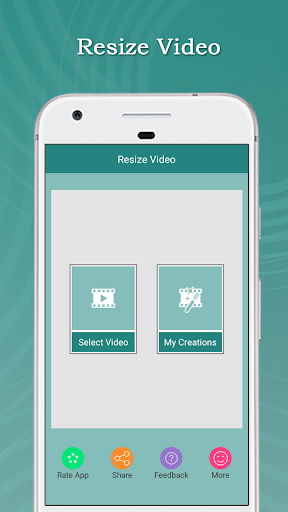
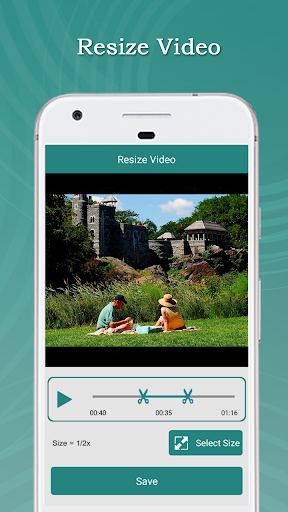
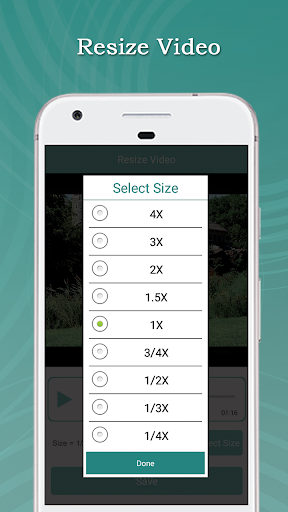
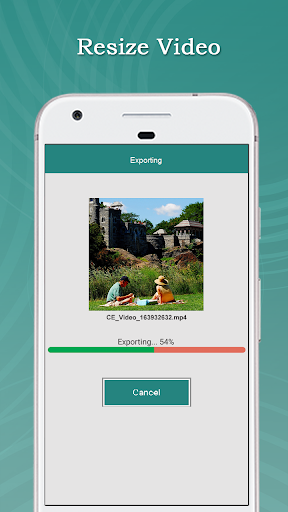
This application is used to change any video size (Like: 2X,3X…,1/2X,1/3X…). Using this Resize Video you can resize and trim a video.
With this Resize Video App
You can add your favorite music to a video and trim your favorite part from a video
Resize Video App is easy to use and free app to resize and trim a video,
Feature:
► Easily Resize a Video.
► You can also cut video part in this app.
► You can also add your favorite music in video.
► You can also remove audio from video(Mute Video).
► You can play your Resize video
►You can share these video's to social network like Facebook, Gmail etc
► Save & Delete
How to USE?
► Select videos from your Gallery / Camera
► Select Size (Like:- 1/2X,1/3X.., 2X,3X…)
► Click on “Save” Button
► Select audio option (“Original Audio” and “select from Gallery”)
► Click on “Ok” Button
► Wait for complete process
► Easily Share your Resize Video With your Friends
もっと見る

1. MEmuインストーラーをダウンロードしてセットアップを完了する

2. MEmuを起動し、デスクトップでのPlayストアを開く

3. PlayストアでResize Videoを検索する
Install
4. Resize Videoをダウンロードしてインストールする
5. インストールが完了したら、アイコンをクリックしてスタート

6. MEmuを使ってパソコンでResize Videoを体験する
MEmu Playは現在、最高の無料Androidエミュレーターであり、5,000万人のユーザーが優れたAndroidアプリ体験を楽しんでいます。MEmuの仮想化テクノロジーにより、数千ものAndroidアプリをコンピューターでスムーズに実行できます。
大画面でより精細;無限の待機、電池とドラフィックの極限を超え
キーボード・マウス・コントローラーを全力でサポート、より快適
マルチインスタンスで複数のゲームを同時に実行
Use Resize Video on PC by following steps: