
Session - Private Messenger
更新日
現在のバージョン
1.20.8
提供元

スマートフォンは不要!パソコンと同じようにキーボードとマウスで操作できます。MEmu Playは、あなたが待ち望んでいたすべての楽しみをお届けします。バッテリー残量や小さな画面を気にすることなく、Session - Private Messengerをご利用ください。最新のMEmu 9は、Session - Private MessengerをPCで体験するのに最適です!完璧なキーマッピングシステムにより、PCのようなスムーズな操作性を実現します。マルチインスタンス機能により、複数のアプリケーションを同時に実行できます。独自の仮想化エンジンがPCのパフォーマンスを最大限に引き出します。アプリを使用するだけでなく、高品質な体験を得ることができます。
もっと見る
Session - Private MessengerをPCでダウンロード!大画面でより楽しむ。電源が落ちてしまうとか通信料が足りないとかの問題を心配する必要がなく、PCの大画面でより快適にゲームを楽しましょう! Session is a private messenger offering privacy, anonymity, and security.
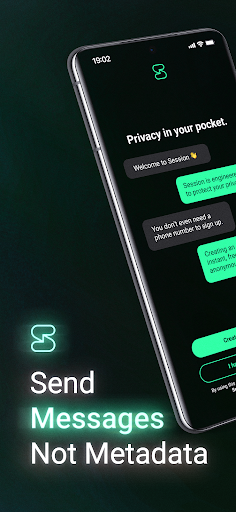
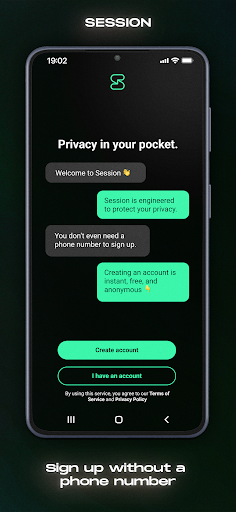
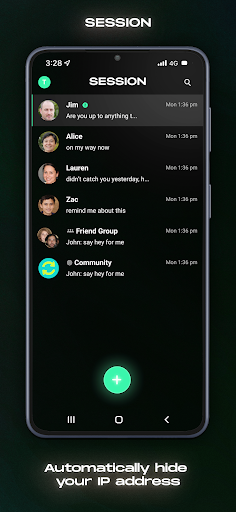
Session is a private messenger offering privacy, anonymity, and security. With end-to-end encryption, no phone numbers for sign-up, and decentralisation, Session is a messenger that truly keeps your messages private and secure.
Session uses a powerful decentralised network of servers to route your messages, making it impossible for anyone to leak or sell your data. And with Session’s private routing protocols, your messages are completely anonymous. No one ever knows who you’re talking to, what you’re saying, or even your IP address.
Privacy is the default when you use Session. Every message is encrypted, every time. We take your privacy seriously — Session gives you a safe, private place to chat with your friends, family, or anyone in the world.
• Fully anonymous account creation: No phone number or email is needed to create an Account ID
• Decentralised server network: No data breaches, no central point of failure
• No metadata logging: Session doesn't store, track, or log your messaging metadata
• IP address protection: Your IP address is protected using a specialised onion routing protocol
• Closed groups: Private, end-to-end encrypted group chats for up to 100 people
• Secure attachments: Share voice snippets, photos, and files with Session's secure encryption and privacy protections
• Free and open-source: Don’t take our word for it — check Session's code yourself
Session is free as in free speech, free as in free beer, and free of ads and trackers. Session is built and maintained by the OPTF, Australia’s first privacy tech not-for-profit organisation. Take back your online privacy today — download Session.
Want to build from source, report a bug, or just take a look at our code? Check out Session on GitHub: https://github.com/oxen-io/session-android
もっと見る

1. MEmuインストーラーをダウンロードしてセットアップを完了する

2. MEmuを起動し、デスクトップでのPlayストアを開く

3. PlayストアでSession - Private Messengerを検索する
Install
4. Session - Private Messengerをダウンロードしてインストールする
5. インストールが完了したら、アイコンをクリックしてスタート

6. MEmuを使ってパソコンでSession - Private Messengerを体験する
MEmu Playは現在、最高の無料Androidエミュレーターであり、5,000万人のユーザーが優れたAndroidアプリ体験を楽しんでいます。MEmuの仮想化テクノロジーにより、数千ものAndroidアプリをコンピューターでスムーズに実行できます。
大画面でより精細;無限の待機、電池とドラフィックの極限を超え
キーボード・マウス・コントローラーを全力でサポート、より快適
マルチインスタンスで複数のゲームを同時に実行
Use Session - Private Messenger on PC by following steps: