Tor Browser (Alpha)
更新日
現在のバージョン
14.5a1 (128.5.0esr)
提供元

スマートフォンは不要!パソコンと同じようにキーボードとマウスで操作できます。MEmu Playは、あなたが待ち望んでいたすべての楽しみをお届けします。バッテリー残量や小さな画面を気にすることなく、Tor Browser (Alpha)をご利用ください。最新のMEmu 9は、Tor Browser (Alpha)をPCで体験するのに最適です!完璧なキーマッピングシステムにより、PCのようなスムーズな操作性を実現します。マルチインスタンス機能により、複数のアプリケーションを同時に実行できます。独自の仮想化エンジンがPCのパフォーマンスを最大限に引き出します。アプリを使用するだけでなく、高品質な体験を得ることができます。
もっと見る
Tor Browser (Alpha)をPCでダウンロード!大画面でより楽しむ。電源が落ちてしまうとか通信料が足りないとかの問題を心配する必要がなく、PCの大画面でより快適にゲームを楽しましょう! Tor Browser is the only official mobile browser supported by the Tor Project, developers of the world’s strongest tool for privacy and freedom online.
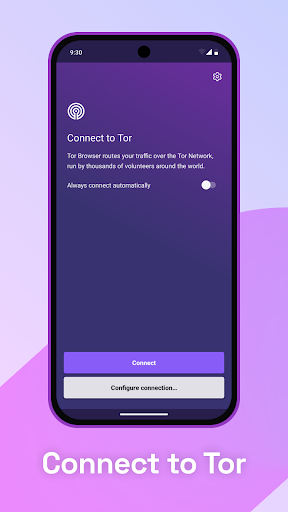
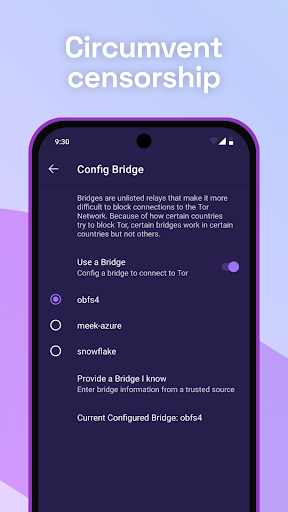
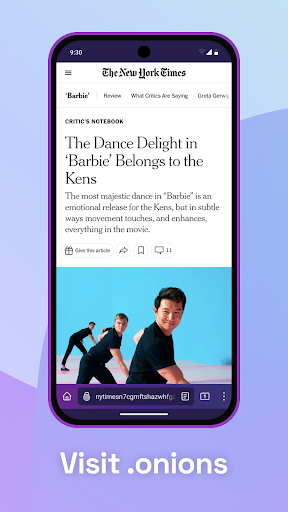
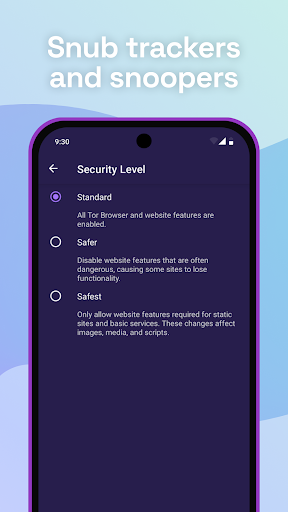
Tor Browser is the only official mobile browser supported by the Tor Project, developers of the world’s strongest tool for privacy and freedom online.
Tor Browser will ALWAYS be free, but donations make it possible. The Tor
Project is a 501(c)(3) nonprofit based in the US. Please consider making
a contribution today. Every gift makes a difference: https://donate.torproject.org.
Learn how to report bugs and provide feedback at https://support.torproject.org/misc/bug-or-feedback/!
BLOCK TRACKERS
Tor Browser isolates each website you visit so third-party trackers and ads can’t follow you. Any cookies automatically clear when you’re done browsing.
DEFEND AGAINST SURVEILLANCE
Tor Browser prevents someone watching your connection from knowing what websites you visit. All anyone monitoring your browsing habits can see is that you’re using Tor.
RESIST FINGERPRINTING
Tor aims to make all users look the same, making it difficult for you to be fingerprinted based on your browser and device information.
MULTI-LAYERED ENCRYPTION
When you use Tor Browser for Android, your traffic is relayed and encrypted three times as it passes over the Tor network. The network is comprised of thousands of volunteer-run servers known as Tor relays. Watch this animation to learn more about how it works:
BROWSE FREELY
With Tor Browser for Android, you are free to access sites your local internet service provider may have blocked.
THIS APP IS MADE POSSIBLE BY DONORS LIKE YOU
Tor Browser is free and open source software developed by the Tor
Project, a nonprofit organization. You can help keep Tor strong, secure,
and independent by making a donation: https://donate.torproject.org/
Learn more about Tor Browser:
- Need help? Visit https://tb-manual.torproject.org/mobile-tor/.
- Learn more about what’s happening at Tor: https://blog.torproject.org
- Follow the Tor Project on Twitter: https://twitter.com/torproject
- Learn how to report bugs and provide feedback: https://support.torproject.org/misc/bug-or-feedback/
ABOUT THE TOR PROJECT
The Tor Project, Inc., is a 501(c)(3) organization developing free and open source software for privacy and freedom online, protecting people from tracking, surveillance, and censorship. The Tor Project’s mission is to advance human rights and freedoms by creating and deploying free and open source anonymity and privacy technologies, support their unrestricted availability and use, and further their scientific and popular understanding.
もっと見る

1. MEmuインストーラーをダウンロードしてセットアップを完了する

2. MEmuを起動し、デスクトップでのPlayストアを開く

3. PlayストアでTor Browser (Alpha)を検索する
Install
4. Tor Browser (Alpha)をダウンロードしてインストールする
5. インストールが完了したら、アイコンをクリックしてスタート

6. MEmuを使ってパソコンでTor Browser (Alpha)を体験する
MEmu Playは現在、最高の無料Androidエミュレーターであり、5,000万人のユーザーが優れたAndroidアプリ体験を楽しんでいます。MEmuの仮想化テクノロジーにより、数千ものAndroidアプリをコンピューターでスムーズに実行できます。
大画面でより精細;無限の待機、電池とドラフィックの極限を超え
キーボード・マウス・コントローラーを全力でサポート、より快適
マルチインスタンスで複数のゲームを同時に実行
Use Tor Browser (Alpha) on PC by following steps: