Project Racer
Dikemas kini
Versi Semasa
Ditawarkan Oleh

Dengan semangat anda untuk bermain Project Racer, tangan anda tidak seharusnya terhad pada skrin kecil telefon anda. Main seperti profesional dan kendalikan sepenuhnya permainan anda dengan papan kekunci dan tetikus. MEmu menawarkan semua perkara yang anda harapkan. Muat turun dan mainkan Project Racer di PC. Main selagi anda mahu, tidak ada batasan bateri, data mudah alih dan panggilan yang mengganggu. MEmu 9 yang baru adalah pilihan terbaik untuk bermain Project Racer di PC. Disiapkan dengan kepakaran kami, sistem pemetaan kunci pratetap yang indah menjadikan Project Racer permainan PC sebenar. Dikodkan dengan penyerapan kami, pengurus multi-instance menjadikan bermain 2 atau lebih akaun pada peranti yang sama mungkin. Dan yang paling penting, enjin emulasi eksklusif kami dapat melepaskan potensi penuh PC anda, menjadikan semuanya lancar.Kami tidak hanya peduli bagaimana anda bermain, tetapi juga keseluruhan proses menikmati kebahagiaan permainan.
Tunjukkan Lagi
Muat turun Project Racer pada PC dengan MEmu Android Emulator. Nikmati bermain di skrin besar [Every human racer makes mistakes, but It doesn’t - AlphaRacer B.
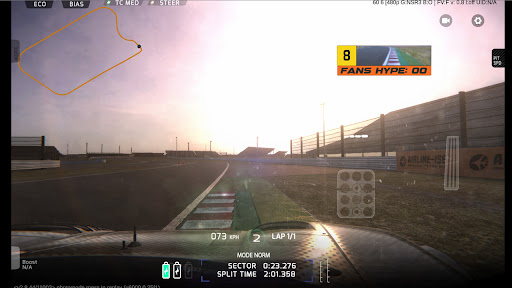
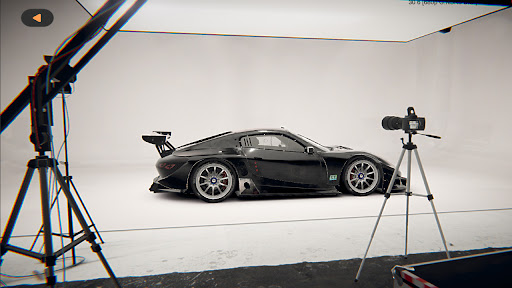
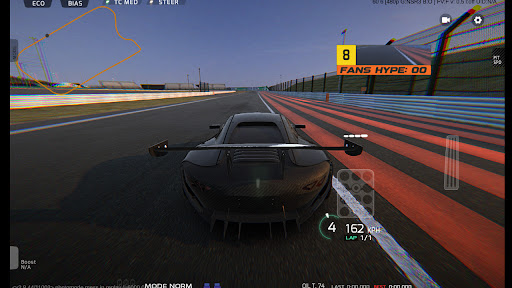
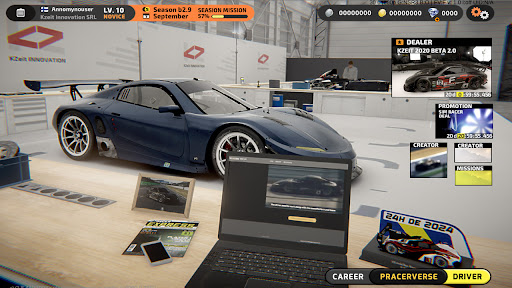
[Every human racer makes mistakes, but It doesn’t - AlphaRacer B.R.G srl ]
Project: Racer is a realistic racing game on mobile that features a unique online career mode with realistic driving physics where the driver need to work along with the team to pursuit the ultimate goal of racing driver and to race the championship with other real players from all over the world. The game is developed under very close supervision of professionals from real life racing and racing enthusiasts from game industry.
[REALISTIC HANDLING]
Project:Racer doesn’t compromise the realistic physics to adapt mobile platform, you will have to brake early and make the corner without an unrealistically fast speed, and you will find the grass being bumpy and slippery like an ice-patch in some cases. If you go off the track, even if it’s still on tarmac, the grip level would drop drastically because the track surface off the racing line could be very dirty.
[START YOUR ONLINE RACING CAREER]
After signing up with a manufacture team, the new racing season starts from the freezing winter test. With the assist from team engineers, you will set up the car from the basic configurations like seat positions and gear ratio, to some advance adjustments like wheel alignment, tire pressure, or even the throttle response.
[DEVELOPING THE CAR THROUGH THE SEASON]
The tension builds up as the season progresses. Every team is upgrading their chassis and engine. You are the only one who will be on track to give direct feedback for the engineers to improve the chassis and engine. Every minute on the track, every second in the corner and every championship point separates winning and losing.
[THE MANUFACTURE AND TEAM BATTLES]
4 Engine suppliers and 10 manufacture teams spread the battle from the race track to the factory, but a small team is still possible to beat an international manufacture.
As the weather and the grip level are dynamic in Project:Racer, experiences will be the key to make a racing car faster, team budget will not be the only factor.
[ARTIFICIAL INTELLIGENCE RACING ERA]
In the parallel universe of Project:Racer, an ambitious project was introduced and promoted by BRG srl - a global Motorsport company owned by Jam Bristol. Will the Racing Robot “AlphaRacer” finally replace human drivers in the near future? The answer will be revealed based on choice of all the online racers...
When your eyes are hidden behind the silver visor, the world outside is muted and you are the one racing against time.
Tunjukkan Lagi

1. Muat turun pemasang MEmu dan selesaikan persediaan

2. Mulakan MEnu kemudian buka Google Play di desktop

3. Cari Project Racer di Google Play
Install
4. Muat turun dan Pasang Project Racer
5. Apabila selesai pemasangan, menekan ikon itu untuk memulakan

6. Nikmati bermain Project Racer di komputer dengan MEmu
MEmu Play adalah emulator Android terbaik dan 100 juta orang sudah menikmati pengalaman permainan Androidnya yang luar biasa. Teknologi virtualisasi MEmu memberi kuasa kepada anda untuk bermain beribu-ribu permainan Android dengan lancar di komputar anda, malah yang paling intensif grafik.
Skrin lebih besar dengan grafik yang lebih baik; Tempoh yang panjang, tanpa had bateri atau data mudah alih.
Sokongan Keymapping penuh untuk kawalan tepat papan kekunci dan tetikus atau gamepad.
Pelbagai akaun permainan atau tugas pada satu PC sekaligus dengan pengurus pelbagai contoh.
Play Project Racer on PC by following steps: