Project Racer
Updated
Current Version
Offered By

With your passion for Project Racer, you shouldn’t have to limit yourself to the small screen of a phone. Play like a pro and take full control of the game using a keyboard and mouse. MEmu gives you everything you’re looking for. Download and play Project Racer on PC. Play as long as you want — no more worries about battery life, mobile data, or unexpected calls. The all-new MEmu 9 is the best way to play Project Racer on PC. With our expertly designed keymapping system, Project Racer feels just like a real PC game. The MEmu multi-instance manager lets you run two or more accounts on the same device at the same time. Most importantly, our exclusive emulation engine unlocks your PC’s full potential, delivering smooth and seamless performance.
Show more
Download Project Racer on PC with MEmu Android Emulator. Enjoy playing on big screen. [Every human racer makes mistakes, but It doesn’t - AlphaRacer B.
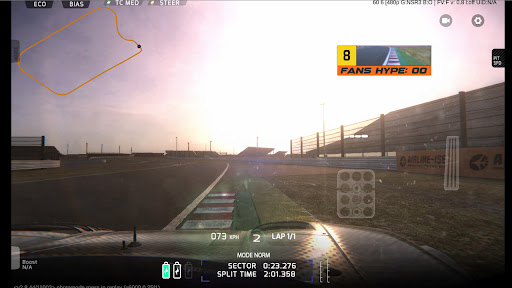
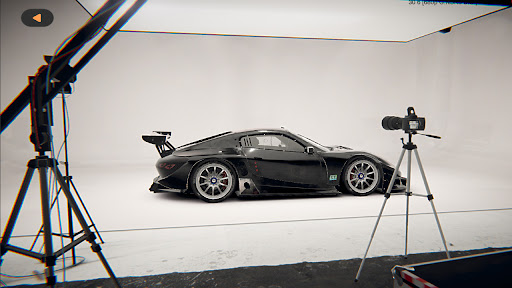
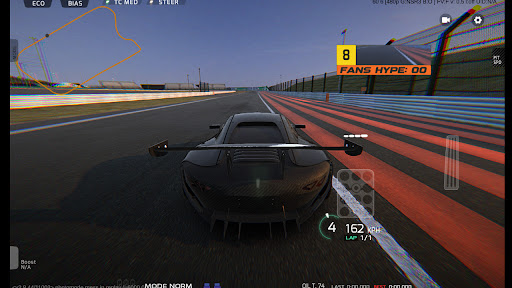
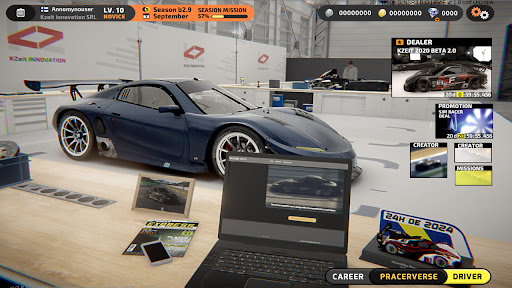
[Every human racer makes mistakes, but It doesn’t - AlphaRacer B.R.G srl ]
Project: Racer is a realistic racing game on mobile that features a unique online career mode with realistic driving physics where the driver need to work along with the team to pursuit the ultimate goal of racing driver and to race the championship with other real players from all over the world. The game is developed under very close supervision of professionals from real life racing and racing enthusiasts from game industry.
[REALISTIC HANDLING]
Project:Racer doesn’t compromise the realistic physics to adapt mobile platform, you will have to brake early and make the corner without an unrealistically fast speed, and you will find the grass being bumpy and slippery like an ice-patch in some cases. If you go off the track, even if it’s still on tarmac, the grip level would drop drastically because the track surface off the racing line could be very dirty.
[START YOUR ONLINE RACING CAREER]
After signing up with a manufacture team, the new racing season starts from the freezing winter test. With the assist from team engineers, you will set up the car from the basic configurations like seat positions and gear ratio, to some advance adjustments like wheel alignment, tire pressure, or even the throttle response.
[DEVELOPING THE CAR THROUGH THE SEASON]
The tension builds up as the season progresses. Every team is upgrading their chassis and engine. You are the only one who will be on track to give direct feedback for the engineers to improve the chassis and engine. Every minute on the track, every second in the corner and every championship point separates winning and losing.
[THE MANUFACTURE AND TEAM BATTLES]
4 Engine suppliers and 10 manufacture teams spread the battle from the race track to the factory, but a small team is still possible to beat an international manufacture.
As the weather and the grip level are dynamic in Project:Racer, experiences will be the key to make a racing car faster, team budget will not be the only factor.
[ARTIFICIAL INTELLIGENCE RACING ERA]
In the parallel universe of Project:Racer, an ambitious project was introduced and promoted by BRG srl - a global Motorsport company owned by Jam Bristol. Will the Racing Robot “AlphaRacer” finally replace human drivers in the near future? The answer will be revealed based on choice of all the online racers...
When your eyes are hidden behind the silver visor, the world outside is muted and you are the one racing against time.
Show more

1. Download MEmu installer and finish the setup

2. Start MEmu then open Google Play on the desktop

3. Search Project Racer in Google Play
Install
4. Download and Install Project Racer
5. On install completion click the icon to start

6. Enjoy playing Project Racer on PC with MEmu
MEmu Play is the best Android emulator and 100 million people already enjoy its superb Android gaming experience. The MEmu virtualization technology empowers you to play thousands of Android games smoothly on your PC, even the most graphic-intensive ones.
Bigger screen with better graphics; Long duration, without limitation of battery or mobile data.
Full Keymapping support for precise control of keyboard and mouse or gamepad.
Multiple game accounts or tasks on single PC at one time with Multi-Instance manager.
Play Project Racer on PC by following steps: