Riot Mobile
Dikemas kini
Versi Semasa
3.21.0
Ditawarkan Oleh

Dengan semangat anda untuk bermain Riot Mobile, tangan anda tidak seharusnya terhad pada skrin kecil telefon anda. Main seperti profesional dan kendalikan sepenuhnya permainan anda dengan papan kekunci dan tetikus. MEmu menawarkan semua perkara yang anda harapkan. Muat turun dan mainkan Riot Mobile di PC. Main selagi anda mahu, tidak ada batasan bateri, data mudah alih dan panggilan yang mengganggu. MEmu 9 yang baru adalah pilihan terbaik untuk bermain Riot Mobile di PC. Disiapkan dengan kepakaran kami, sistem pemetaan kunci pratetap yang indah menjadikan Riot Mobile permainan PC sebenar. Dikodkan dengan penyerapan kami, pengurus multi-instance menjadikan bermain 2 atau lebih akaun pada peranti yang sama mungkin. Dan yang paling penting, enjin emulasi eksklusif kami dapat melepaskan potensi penuh PC anda, menjadikan semuanya lancar.Kami tidak hanya peduli bagaimana anda bermain, tetapi juga keseluruhan proses menikmati kebahagiaan permainan.
Tunjukkan Lagi
Download Riot Mobile on PC with MEmu Android Emulator. Enjoy playing on big screen. Riot Mobile is the official companion app for Riot Games, personalized to keep you connected to the players, content and events you care about most.
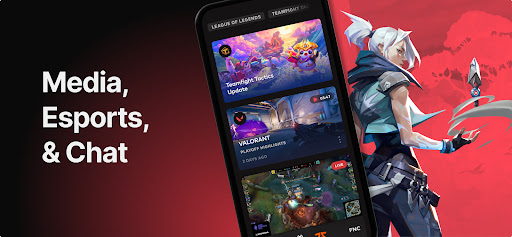
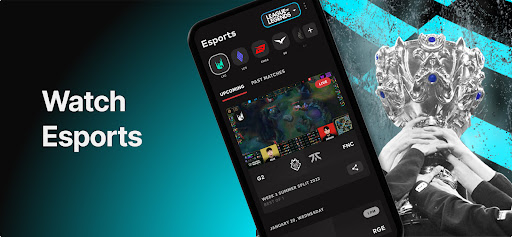
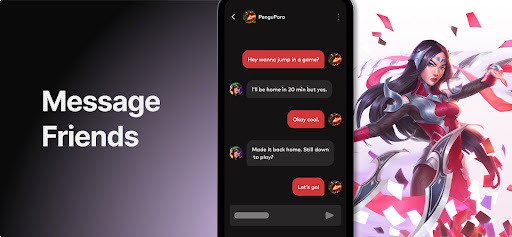
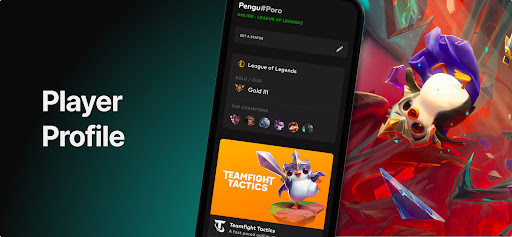
Riot Mobile is the official companion app for Riot Games, personalized to keep you connected to the players, content and events you care about most.
Made to support League of Legends, VALORANT, Wild Rift, Teamfight Tactics and Legends of Runeterra, the companion app is your one-stop-shop to discover new experiences, learn about major updates and organize play across all of Riot’s titles.
ORGANIZE PLAY
We’ve made it easier than ever to connect and organize play with other players. Riot Mobile allows you to chat across all of our game titles and supported regions in one central location so you can get into game faster without all the hassle.
DISCOVER NEW EXPERIENCES
Did you hear about the new comic, the animated series, the virtual PENTAKILL concert or that poro-themed silent disco party in your city? Tell us what you care about and we’ll make sure you never miss an important beat again.
MULTI-GAME NEWS
Get all the patch notes, game updates, champ announcements, etc you need across all of our titles in one central place while on-the-go.
ESPORTS ON-THE-GO
Want to know the schedule or line-up for your favorite esports league? Want to check out the VOD you missed? Want to completely avoid spoilers? You can with Riot Mobile.
EARN REWARDS
Get rewards and make progress toward mission goals for completing qualifying activities within the app, like watching a VOD or stream at your own convenience.
MONITOR STATS WITH MATCH HISTORY
Track your own progression and compare your in-game and out-of-game stats with your friends so you can climb the ranks and become legendary.
ON THE HORIZON
2FA
Enhanced Esports Experience
Tunjukkan Lagi

1. Muat turun pemasang MEmu dan selesaikan persediaan

2. Mulakan MEnu kemudian buka Google Play di desktop

3. Cari Riot Mobile di Google Play
Install
4. Muat turun dan Pasang Riot Mobile
5. Apabila selesai pemasangan, menekan ikon itu untuk memulakan

6. Nikmati bermain Riot Mobile di komputer dengan MEmu
MEmu Play adalah emulator Android terbaik dan 100 juta orang sudah menikmati pengalaman permainan Androidnya yang luar biasa. Teknologi virtualisasi MEmu memberi kuasa kepada anda untuk bermain beribu-ribu permainan Android dengan lancar di komputar anda, malah yang paling intensif grafik.
Skrin lebih besar dengan grafik yang lebih baik; Tempoh yang panjang, tanpa had bateri atau data mudah alih.
Sokongan Keymapping penuh untuk kawalan tepat papan kekunci dan tetikus atau gamepad.
Pelbagai akaun permainan atau tugas pada satu PC sekaligus dengan pengurus pelbagai contoh.
Play Riot Mobile on PC by following steps: