Riot Mobile
Bijgewerkt
Huidige Versie
3.21.0
Aangeboden door

Met al je passie voor het spelen van Riot Mobile, zouden je handen niet beperkt moeten zijn tot een klein scherm van je telefoon. Speel als een professional en krijg volledige controle over je spel met toetsenbord en muis. MEmu biedt je alles wat je verwacht. Download en speel Riot Mobile op PC. Speel zo lang als je wilt, geen beperkingen meer van batterij, mobiele data en storende oproepen. De gloednieuwe MEmu 9 is de beste keuze om Riot Mobile op PC te spelen. Voorbereid met onze expertise, maakt het uitmuntende vooraf ingestelde keymapping systeem van Riot Mobile een echt PC-spel. MEmu multi-instance manager maakt het spelen van 2 of meer accounts op hetzelfde apparaat mogelijk. En het belangrijkste, onze exclusieve emulatie-engine kan het volledige potentieel van je PC benutten, waardoor alles soepel verloopt.
Meer tonen
Download Riot Mobile on PC with MEmu Android Emulator. Enjoy playing on big screen. Riot Mobile is the official companion app for Riot Games, personalized to keep you connected to the players, content and events you care about most.
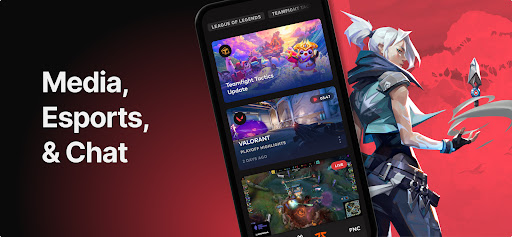
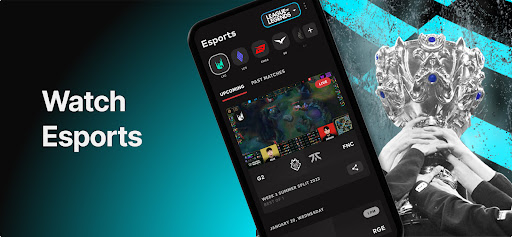
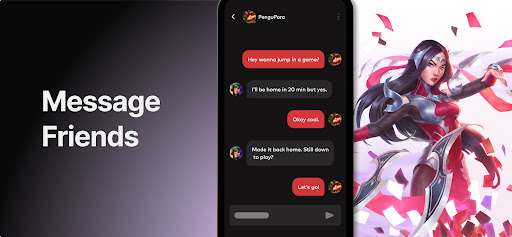
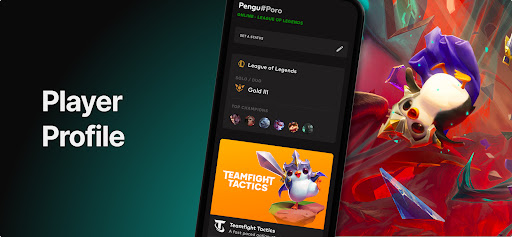
Riot Mobile is the official companion app for Riot Games, personalized to keep you connected to the players, content and events you care about most.
Made to support League of Legends, VALORANT, Wild Rift, Teamfight Tactics and Legends of Runeterra, the companion app is your one-stop-shop to discover new experiences, learn about major updates and organize play across all of Riot’s titles.
ORGANIZE PLAY
We’ve made it easier than ever to connect and organize play with other players. Riot Mobile allows you to chat across all of our game titles and supported regions in one central location so you can get into game faster without all the hassle.
DISCOVER NEW EXPERIENCES
Did you hear about the new comic, the animated series, the virtual PENTAKILL concert or that poro-themed silent disco party in your city? Tell us what you care about and we’ll make sure you never miss an important beat again.
MULTI-GAME NEWS
Get all the patch notes, game updates, champ announcements, etc you need across all of our titles in one central place while on-the-go.
ESPORTS ON-THE-GO
Want to know the schedule or line-up for your favorite esports league? Want to check out the VOD you missed? Want to completely avoid spoilers? You can with Riot Mobile.
EARN REWARDS
Get rewards and make progress toward mission goals for completing qualifying activities within the app, like watching a VOD or stream at your own convenience.
MONITOR STATS WITH MATCH HISTORY
Track your own progression and compare your in-game and out-of-game stats with your friends so you can climb the ranks and become legendary.
ON THE HORIZON
2FA
Enhanced Esports Experience
Meer tonen

1. Download de MEmu-installatie en voltooi de setup

2. Start MEmu en open vervolgens Google Play op het bureaublad

3. Zoek Riot Mobile in Google Play
Install
4. Download en installeer Riot Mobile
5. Klik op het icoon om te starten na het voltooien van de installatie

6. Geniet van het spelen van Riot Mobile op PC met MEmu
MEmu Play is de beste Android Emulator en 100 miljoen mensen genieten al van de superieure Android-game-ervaring. De virtualisatietechnologie van MEmu stelt je in staat om duizenden Android-spellen soepel op je PC te spelen, zelfs de meest grafisch intensieve.
Groter scherm met betere graphics; Lange duur, zonder beperking van batterij of mobiele data.
Volledige Keymapping-ondersteuning voor nauwkeurige besturing van toetsenbord en muis of gamepad.
Meerdere game-accounts of taken op één PC tegelijk met Multi-Instance manager.
Speel Riot Mobile op PC door de volgende stappen te volgen: