Wisp Catch
Dikemas kini
Versi Semasa
10.0
Ditawarkan Oleh

Dengan semangat anda untuk bermain Wisp Catch, tangan anda tidak seharusnya terhad pada skrin kecil telefon anda. Main seperti profesional dan kendalikan sepenuhnya permainan anda dengan papan kekunci dan tetikus. MEmu menawarkan semua perkara yang anda harapkan. Muat turun dan mainkan Wisp Catch di PC. Main selagi anda mahu, tidak ada batasan bateri, data mudah alih dan panggilan yang mengganggu. MEmu 9 yang baru adalah pilihan terbaik untuk bermain Wisp Catch di PC. Disiapkan dengan kepakaran kami, sistem pemetaan kunci pratetap yang indah menjadikan Wisp Catch permainan PC sebenar. Dikodkan dengan penyerapan kami, pengurus multi-instance menjadikan bermain 2 atau lebih akaun pada peranti yang sama mungkin. Dan yang paling penting, enjin emulasi eksklusif kami dapat melepaskan potensi penuh PC anda, menjadikan semuanya lancar.Kami tidak hanya peduli bagaimana anda bermain, tetapi juga keseluruhan proses menikmati kebahagiaan permainan.
Tunjukkan Lagi
Muat turun Wisp Catch pada PC dengan MEmu Android Emulator. Nikmati bermain di skrin besar A fast-paced underwater arcade shooter where you control a fearless crab warrior against wave after wave of ocean enemies.

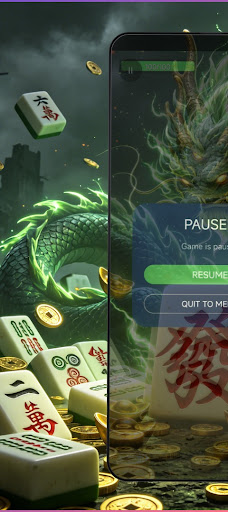
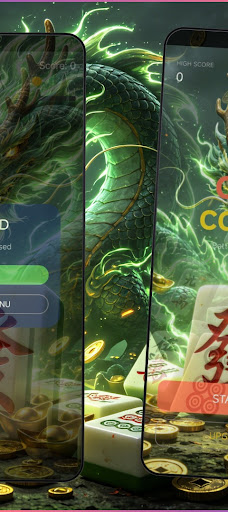
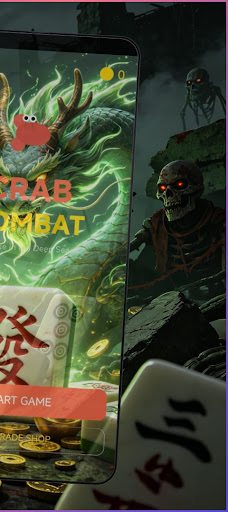
A fast-paced underwater arcade shooter where you control a fearless crab warrior against wave after wave of ocean enemies. Move across the battlefield, shoot incoming enemies, collect coins, acquire power-ups, and see how long you can survive in the deep sea.
Gameplay:
Slide the screen to control the crab's movement in the water while shooting at nearby enemies. Each wave of enemies brings stronger monsters, a faster pace of combat, and richer rewards. Defeat fish, jellyfish, sharks, and more while protecting your health and constantly pushing your high score.
Enemies and Bosses:
Face a variety of sea creatures with different movement patterns and attack methods. As the difficulty increases, you'll need to survive wave after wave of enemies and prepare for intense boss battles that test your reaction speed and movement skills.
Power-ups:
Collect various useful power-ups during battle to turn the tide of war, including health regeneration, shields, speed boosts, damage increases, coin magnets, bombs, rapid fire, extra health, and freeze effects. Pick them up quickly and use them wisely.
Shop & Upgrades:
Spend earned coins to permanently upgrade your crab's health, attack power, and movement speed. Build a stronger warrior over time to prepare for the next challenge.
Game Features:
- Arcade survival action game with difficulty varying with each wave
- Smooth touch controls and responsive combat
- Multiple enemy types and boss battles
- A rich power-up system to help you turn the tide
- Permanent upgrades to health, attack power, and speed
- High score leaderboards and coin collection
- Immersive underwater visuals
- Optimized for mobile phones and tablets
Game Progress:
Your coins, upgrades, high scores, and game statistics are automatically saved. Upgrade your crab skills, break personal records, and become the master of the deep sea!
Whether it's the fast-paced arcade mode or the longer survival challenges, Crab Battle delivers an exhilarating underwater combat experience.
Tunjukkan Lagi

1. Muat turun pemasang MEmu dan selesaikan persediaan

2. Mulakan MEnu kemudian buka Google Play di desktop

3. Cari Wisp Catch di Google Play
Install
4. Muat turun dan Pasang Wisp Catch
5. Apabila selesai pemasangan, menekan ikon itu untuk memulakan

6. Nikmati bermain Wisp Catch di komputer dengan MEmu
MEmu Play adalah emulator Android terbaik dan 100 juta orang sudah menikmati pengalaman permainan Androidnya yang luar biasa. Teknologi virtualisasi MEmu memberi kuasa kepada anda untuk bermain beribu-ribu permainan Android dengan lancar di komputar anda, malah yang paling intensif grafik.
Skrin lebih besar dengan grafik yang lebih baik; Tempoh yang panjang, tanpa had bateri atau data mudah alih.
Sokongan Keymapping penuh untuk kawalan tepat papan kekunci dan tetikus atau gamepad.
Pelbagai akaun permainan atau tugas pada satu PC sekaligus dengan pengurus pelbagai contoh.
Play Wisp Catch on PC by following steps: