
BuzzCast - Live Video Chat App
Dikemas kini
Versi Semasa
Ditawarkan Oleh

Berhentilah bimbang dengan bayaran berlebihan semasa menggunakan BuzzCast - Live Video Chat App di telefon bimbit anda, bebaskan diri anda dari layar kecil dan nikmati penggunaan aplikasi pada paparan yang jauh lebih besar. Mulai sekarang, dapatkan pengalaman skrin penuh aplikasi anda dengan papan kekunci dan tetikus. MEmu Play semua ciri mengejutkan yang anda harapkan: pemasangan cepat dan penyediaan mudah, kawalan intuitif, tidak ada batasan bateri, data mudah alih, dan panggilan yang mengganggu. MEmu 9 yang baru adalah pilihan terbaik untuk menggunakan BuzzCast - Live Video Chat App di komputer anda. Dikodkan dengan penyerapan kami, pengurus multi-instance menjadikan pembukaan 2 atau lebih akaun pada masa yang sama mungkin. Dan yang paling penting, mesin emulasi eksklusif kami dapat melepaskan potensi penuh PC anda, menjadikan semuanya lancar dan menyeronokkan.
Tunjukkan Lagi
Download BuzzCast - Live Video Chat App on PC with MEmu Android Emulator. Enjoy playing on big screen. BuzzCast is a new social community for young and active people to meet new friends, and form meaningful connections easily.
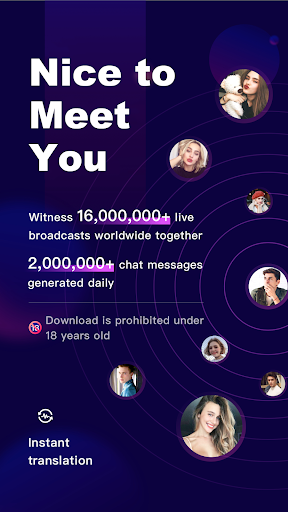
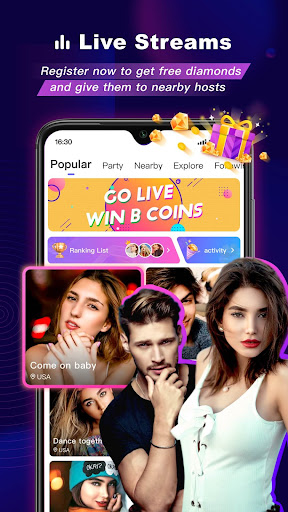
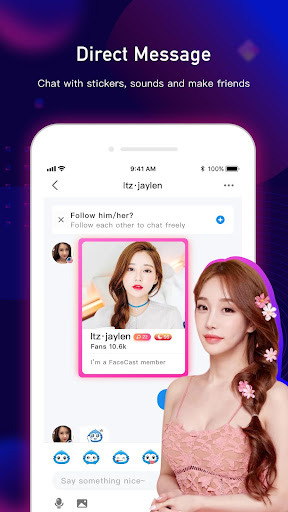
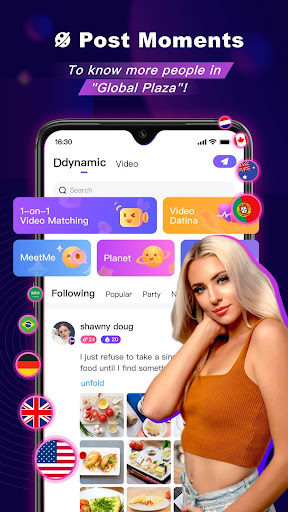
BuzzCast is a new social community for young and active people to meet new friends, and form meaningful connections easily.
What makes BuzzCast special?
-After following each other, you can message your friends with no limit.
-Meet new people all over the world here, and they are young, good-looking and highly active who can respond to your messages immediately.
-BuzzCast is free to download and use for everyone who like chatting with strangers.
⭐BuzzCast Highlights⭐
- Share your moments and updates as a post in the square, and everyone can see it!
- Breaking language barriers by AI automatic translation to realize unlimited chatting.
- Massive and various styles of broadcasting rooms for you to join and Chat freely.
- No limit to get featured in the videos.
How it works
[Charming Live Streaming]
The live streaming is available for everyone. You can just go live in the broadcasting room without level and followers number limits.
Broadcasters come from all over the world, 7*24 Hours online, sharing their lives and showing talents to amuse you.
Hold your live party online. Come to invite your friends to have fun!
Abundant special effects and gifts are available just in one click. Display your charm to your favorite live streamers that just fits you.
[Instant Message Chatting]
(1)You can have instant chatting with others in BuzzCast. Follow the people you are interested in with one click. Send a greeting to catch his/her eye, then get to know each other!
(2) Users can send and receive texts, photos, emojis, videos, and voice messages. Choose which way you like best, and find your partner.
[Nearby Moments]
(1)You can easily discover people nearby and have the opportunity to start an offline friendship.
(2)Capture important moments in your day and engage with other users.
(3)Get closer to the daily life of Internet celebrities.
[Creative Short Videos]
(1)Post 15 seconds short videos to the people who really focus on you, and never miss your favorite video stars by following them!
(2)We provide easy-to-use editing tools such as free and cool special effects, various stickers, popular music etc. Get ready to be famous if your video is on the trending!
(3)One click at the bullet screen, which helps you to enjoy real-time funny and cool comments.
(4)With the various contents from global & local, you can not only discover the beauty around you, but also get real-time information around the world.
BuzzCast enables you to meet amazing people who are more in tune with you.
Contact and follow us:
Twitter: https://twitter.com/BuzzCastAPP
Facebook: https://www.facebook.com/buzzcastofficial
Instagram: https://www.instagram.com/buzzcast_official/
YouTube: https://www.youtube.com/channel/UCkOgHgv-LeRCbEM8l0W25xA
Website: https://www.buzzcast.info/
Email: support@buzzcast.info
Tunjukkan Lagi

1. Muat turun pemasang MEmu dan selesaikan persediaan

2. Mulakan MEnu kemudian buka Google Play di desktop

3. Cari BuzzCast - Live Video Chat App di Google Play
Install
4. Muat turun dan Pasang BuzzCast - Live Video Chat App
5. Apabila selesai pemasangan, menekan ikon itu untuk memulakan

6. Gunakan MENu untuk mengalami BuzzCast - Live Video Chat App pada komputer anda
MEmu Play ialah emulator Android terbaik, dengan lebih 100 juta pengguna mengalami pengalaman aplikasi Android yang unggul. Teknologi virtualisasi MEmu membolehkan anda menjalankan beribu-ribu aplikasi Android dengan lancar pada komputer anda, walaupun yang paling mencabar.
Skrin lebih besar dengan grafik yang lebih baik; Tempoh yang panjang, tanpa had bateri atau data mudah alih.
Sokongan Keymapping penuh untuk kawalan tepat papan kekunci dan tetikus atau gamepad.
Pelbagai akaun permainan atau tugas pada satu PC sekaligus dengan pengurus pelbagai contoh.
Use BuzzCast - Live Video Chat App on PC by following steps: