
myMerlinPulse™
Dikemas kini
Versi Semasa
2.0.0
Ditawarkan Oleh

Berhentilah bimbang dengan bayaran berlebihan semasa menggunakan myMerlinPulse™ di telefon bimbit anda, bebaskan diri anda dari layar kecil dan nikmati penggunaan aplikasi pada paparan yang jauh lebih besar. Mulai sekarang, dapatkan pengalaman skrin penuh aplikasi anda dengan papan kekunci dan tetikus. MEmu Play semua ciri mengejutkan yang anda harapkan: pemasangan cepat dan penyediaan mudah, kawalan intuitif, tidak ada batasan bateri, data mudah alih, dan panggilan yang mengganggu. MEmu 9 yang baru adalah pilihan terbaik untuk menggunakan myMerlinPulse™ di komputer anda. Dikodkan dengan penyerapan kami, pengurus multi-instance menjadikan pembukaan 2 atau lebih akaun pada masa yang sama mungkin. Dan yang paling penting, mesin emulasi eksklusif kami dapat melepaskan potensi penuh PC anda, menjadikan semuanya lancar dan menyeronokkan.
Tunjukkan Lagi
Download myMerlinPulse™ on PC with MEmu Android Emulator. Enjoy playing on big screen. The myMerlinPulse™ app is designed to provide remote monitoring capability of your Abbott Bluetooth®-enabled implantable cardioverter defibrillator (ICD) or cardiac resynchronization therapy defibrillator (CRT-D) to your healthcare provider.
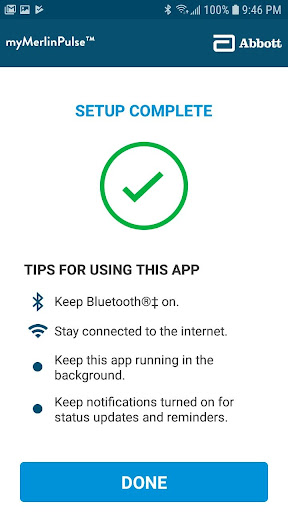
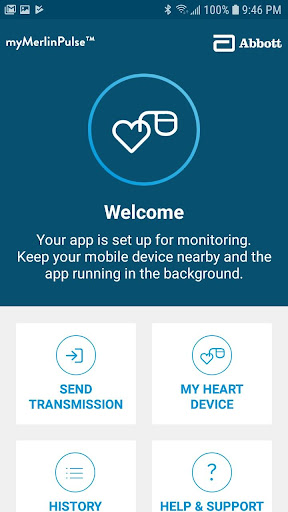
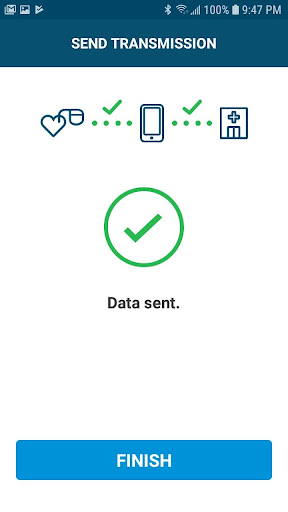
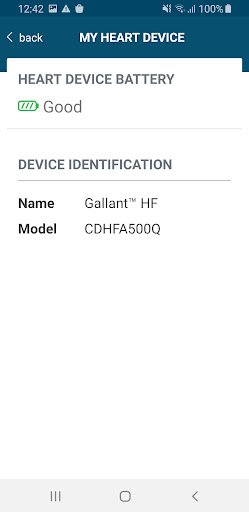
The myMerlinPulse™ app is designed to provide remote monitoring capability of your Abbott Bluetooth®-enabled implantable cardioverter defibrillator (ICD) or cardiac resynchronization therapy defibrillator (CRT-D) to your healthcare provider. The app uses Bluetooth® wireless technology to transfer your heart rhythm information between the device, the app, and your clinic. The app’s user-friendly interface allows you to:
- Check if your heart device is connected and ready for remote monitoring.
- View the history of transmissions.
- Get information about your cardiac device, including its battery status.
- Send manual transmissions to your healthcare provider.
- Receive notifications if there has been a significant change in the performance of your implanted device.
The app uses an internet connection through a Wi-Fi or cellular network to send information about your implanted heart device to your healthcare provider. Your information is encrypted to ensure the privacy and security of the transmission.
The app is intended for use by people who have an Abbott implanted heart device and access to a mobile device. The app will only function once paired with your implanted device. Do not rely on the app during a medical emergency. If you experience a medical emergency, seek medical attention immediately.
This app is not currently supported on tablet devices. Please note that this product is intended for use by or under the direction of a physician. Prior to using these devices/app, please review the Instructions for Use for a complete listing of indications, contraindications, warnings, precautions, potential adverse events, and directions for use.
Tunjukkan Lagi

1. Muat turun pemasang MEmu dan selesaikan persediaan

2. Mulakan MEnu kemudian buka Google Play di desktop

3. Cari myMerlinPulse™ di Google Play
Install
4. Muat turun dan Pasang myMerlinPulse™
5. Apabila selesai pemasangan, menekan ikon itu untuk memulakan

6. Gunakan MENu untuk mengalami myMerlinPulse™ pada komputer anda
MEmu Play ialah emulator Android terbaik, dengan lebih 100 juta pengguna mengalami pengalaman aplikasi Android yang unggul. Teknologi virtualisasi MEmu membolehkan anda menjalankan beribu-ribu aplikasi Android dengan lancar pada komputer anda, walaupun yang paling mencabar.
Skrin lebih besar dengan grafik yang lebih baik; Tempoh yang panjang, tanpa had bateri atau data mudah alih.
Sokongan Keymapping penuh untuk kawalan tepat papan kekunci dan tetikus atau gamepad.
Pelbagai akaun permainan atau tugas pada satu PC sekaligus dengan pengurus pelbagai contoh.
Use myMerlinPulse™ on PC by following steps: