Doctor Anywhere - Telehealth
Dikemas kini
Versi Semasa
6.21.0
Ditawarkan Oleh

Berhentilah bimbang dengan bayaran berlebihan semasa menggunakan Doctor Anywhere - Telehealth di telefon bimbit anda, bebaskan diri anda dari layar kecil dan nikmati penggunaan aplikasi pada paparan yang jauh lebih besar. Mulai sekarang, dapatkan pengalaman skrin penuh aplikasi anda dengan papan kekunci dan tetikus. MEmu Play semua ciri mengejutkan yang anda harapkan: pemasangan cepat dan penyediaan mudah, kawalan intuitif, tidak ada batasan bateri, data mudah alih, dan panggilan yang mengganggu. MEmu 9 yang baru adalah pilihan terbaik untuk menggunakan Doctor Anywhere - Telehealth di komputer anda. Dikodkan dengan penyerapan kami, pengurus multi-instance menjadikan pembukaan 2 atau lebih akaun pada masa yang sama mungkin. Dan yang paling penting, mesin emulasi eksklusif kami dapat melepaskan potensi penuh PC anda, menjadikan semuanya lancar dan menyeronokkan.
Tunjukkan Lagi
Download Doctor Anywhere - Telehealth on PC with MEmu Android Emulator. Enjoy playing on big screen. With over 2.
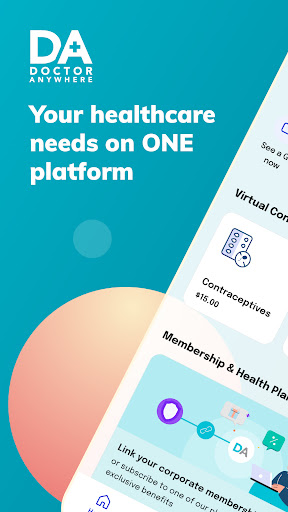
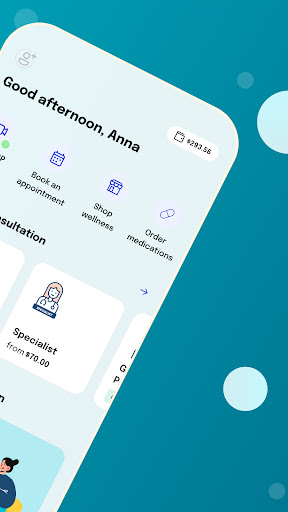
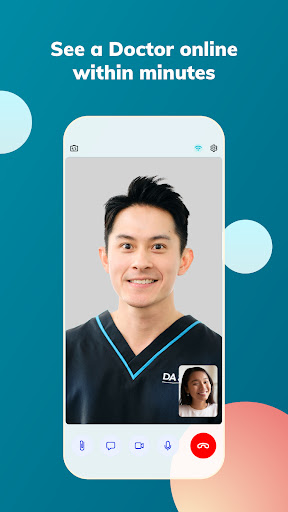

With over 2.8 million users across Southeast Asia, Doctor Anywhere (DA) is one of the region's fastest-growing healthcare companies. We are dedicated to providing quality comprehensive care to you. Get the DA app now for trusted healthcare in Singapore at your fingertips:
SEE A DOCTOR (24-hr GP)
> Consult a licensed doctor on-demand, via video call
> 3-hour medication delivery (free)
> Access your referrals, MCs and reports in-app
Suitable conditions for virtual consultation include:
- Cough, cold and flu/ influenza
- Stomach upset, digestive issues
- Diarrhea / constipation
- Allergies
- Headaches and migraines
- Eye infections
- Ear pain and infections
- UTI, vaginitis, yeast infections
- Eczema, psoriasis, rashes
- Depression, anxiety
- Birth control prescription
CONNECT TO A SPECIALIST
Easily schedule an appointment and video-call a specialist directly through our app. Our team of experts includes dermatologists, psychologists, urologists, OB-GYNs, pediatricians, ENT specialists, and many more, ready to provide you with expert advice and care whenever you need it.
SAFEGUARD YOUR HEALTH
Take a proactive approach to your well-being by scheduling regular health screenings and vaccinations. Choose from convenient in-clinic or home-based appointments to ensure you stay ahead of potential health issues.
SHOP FOR EVERYDAY HEALTH ON DA MARKETPACE
Discover a wide range of health and wellness products and services from leading brands, from healthy snacks and supplements, to health and wellness services. Enjoy free islandwide delivery on your purchases.
CORPORATE HEALTH BENEFITS
Make the most of your healthcare benefits! For those enrolled in a health insurance or plan, easily access your coverage, locate panel clinics, and explore member perks.
---
*Note: Our trailer video provides a general overview of the app and may not fully represent the app experience in all countries. Please be aware that healthcare services and features may vary by region.
Tunjukkan Lagi

1. Muat turun pemasang MEmu dan selesaikan persediaan

2. Mulakan MEnu kemudian buka Google Play di desktop

3. Cari Doctor Anywhere - Telehealth di Google Play
Install
4. Muat turun dan Pasang Doctor Anywhere - Telehealth
5. Apabila selesai pemasangan, menekan ikon itu untuk memulakan

6. Gunakan MENu untuk mengalami Doctor Anywhere - Telehealth pada komputer anda
MEmu Play ialah emulator Android terbaik, dengan lebih 100 juta pengguna mengalami pengalaman aplikasi Android yang unggul. Teknologi virtualisasi MEmu membolehkan anda menjalankan beribu-ribu aplikasi Android dengan lancar pada komputer anda, walaupun yang paling mencabar.
Skrin lebih besar dengan grafik yang lebih baik; Tempoh yang panjang, tanpa had bateri atau data mudah alih.
Sokongan Keymapping penuh untuk kawalan tepat papan kekunci dan tetikus atau gamepad.
Pelbagai akaun permainan atau tugas pada satu PC sekaligus dengan pengurus pelbagai contoh.
Use Doctor Anywhere - Telehealth on PC by following steps: