
Dreamehome
Dikemas kini
Versi Semasa
2.1.6.9
Ditawarkan Oleh

Berhentilah bimbang dengan bayaran berlebihan semasa menggunakan Dreamehome di telefon bimbit anda, bebaskan diri anda dari layar kecil dan nikmati penggunaan aplikasi pada paparan yang jauh lebih besar. Mulai sekarang, dapatkan pengalaman skrin penuh aplikasi anda dengan papan kekunci dan tetikus. MEmu Play semua ciri mengejutkan yang anda harapkan: pemasangan cepat dan penyediaan mudah, kawalan intuitif, tidak ada batasan bateri, data mudah alih, dan panggilan yang mengganggu. MEmu 9 yang baru adalah pilihan terbaik untuk menggunakan Dreamehome di komputer anda. Dikodkan dengan penyerapan kami, pengurus multi-instance menjadikan pembukaan 2 atau lebih akaun pada masa yang sama mungkin. Dan yang paling penting, mesin emulasi eksklusif kami dapat melepaskan potensi penuh PC anda, menjadikan semuanya lancar dan menyeronokkan.
Tunjukkan Lagi
Download Dreamehome on PC with MEmu Android Emulator. Enjoy playing on big screen. Through the App , you may not only access to advanced functions of your robot for your daily home floor cleaning, but also set up preferred cleaning zones and time as you like.
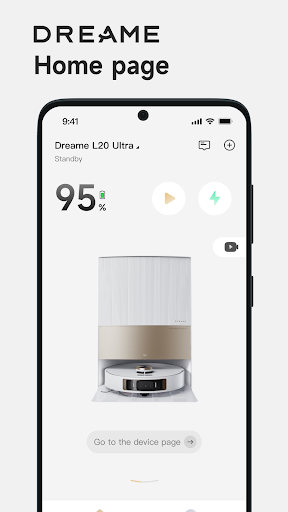
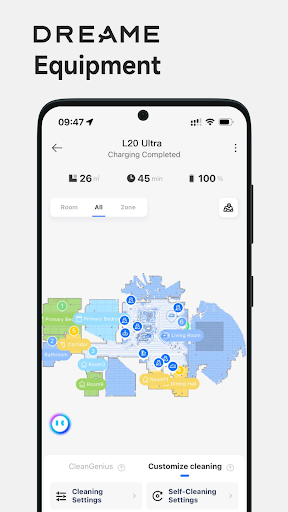
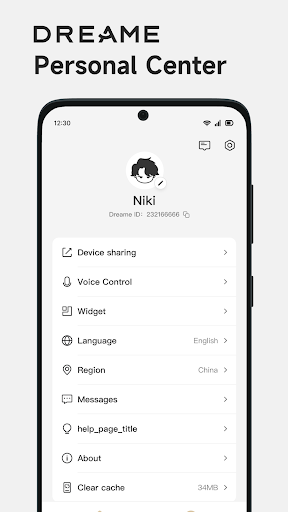
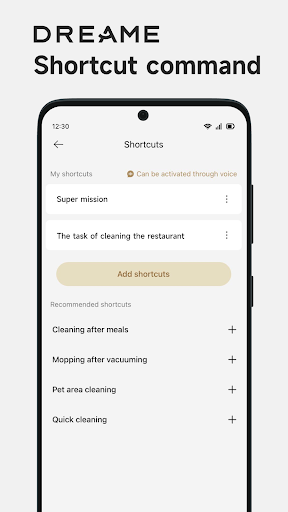
Through the App , you may not only access to advanced functions of your robot for your daily home floor cleaning, but also set up preferred cleaning zones and time as you like. Now you could do your home floor cleaning at your hand with the help of Dreamehome.
Remote Control: You could control and operate the robot like the machine staying with you, once the robot is connected to App. Whether you are outside home or far away from the robot at home, you would locate the robot in the map, adjust the parameters, check out the cleaning schedule etc.
Device Information: With the App, you could explore the full functions of your robot, learn about the working status, get error or task messages, check the usage data of accessories etc.
House Map: A cleaning map of your house will help your robot learn and understand the space of your home. By mapping, you could set up the cleaning task with the right rooms or areas for each cleaning task by Dreame robot.
Cleaning by special area: When only a special small area needs a quick cleaning right away, the function cleaning by special area is exactly the right thing for you.
No-Go Zone: If there is any area not to go for cleaning, a simple frame mark could give you a safe cleaning area.
Cleaning Schedule: Set up the cleaning day and time, even the zones as you preferred so that your robot works at the right time for the right zone.
Firmware OTA: OTA (Over The Air) technology will help you upgrade your robot software to the latest version. You would not miss any update from our continuous improvement and new function release.
Voice control: After you finishing signing up the App and adding your robot, your device may work with Amazon Alexa and Google Assistant by an connecting operation.
User Manual: You could find the electronic user manual as well as the FAQ for your robot.
Device Sharing: One robot could be controlled among our family members by Device Sharing function via the App.
Contact us:
Email: aftersales@dreame.tech
Website: www.dreametech.com
Tunjukkan Lagi

1. Muat turun pemasang MEmu dan selesaikan persediaan

2. Mulakan MEnu kemudian buka Google Play di desktop

3. Cari Dreamehome di Google Play
Install
4. Muat turun dan Pasang Dreamehome
5. Apabila selesai pemasangan, menekan ikon itu untuk memulakan

6. Gunakan MENu untuk mengalami Dreamehome pada komputer anda
MEmu Play ialah emulator Android terbaik, dengan lebih 100 juta pengguna mengalami pengalaman aplikasi Android yang unggul. Teknologi virtualisasi MEmu membolehkan anda menjalankan beribu-ribu aplikasi Android dengan lancar pada komputer anda, walaupun yang paling mencabar.
Skrin lebih besar dengan grafik yang lebih baik; Tempoh yang panjang, tanpa had bateri atau data mudah alih.
Sokongan Keymapping penuh untuk kawalan tepat papan kekunci dan tetikus atau gamepad.
Pelbagai akaun permainan atau tugas pada satu PC sekaligus dengan pengurus pelbagai contoh.
Use Dreamehome on PC by following steps: