
Dreamehome
Обновлено
Текущая версия
2.5.6.4
Продавец

Перестаньте беспокоиться о быстром разряде батареи при использовании Dreamehome на вашем телефоне. Освободитесь от крошечного экрана и наслаждайтесь приложением на гораздо большем экране. Теперь вы можете работать с приложением в полноэкранном режиме с удобством клавиатуры и мыши. MEmu предлагает вам все ожидаемые удивительные функции: быструю установку и простую настройку, интуитивно понятное управление и больше никаких забот о времени автономной работы, мобильном трафике или неожиданных звонках. Совершенно новый MEmu 9 — идеальный выбор для использования Dreamehome на вашем компьютере. С помощью менеджера нескольких экземпляров MEmu вы можете одновременно использовать два или более аккаунтов. И самое главное, наш эксклюзивный движок эмуляции раскрывает весь потенциал вашего ПК, обеспечивая плавную и приятную работу.
Показать больше
Скачайте Dreamehome на ПК с помощью Андроид эмулятора MEmu. Наслаждайтесь на большом экране. С помощью приложения вы можете не только получить доступ к расширенным функциям вашего робота для ежедневной уборки пола в доме, но и настроить предпочтительные зоны и время уборки по своему усмотрению.
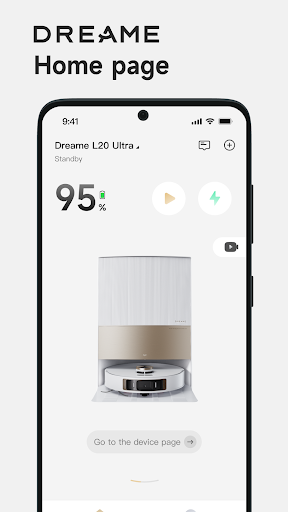
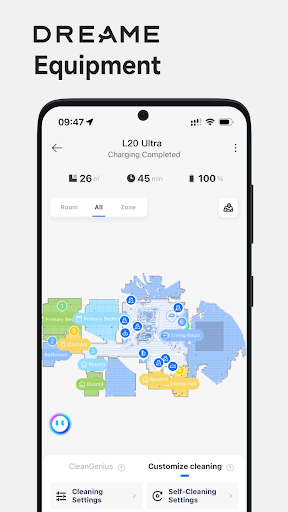
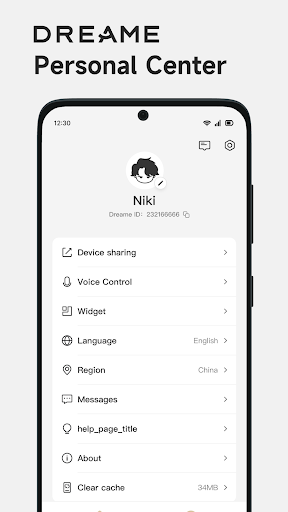
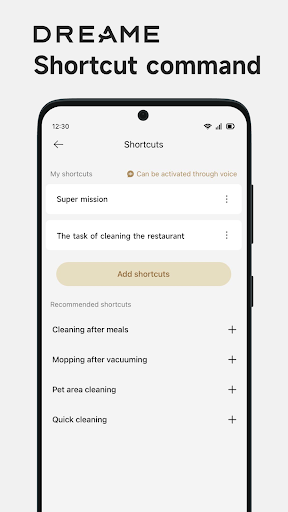
С помощью приложения вы можете не только получить доступ к расширенным функциям вашего робота для ежедневной уборки пола в доме, но и настроить предпочтительные зоны и время уборки по своему усмотрению. Теперь с помощью Dreamehome вы можете чистить пол дома прямо у вас под рукой.
Дистанционное управление: вы можете контролировать и управлять роботом, как машина, остающаяся с вами, после того, как робот подключен к приложению. Независимо от того, находитесь ли вы вне дома или далеко от дома, вы можете найти робота на карте, настроить параметры, проверить расписание уборки и т. Д.
Информация об устройстве: с помощью приложения вы можете изучить все функции вашего робота, узнать о рабочем состоянии, получить сообщения об ошибках или задачах, проверить данные об использовании аксессуаров и т. Д.
Карта дома: карта уборки вашего дома поможет вашему роботу изучить и понять пространство вашего дома. Создавая карту, вы можете настроить задачу уборки с нужными комнатами или зонами для каждой задачи уборки роботом Dreame.
Очистка по специальной области: когда быстрая очистка требуется только на небольшой небольшой области, функция очистки по специальной области - это то, что вам нужно.
Запретная зона: если есть какая-то зона, которую нельзя чистить, простая отметка в рамке может дать вам безопасную зону для уборки.
График уборки: установите день и время уборки, даже зоны, которые вы предпочитаете, чтобы ваш робот работал в нужное время в нужной зоне.
Прошивка OTA: технология OTA (Over The Air) поможет вам обновить программное обеспечение вашего робота до последней версии. Вы не пропустите ни одного обновления, связанного с нашим постоянным улучшением и выпуском новых функций.
Голосовое управление: после завершения регистрации в приложении и добавления робота ваше устройство может работать с Amazon Alexa и Google Assistant посредством операции подключения.
Руководство пользователя: вы можете найти электронное руководство пользователя, а также ответы на часто задаваемые вопросы для своего робота.
Совместное использование устройств: одним роботом можно управлять среди членов нашей семьи с помощью функции общего доступа к устройствам через приложение.
Связаться с нами:
Электронная почта: aftersales@dreame.tech
Сайт: www.dreametech.com
Показать больше

1. Скачать инсталлятор MEmu и завершайте установку

2. Запускайте MEmu, затем откройте Google Play на главной странице

3. Ищите Dreamehome в Google Play
Install
4. Скачайте и установите Dreamehome
5. При завершении установки, нажмите на значок для старта

6. Наслаждайтесь Dreamehome на своем компьютере с помощью MEmu.
MEmu Play — лучший бесплатный эмулятор Android, превосходный опыт работы с которым оценили 50 миллионов пользователей. Технология виртуализации MEmu позволяет без проблем запускать тысячи Android-приложений на вашем компьютере, даже самые требовательные.
Большой экран с лучшей графикой; Большая продолжительность, без ограничения батареи или мобильных данных.
Полная поддержка установки клавиш для точного управления клавиатурой и мышью или геймпадом.
Несколько игровых учетных записей или задач на одном компьютере одновременно с менеджером нескольких экземпляров.
Use Dreamehome on PC by following steps: