Goodnotes for Android
Dikemas kini
Versi Semasa
1734521803
Ditawarkan Oleh

Berhentilah bimbang dengan bayaran berlebihan semasa menggunakan Goodnotes for Android di telefon bimbit anda, bebaskan diri anda dari layar kecil dan nikmati penggunaan aplikasi pada paparan yang jauh lebih besar. Mulai sekarang, dapatkan pengalaman skrin penuh aplikasi anda dengan papan kekunci dan tetikus. MEmu Play semua ciri mengejutkan yang anda harapkan: pemasangan cepat dan penyediaan mudah, kawalan intuitif, tidak ada batasan bateri, data mudah alih, dan panggilan yang mengganggu. MEmu 9 yang baru adalah pilihan terbaik untuk menggunakan Goodnotes for Android di komputer anda. Dikodkan dengan penyerapan kami, pengurus multi-instance menjadikan pembukaan 2 atau lebih akaun pada masa yang sama mungkin. Dan yang paling penting, mesin emulasi eksklusif kami dapat melepaskan potensi penuh PC anda, menjadikan semuanya lancar dan menyeronokkan.
Tunjukkan Lagi
Download Goodnotes for Android on PC with MEmu Android Emulator. Enjoy playing on big screen. Goodnotes empowers you to capture and express your ideas effortlessly, then organize all your notes across web, tablet, and desktop.
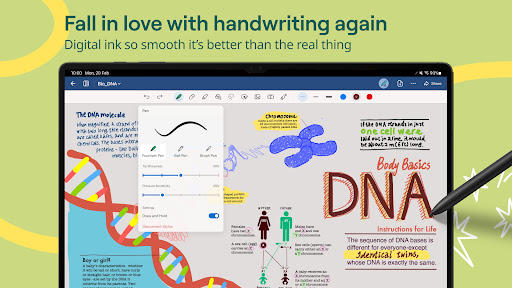
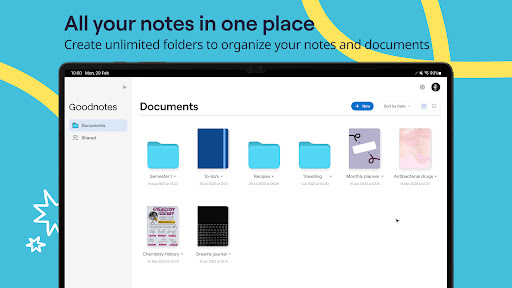
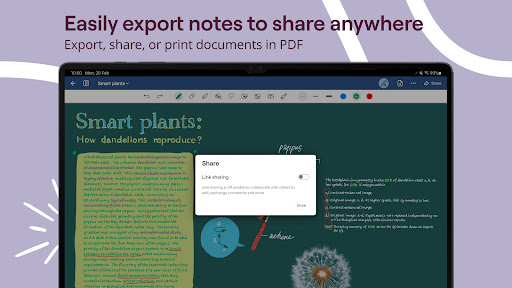
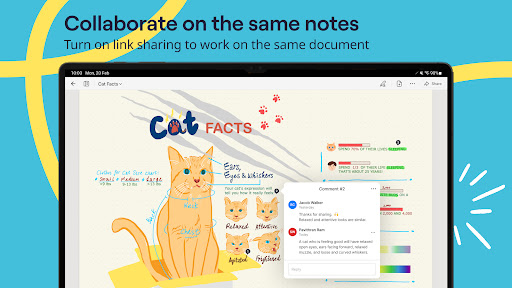
Goodnotes empowers you to capture and express your ideas effortlessly, then organize all your notes across web, tablet, and desktop.
Goodnotes is available on Android Tablets and Chromebooks*
Empowering Students to Excel
◆ Work on the same document with your classmates in your next seminar or project.
◆ Sync all your notes across your Android, Windows, and Web devices so your notes are always safe.
◆ Share a link to your notebooks to work on the same notes directly, perfect for asynchronous work or collaborative brainstorming.
Enhancing Planners’ Creativity
◆ Create aesthetic notes with customizable pen color, thickness, and style (fountain pen, ball pen, brush pen, and highlighter).
◆ Customize the size, style, or cover of your notebooks and paper templates.
◆ Download stylish templates, useful paper templates, even educational material from the in-app Marketplace.
◆ Unlimited customizable folders for organizing your notes.
◆ Bonus downloadable content in Marketplace for paid users every month.
◆ Elements, lasso tool, layering, and many more useful features to help you create beautiful notes.
Boost Professionals’ Productivity
◆ Project documents easily from your device and guide your audience with a built-in laser pointer.
◆ Import meeting notes, contracts, photos, presentations, or briefs for signature, annotation or collaboration.
◆ Export your notes to email, print, or share them anywhere as PDF or image.
◆ Access your documents across iOS, Web, and Android.
Loved by millions of learners, creators, and professionals, Goodnotes empowers you to capture and organize your ideas effortlessly. You can freely write, sketch, and annotate with your Chromebook and stylus—then access all your notes, handwritten or typed, across web, tablet, and desktop.
*Compatible devices: Android tablets that have at least an 8" screen and over 3GB of RAM; Chromebooks that accept stylus input.
Website: www.goodnotes.com
Twitter: @goodnotesapp
Instagram: @goodnotes.app
TikTok: @goodnotesapp
Tunjukkan Lagi

1. Muat turun pemasang MEmu dan selesaikan persediaan

2. Mulakan MEnu kemudian buka Google Play di desktop

3. Cari Goodnotes for Android di Google Play
Install
4. Muat turun dan Pasang Goodnotes for Android
5. Apabila selesai pemasangan, menekan ikon itu untuk memulakan

6. Gunakan MENu untuk mengalami Goodnotes for Android pada komputer anda
MEmu Play ialah emulator Android terbaik, dengan lebih 100 juta pengguna mengalami pengalaman aplikasi Android yang unggul. Teknologi virtualisasi MEmu membolehkan anda menjalankan beribu-ribu aplikasi Android dengan lancar pada komputer anda, walaupun yang paling mencabar.
Skrin lebih besar dengan grafik yang lebih baik; Tempoh yang panjang, tanpa had bateri atau data mudah alih.
Sokongan Keymapping penuh untuk kawalan tepat papan kekunci dan tetikus atau gamepad.
Pelbagai akaun permainan atau tugas pada satu PC sekaligus dengan pengurus pelbagai contoh.
Use Goodnotes for Android on PC by following steps: