Image to PDF:PDF Maker
Dikemas kini
Versi Semasa
3.3.0
Ditawarkan Oleh

Berhentilah bimbang dengan bayaran berlebihan semasa menggunakan Image to PDF:PDF Maker di telefon bimbit anda, bebaskan diri anda dari layar kecil dan nikmati penggunaan aplikasi pada paparan yang jauh lebih besar. Mulai sekarang, dapatkan pengalaman skrin penuh aplikasi anda dengan papan kekunci dan tetikus. MEmu Play semua ciri mengejutkan yang anda harapkan: pemasangan cepat dan penyediaan mudah, kawalan intuitif, tidak ada batasan bateri, data mudah alih, dan panggilan yang mengganggu. MEmu 9 yang baru adalah pilihan terbaik untuk menggunakan Image to PDF:PDF Maker di komputer anda. Dikodkan dengan penyerapan kami, pengurus multi-instance menjadikan pembukaan 2 atau lebih akaun pada masa yang sama mungkin. Dan yang paling penting, mesin emulasi eksklusif kami dapat melepaskan potensi penuh PC anda, menjadikan semuanya lancar dan menyeronokkan.
Tunjukkan Lagi
Nikmati pengalaman hebat menggunakan Image to PDF:PDF Maker di PC dengan MEmu Play. Ia merupakan emulator Android percuma yang hebat yang menyediakan beribu-ribu aplikasi Android untuk versi desktop mereka. Nikmati berhubung dengan rakan-rakan dan menggilap kerja anda dengan kecekapan yang lebih tinggi! PDF Maker is a powerful mobile PDF tool that provides functions of PDF reading, PDF editing, PDF format conversion, PDF scanning, PDF annotation, signature, page management and printing of PDF documents.
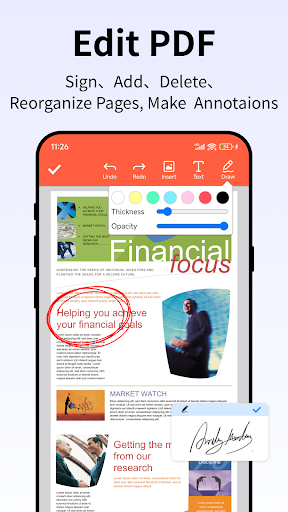
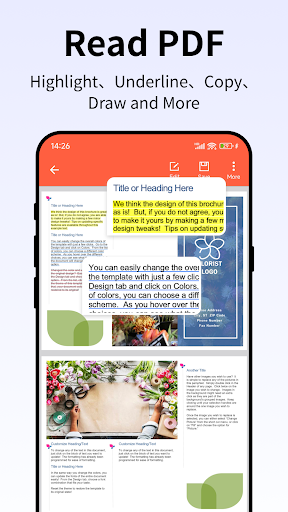
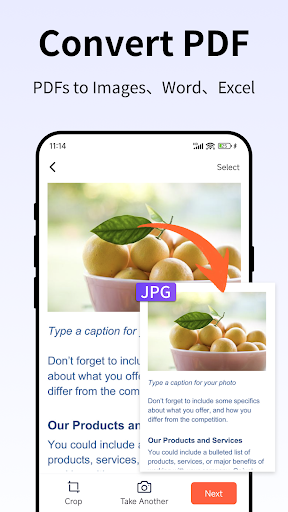
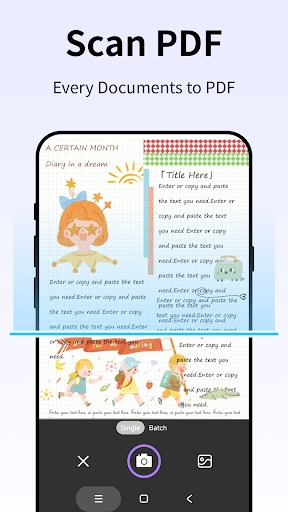
PDF Maker is a powerful mobile PDF tool that provides functions of PDF reading, PDF editing, PDF format conversion, PDF scanning, PDF annotation, signature, page management and printing of PDF documents.
With PDF Editor, you can:
►Efficient PDF Editor
- Merge & split your PDF files
-Add bookmarks anywhere in PDF documents
-Append pages from other PDF files to existing PDF files
-Doodle on your PDFs
-Add e-signatures to PDF files, fill PDF forms
-Rotate, reorder & delete pages
►Annotate PDFs
-Mark up text in PDFs with custom colors for highlighting, underlining, and strikethrough
-Simply select text in PDFs to add annotations
-Create rectangles, circles, lines, arrows, and freehand shapes with custom colors
-Insert text boxes and annotations in PDFs with your favorite font size and color
►Handy PDF Converter
Convert from PDF: PDF to word, PDF to Excel, PDF to PPT, PDF to Photo, PDF to Images.
Convert to PDF: Word to PDF, Excel to PDF ,PPT to PDF, Photo to PDF,Image to PDF.
►Smart PDF Reader
-Auto search and display all your PDF files
- Choose Single Page or Continuous scroll mode.
- Content in your PDF document reflows to fit your screen.
►PDF Scanner(OCR)
-make anything scannable,Capture forms, receipts, notes, and business cards
-Use the PDF scanner to quickly create a photo scan or PDF scan.
-Scan any document and convert to PDF.
-Whether it’s a PDF or photo scan, you can preview, reorder, crop, rotate, and adjust color.
►Image to PDF (PDF maker)
-Convert Image to PDF,Select photos from album or take a photo.
- Choose your preferred layout, margins, page orientation and paper size.
- Preview your album.
►Rich PDF Tools
- Easily reduce PDF file size for efficient storage and sharing
--Set password to protect your documents
- Remove Password from PDF
-Print PDF files from your device-
Designed with privacy in mind
PDF to Word converter is 100% safe for your photos and documents. The creation of PDF files is done locally on your device. Unlike other apps, PDF to Word doesn't process your photos on a remote server.
Tunjukkan Lagi

1. Muat turun pemasang MEmu dan selesaikan persediaan

2. Mulakan MEnu kemudian buka Google Play di desktop

3. Cari Image to PDF:PDF Maker di Google Play
Install
4. Muat turun dan Pasang Image to PDF:PDF Maker
5. Apabila selesai pemasangan, menekan ikon itu untuk memulakan

6. Gunakan MENu untuk mengalami Image to PDF:PDF Maker pada komputer anda
MEmu Play ialah emulator Android terbaik, dengan lebih 100 juta pengguna mengalami pengalaman aplikasi Android yang unggul. Teknologi virtualisasi MEmu membolehkan anda menjalankan beribu-ribu aplikasi Android dengan lancar pada komputer anda, walaupun yang paling mencabar.
Skrin lebih besar dengan grafik yang lebih baik; Tempoh yang panjang, tanpa had bateri atau data mudah alih.
Sokongan Keymapping penuh untuk kawalan tepat papan kekunci dan tetikus atau gamepad.
Pelbagai akaun permainan atau tugas pada satu PC sekaligus dengan pengurus pelbagai contoh.
Use Image to PDF:PDF Maker on PC by following steps: