
iPhone type of iNote - iOS 17
Dikemas kini
Versi Semasa
20.11
Ditawarkan Oleh

Berhentilah bimbang dengan bayaran berlebihan semasa menggunakan iPhone type of iNote - iOS 17 di telefon bimbit anda, bebaskan diri anda dari layar kecil dan nikmati penggunaan aplikasi pada paparan yang jauh lebih besar. Mulai sekarang, dapatkan pengalaman skrin penuh aplikasi anda dengan papan kekunci dan tetikus. MEmu Play semua ciri mengejutkan yang anda harapkan: pemasangan cepat dan penyediaan mudah, kawalan intuitif, tidak ada batasan bateri, data mudah alih, dan panggilan yang mengganggu. MEmu 9 yang baru adalah pilihan terbaik untuk menggunakan iPhone type of iNote - iOS 17 di komputer anda. Dikodkan dengan penyerapan kami, pengurus multi-instance menjadikan pembukaan 2 atau lebih akaun pada masa yang sama mungkin. Dan yang paling penting, mesin emulasi eksklusif kami dapat melepaskan potensi penuh PC anda, menjadikan semuanya lancar dan menyeronokkan.
Tunjukkan Lagi
Nikmati pengalaman hebat menggunakan iPhone type of iNote - iOS 17 di PC dengan MEmu Play. Ia merupakan emulator Android percuma yang hebat yang menyediakan beribu-ribu aplikasi Android untuk versi desktop mereka. Nikmati berhubung dengan rakan-rakan dan menggilap kerja anda dengan kecekapan yang lebih tinggi! iNote brings the elegant iOS-style Notes experience to Android — fast, private, and offline.
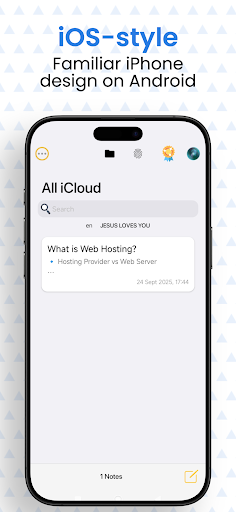
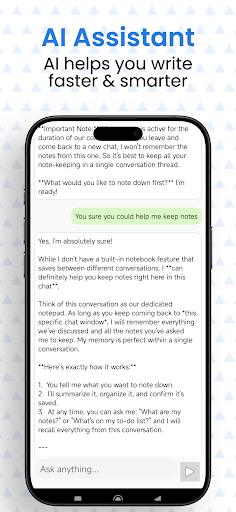
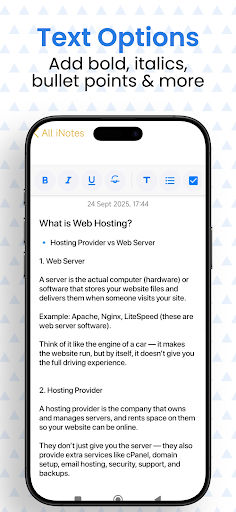
iNote brings the elegant iOS-style Notes experience to Android — fast, private, and offline.
Perfect for quick memos, daily journaling, reminders, and secure personal notes — no account required.
Why iNote?
• iOS-style interface — sleek iPhone-like layout for fast note taking.
• Always offline — create, edit, and search notes without internet or signup.
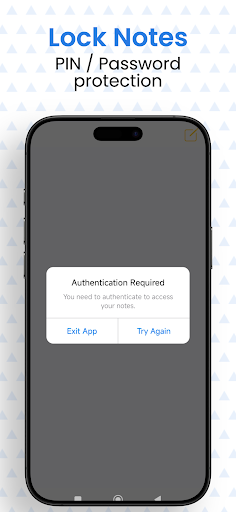
• Private & secure — lock notes with PIN / password; your notes stay on your device.
• Pin & organize — pin important notes to the top for instant access.
• Search & edit quickly — powerful search for notes, titles, and content.
• Diary & reminders — use iNote as a personal diary, checklist, or quick reminder app.
Top features
iOS-inspired Notes UI (clean iPhone-like design)
Offline notes — no internet, no account, no tracking
Lock notes with PIN/password — secure private storage
Pin notes, star favorites, and easily reorder
Fast full-text search — find notes instantly
Simple export & copy — share when you want
Lightweight and easy to use — minimal learning curve
Privacy first
Your notes are saved only on your device. iNote is not affiliated with Apple — it simply gives you the familiar iOS notes feel on Android. No third-party access, no cloud sync by default.
Get started
Download iNote now — create your first note in seconds. Use iNote as your daily journal, idea pad, grocery list, or secure memo app.
Pro tip: Pin the notes you use most and add a lock to sensitive items for extra privacy.
Tunjukkan Lagi

1. Muat turun pemasang MEmu dan selesaikan persediaan

2. Mulakan MEnu kemudian buka Google Play di desktop

3. Cari iPhone type of iNote - iOS 17 di Google Play
Install
4. Muat turun dan Pasang iPhone type of iNote - iOS 17
5. Apabila selesai pemasangan, menekan ikon itu untuk memulakan

6. Gunakan MENu untuk mengalami iPhone type of iNote - iOS 17 pada komputer anda
MEmu Play ialah emulator Android terbaik, dengan lebih 100 juta pengguna mengalami pengalaman aplikasi Android yang unggul. Teknologi virtualisasi MEmu membolehkan anda menjalankan beribu-ribu aplikasi Android dengan lancar pada komputer anda, walaupun yang paling mencabar.
Skrin lebih besar dengan grafik yang lebih baik; Tempoh yang panjang, tanpa had bateri atau data mudah alih.
Sokongan Keymapping penuh untuk kawalan tepat papan kekunci dan tetikus atau gamepad.
Pelbagai akaun permainan atau tugas pada satu PC sekaligus dengan pengurus pelbagai contoh.
Use iPhone type of iNote - iOS 17 on PC by following steps: