MyFitnessPal: Calorie Counter
Dikemas kini
Versi Semasa
1773076866
Ditawarkan Oleh

Berhentilah bimbang dengan bayaran berlebihan semasa menggunakan MyFitnessPal: Calorie Counter di telefon bimbit anda, bebaskan diri anda dari layar kecil dan nikmati penggunaan aplikasi pada paparan yang jauh lebih besar. Mulai sekarang, dapatkan pengalaman skrin penuh aplikasi anda dengan papan kekunci dan tetikus. MEmu Play semua ciri mengejutkan yang anda harapkan: pemasangan cepat dan penyediaan mudah, kawalan intuitif, tidak ada batasan bateri, data mudah alih, dan panggilan yang mengganggu. MEmu 9 yang baru adalah pilihan terbaik untuk menggunakan MyFitnessPal: Calorie Counter di komputer anda. Dikodkan dengan penyerapan kami, pengurus multi-instance menjadikan pembukaan 2 atau lebih akaun pada masa yang sama mungkin. Dan yang paling penting, mesin emulasi eksklusif kami dapat melepaskan potensi penuh PC anda, menjadikan semuanya lancar dan menyeronokkan.
Tunjukkan Lagi
Download MyFitnessPal: Calorie Counter on PC with MEmu Android Emulator. Enjoy playing on big screen. Achieve your nutrition, calorie, macro, and fitness goals with MyFitnessPal.
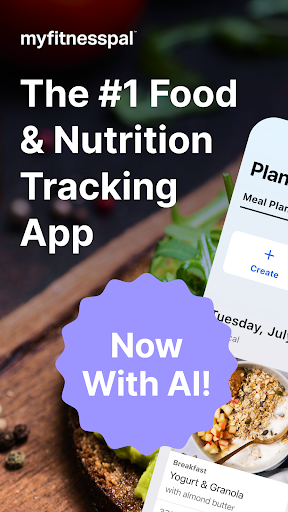
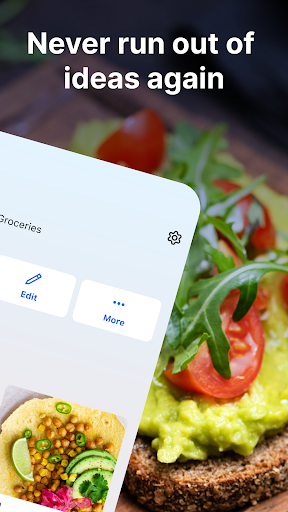
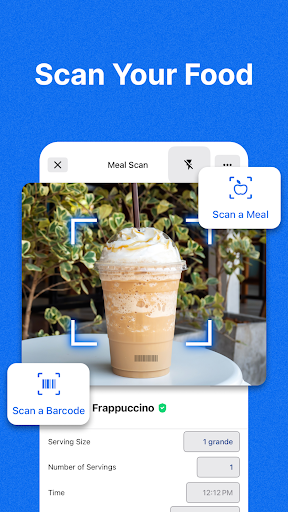
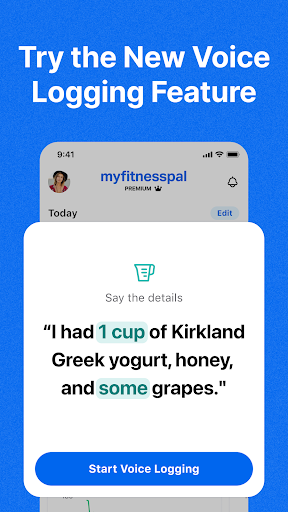
Achieve your nutrition, calorie, macro, and fitness goals with MyFitnessPal. MyFitnessPal is a comprehensive food and fitness tracker, with everything you need to reach your goals. Macros, calories, food, and workouts – track it all in one place.
Change your habits with fitness and food. Download our health and nutrition app and start your free Premium trial today. With MyFitnessPal, you have access to exclusive food inspiration, an intermittent fasting tracker, fitness logging tools, expert guidance, and the calorie tracker. You’ll soon discover why MyFitnessPal is the #1 nutrition and food tracking app in the U.S and has been featured in the New York Times, Forbes, the Today Show, and U.S. News & World Report.
MyFitnessPal is more than a calorie tracker & food journal. Monitor your health and fitness progress within the app.
MYFITNESSPAL FEATURES
Food Tracker – Track Calories & Macros
■ Food tracking made easy. Quickly log your meals throughout your day from over 20.5 million foods (including restaurant dishes) from one of the largest food databases available
■ Macro tracker lets you see carbs, fat, & protein breakdown—no need for a separate app! Set goals for macros, protein, sodium, fiber, and more
■ Make sure you’re staying hydrated with our water tracker
Fitness – Track Workouts, Weight, and Progress
■ Activity Tracker – Add workouts and steps with the integrated fitness tracker
■ See Your Fitness Progress – Track at a glance, or analyze the details of your diet & macros
■ Stay Inspired – Keep your diet and fitness routine exciting with workouts and food inspiration
■ Exercise and Count Calories – See how your workouts, fitness, and diet affect daily calorie goals
■ Track With Wear OS – A calorie counter, water tracker, and macro tracker on your watch. Add complications to the home screen for faster logging, and the tile for tracking different nutrients at a glance.
Workouts & Meal Plans, Tailored to You
■ Customize your health & fitness goals – Weight loss, weight gain, weight maintenance, nutrition, & fitness
■ Personalized dashboards – Fitness, health, and diet stats are all in one place to easily see and track your progress
■ Add Your Own Meals/Food Tracker – Save recipes and meals for quick logging and keep tabs on your diet
■ Follow the new easy meal planner to simplify tracking and help hit your goals
■ Connect 40+ Apps & Devices – From smartwatches, fitness trackers, and other health and fitness apps, track your intake and activity through your watch with WearOS
■ Get Connected– Find friends and motivation in our active MyFitnessPal forums
Premium
■ Reach your goals with barcode scan, meal scan, and voice logging
■ Customize macros and set custom goals
■ Enjoy ad-free food logging with insights and comparisons built into premium
■ Net Carbs Mode/Carb Tracker – Keep track of your low-carb or keto diet, view net carbs in your food
Premium Plus - Expanded Features to Help Hit Your Goals
■ All of the Premium features, like barcode scanning now available with meal planning
■ Personalized meal plans, integrated grocery delivery, and smart meal tracking tools
■ Your one-stop shop for meal planning, grocery shopping, food logging, and nutrition insights to help you reach your goals
■ 1000s of healthy recipes to help you reach your goals
MyFitnessPal is the leading health and nutrition app that helps you learn about your food habits, monitor your diet and conquer your health goals.
Download Today and Start Your Free Premium Trial
View our terms & conditions and privacy policy:
https://www.myfitnesspal.com/terms-of-service
https://www.myfitnesspal.com/privacy-policy
Tunjukkan Lagi

1. Muat turun pemasang MEmu dan selesaikan persediaan

2. Mulakan MEnu kemudian buka Google Play di desktop

3. Cari MyFitnessPal: Calorie Counter di Google Play
Install
4. Muat turun dan Pasang MyFitnessPal: Calorie Counter
5. Apabila selesai pemasangan, menekan ikon itu untuk memulakan

6. Gunakan MENu untuk mengalami MyFitnessPal: Calorie Counter pada komputer anda
MEmu Play ialah emulator Android terbaik, dengan lebih 100 juta pengguna mengalami pengalaman aplikasi Android yang unggul. Teknologi virtualisasi MEmu membolehkan anda menjalankan beribu-ribu aplikasi Android dengan lancar pada komputer anda, walaupun yang paling mencabar.
Skrin lebih besar dengan grafik yang lebih baik; Tempoh yang panjang, tanpa had bateri atau data mudah alih.
Sokongan Keymapping penuh untuk kawalan tepat papan kekunci dan tetikus atau gamepad.
Pelbagai akaun permainan atau tugas pada satu PC sekaligus dengan pengurus pelbagai contoh.
Use MyFitnessPal: Calorie Counter on PC by following steps: