Provid - Video Player
Dikemas kini
Versi Semasa
2.9.0
Ditawarkan Oleh

Berhentilah bimbang dengan bayaran berlebihan semasa menggunakan Provid - Video Player di telefon bimbit anda, bebaskan diri anda dari layar kecil dan nikmati penggunaan aplikasi pada paparan yang jauh lebih besar. Mulai sekarang, dapatkan pengalaman skrin penuh aplikasi anda dengan papan kekunci dan tetikus. MEmu Play semua ciri mengejutkan yang anda harapkan: pemasangan cepat dan penyediaan mudah, kawalan intuitif, tidak ada batasan bateri, data mudah alih, dan panggilan yang mengganggu. MEmu 9 yang baru adalah pilihan terbaik untuk menggunakan Provid - Video Player di komputer anda. Dikodkan dengan penyerapan kami, pengurus multi-instance menjadikan pembukaan 2 atau lebih akaun pada masa yang sama mungkin. Dan yang paling penting, mesin emulasi eksklusif kami dapat melepaskan potensi penuh PC anda, menjadikan semuanya lancar dan menyeronokkan.
Tunjukkan Lagi
Download Provid - Video Player on PC with MEmu Android Emulator. Enjoy playing on big screen. A video player you will definitely fall in love with, playing 4K videos smoothly.
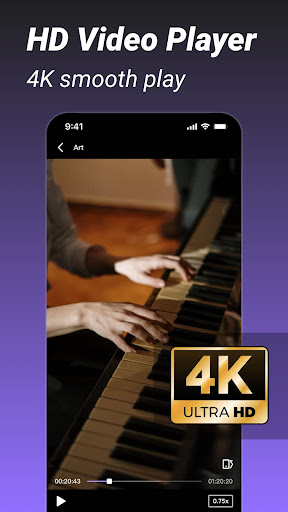
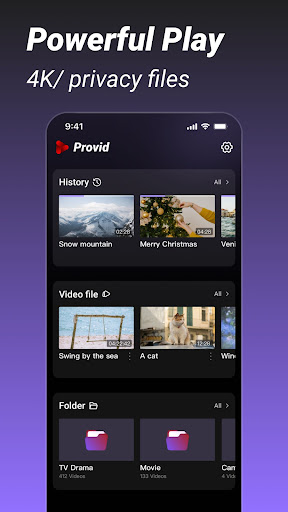
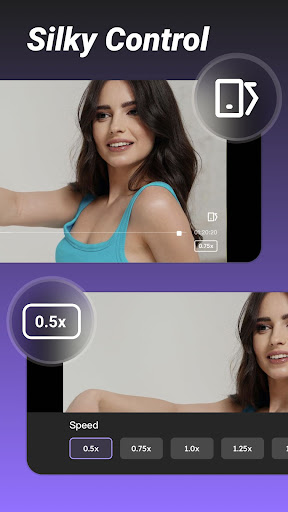
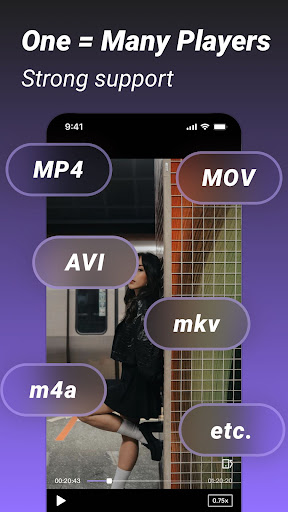
A video player you will definitely fall in love with, playing 4K videos smoothly.
Watch private videos on your device at any time.
Features at a glance:
- Supported video formats
mkv, mp4, webm, avi, flv, mpg, wmv format;
- Smooth 4k playback
- Easy control
A simple and practical player, no need to look for it anywhere!
More powerful features will be added, so stay tuned!
SUBSCRIPTION:
You can subscribe to upgrade to premium features
- Premium version offers:
No Ads: No interruptions to music and videos (no ads)
- Purchasable items: Weekly,Monthly, Yearly
The specific price is subject to the ipa price, such as the Yearly Premium: 9.99 USD
- Subscription automatically renews unless auto-renew is turned off at least 24-hours before the end of the current period
- Accounts will be charged for renewal within 24 hours prior to the end of the current period and the renewal fee will be determined
- Subscriptions may be managed by the user and auto-renewal may be turned off by going to the user's Account Settings after purchase
- When you cancel your subscription, your subscription will remain active until the end of the subscription period. Auto-renewal will be disabled, but current subscriptions will not be refunded.
- Any unused portion of a free trial period (if offered) will be forfeited when the user purchases a subscription to that publication (if applicable).
Read our Privacy Policy:https://providapp.com/privacy/
Read our Terms of Use: https://providapp.com/terms/
Tunjukkan Lagi

1. Muat turun pemasang MEmu dan selesaikan persediaan

2. Mulakan MEnu kemudian buka Google Play di desktop

3. Cari Provid - Video Player di Google Play
Install
4. Muat turun dan Pasang Provid - Video Player
5. Apabila selesai pemasangan, menekan ikon itu untuk memulakan

6. Gunakan MENu untuk mengalami Provid - Video Player pada komputer anda
MEmu Play ialah emulator Android terbaik, dengan lebih 100 juta pengguna mengalami pengalaman aplikasi Android yang unggul. Teknologi virtualisasi MEmu membolehkan anda menjalankan beribu-ribu aplikasi Android dengan lancar pada komputer anda, walaupun yang paling mencabar.
Skrin lebih besar dengan grafik yang lebih baik; Tempoh yang panjang, tanpa had bateri atau data mudah alih.
Sokongan Keymapping penuh untuk kawalan tepat papan kekunci dan tetikus atau gamepad.
Pelbagai akaun permainan atau tugas pada satu PC sekaligus dengan pengurus pelbagai contoh.
Use Provid - Video Player on PC by following steps: