Provid - Video Player
अपडेट किया गया
वर्तमान वर्शन
2.9.0
संसाधन

Provid - Video Player पर अपनी मोबाइल डेटा सीमा पार करने को अलविदा कहें और छोटी स्क्रीन की सीमाओं से मुक्त होकर बड़े डिस्प्ले के लाभों का अनुभव करें। अब, आप अपने कीबोर्ड और माउस का उपयोग करके फुल-स्क्रीन मोड में टॉपर्स क्लैन की शक्ति का अनुभव कर सकते हैं। MEmu Play में वे सभी बेहतरीन सुविधाएँ हैं जिनकी आप अपेक्षा करते हैं: त्वरित इंस्टॉलेशन और आसान सेटअप, सहज नियंत्रण, बैटरी की आवश्यकता नहीं, और कोई डेटा या कॉल समय सीमा नहीं। नया MEmu 9 आपके कंप्यूटर पर Provid - Video Player का उपयोग करने के लिए सबसे अच्छा विकल्प है। हमारा मालिकाना मल्टी-इंस्टेंस मैनेजर एक साथ दो या अधिक खातों को चलाने का समर्थन करता है। इससे भी महत्वपूर्ण बात यह है कि हमारा अनूठा इम्यूलेशन इंजन आपके कंप्यूटर के प्रदर्शन का पूरा उपयोग करता है, जिससे एक सहज और निर्बाध अनुभव मिलता है।
और दिखाएं
डाउनलोड करें Provid - Video Player पीसी पर MEmu एंड्रॉयड एमुलेटर के साथ बड़े पर्दे पर खेलने का आनंद लें। A video player you will definitely fall in love with, playing 4K videos smoothly.
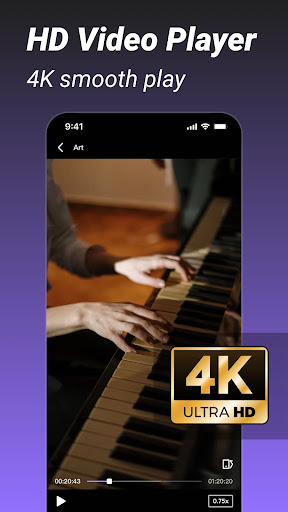
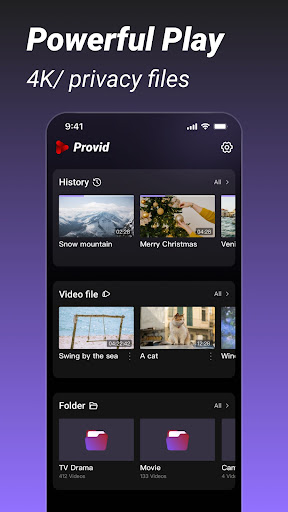
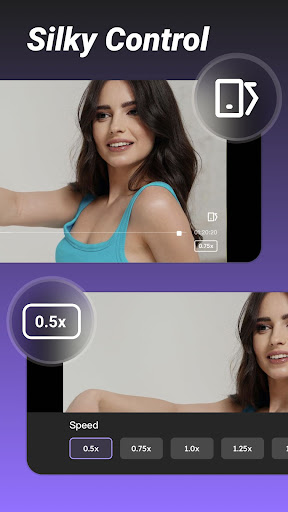
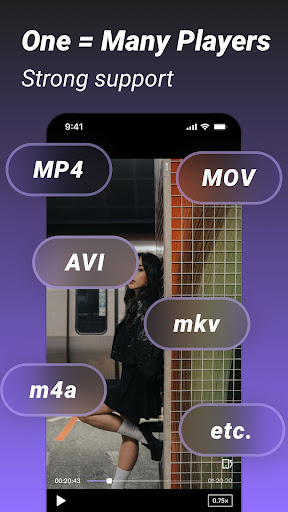
A video player you will definitely fall in love with, playing 4K videos smoothly.
Watch private videos on your device at any time.
Features at a glance:
- Supported video formats
mkv, mp4, webm, avi, flv, mpg, wmv format;
- Smooth 4k playback
- Easy control
A simple and practical player, no need to look for it anywhere!
More powerful features will be added, so stay tuned!
SUBSCRIPTION:
You can subscribe to upgrade to premium features
- Premium version offers:
No Ads: No interruptions to music and videos (no ads)
- Purchasable items: Weekly,Monthly, Yearly
The specific price is subject to the ipa price, such as the Yearly Premium: 9.99 USD
- Subscription automatically renews unless auto-renew is turned off at least 24-hours before the end of the current period
- Accounts will be charged for renewal within 24 hours prior to the end of the current period and the renewal fee will be determined
- Subscriptions may be managed by the user and auto-renewal may be turned off by going to the user's Account Settings after purchase
- When you cancel your subscription, your subscription will remain active until the end of the subscription period. Auto-renewal will be disabled, but current subscriptions will not be refunded.
- Any unused portion of a free trial period (if offered) will be forfeited when the user purchases a subscription to that publication (if applicable).
Read our Privacy Policy:https://providapp.com/privacy/
Read our Terms of Use: https://providapp.com/terms/
और दिखाएं

1. MEmu इंस्टॉलर को डाउनलोड करें और इंस्टॉलेशन को पूरा करें

2. MEmu शुरू करें फिर होमपेज पर Google Play खोलें

3. Google Play में Provid - Video Player खोजें
Install
4. Provid - Video Player डाउनलोड कर इंस्टॉल करें
5. इंस्टॉल पूरा होने पर आइकन दबाएं

6. MEmu का उपयोग करके अपने कंप्यूटर पर Provid - Video Player का अनुभव करें
MEmu Play सबसे बेहतरीन मुफ़्त Android एमुलेटर है और 5 करोड़ लोग पहले ही इसके शानदार Android ऐप अनुभव का आनंद ले चुके हैं। MEmu 9 वर्चुअलाइज़ेशन तकनीक आपको अपने PC पर हज़ारों Android ऐप्स, यहाँ तक कि सबसे ज़्यादा ग्राफ़िक्स वाले ऐप्स भी, आसानी से चलाने की सुविधा देती है।
असीमित बैटरी या मोबाइल डेटा के साथ बेहतर ग्राफिक्स के साथ बड़ी स्क्रीन; लंबी अवधि।
कीबोर्ड और माउस या गेमपैड के उत्तम नियंत्रण के लिए संपूर्ण कीमैपिंग का समर्थन करता हैं।
एक ही पीसी पर मल्टी-इंस्टेंस मैनेजर के साथ एक समय में कई गेम खाते या कार्य कर सकते हैं।
Use Provid - Video Player on PC by following steps: