Resume Builder: CV maker PDF
Dikemas kini
Versi Semasa
6.2.8
Ditawarkan Oleh

Berhentilah bimbang dengan bayaran berlebihan semasa menggunakan Resume Builder: CV maker PDF di telefon bimbit anda, bebaskan diri anda dari layar kecil dan nikmati penggunaan aplikasi pada paparan yang jauh lebih besar. Mulai sekarang, dapatkan pengalaman skrin penuh aplikasi anda dengan papan kekunci dan tetikus. MEmu Play semua ciri mengejutkan yang anda harapkan: pemasangan cepat dan penyediaan mudah, kawalan intuitif, tidak ada batasan bateri, data mudah alih, dan panggilan yang mengganggu. MEmu 9 yang baru adalah pilihan terbaik untuk menggunakan Resume Builder: CV maker PDF di komputer anda. Dikodkan dengan penyerapan kami, pengurus multi-instance menjadikan pembukaan 2 atau lebih akaun pada masa yang sama mungkin. Dan yang paling penting, mesin emulasi eksklusif kami dapat melepaskan potensi penuh PC anda, menjadikan semuanya lancar dan menyeronokkan.
Tunjukkan Lagi
Download Resume Builder: CV maker PDF on PC with MEmu Android Emulator. Enjoy playing on big screen. If you are worried about how to make a resume or professional CV.
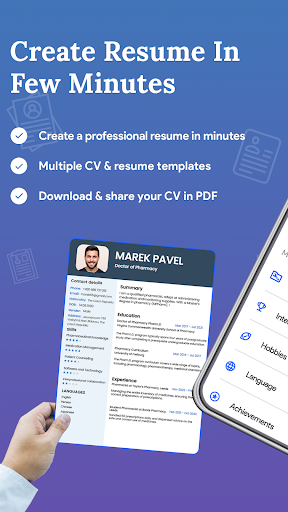
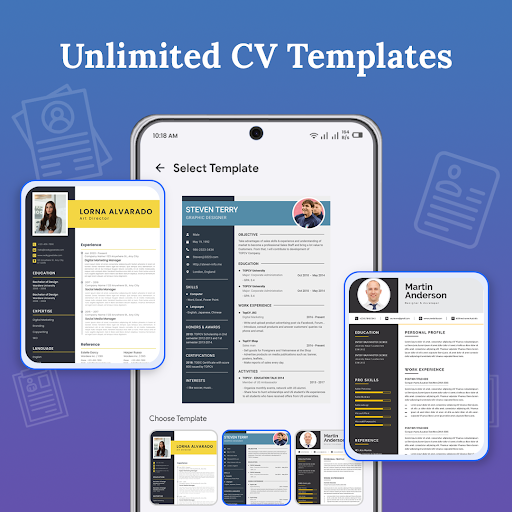
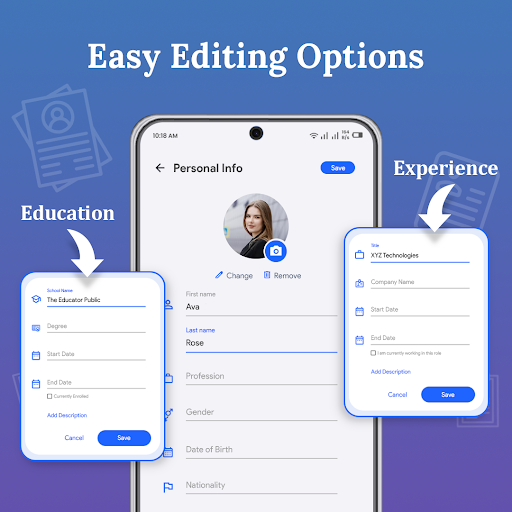
If you are worried about how to make a resume or professional CV. Don't need to worry just Install our professional resume builder app, create a CV within a few minutes, and make your next career move with confidence.
The resume maker app is a very simple and useful tool to help you create a Curriculum Vitae of professional level in just a few steps. CV maker is a professional resume builder app that is simple for both freshers & experienced. Curriculum Vitae is the first impression while job hunting. Having a great resume will place you ahead of the competition in the job search. The resume builder app will assist you to generate, manage & share your CV resume quickly.
A perfect resume format for the job is compulsory when you apply for any job or go for an interview. The resume builder app has 30+ professional resume templates through which you can create multiple resumes as per your working experience. The resume maker app will be beneficial in generating a perfect resume.
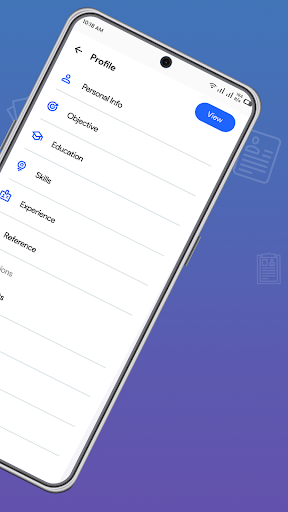
The following features are provided by resume builder to assist you in creating your Curriculum Vitae:
- Objective
- Education details
- Working experience
- Projects details
- Skills both Non-technical/Technical
- Known Languages
- Other activities, achievements & awards
- Hobbies/ Interests/ curricular activities
- Photograph & E-Signature
Tunjukkan Lagi

1. Muat turun pemasang MEmu dan selesaikan persediaan

2. Mulakan MEnu kemudian buka Google Play di desktop

3. Cari Resume Builder: CV maker PDF di Google Play
Install
4. Muat turun dan Pasang Resume Builder: CV maker PDF
5. Apabila selesai pemasangan, menekan ikon itu untuk memulakan

6. Gunakan MENu untuk mengalami Resume Builder: CV maker PDF pada komputer anda
MEmu Play ialah emulator Android terbaik, dengan lebih 100 juta pengguna mengalami pengalaman aplikasi Android yang unggul. Teknologi virtualisasi MEmu membolehkan anda menjalankan beribu-ribu aplikasi Android dengan lancar pada komputer anda, walaupun yang paling mencabar.
Skrin lebih besar dengan grafik yang lebih baik; Tempoh yang panjang, tanpa had bateri atau data mudah alih.
Sokongan Keymapping penuh untuk kawalan tepat papan kekunci dan tetikus atau gamepad.
Pelbagai akaun permainan atau tugas pada satu PC sekaligus dengan pengurus pelbagai contoh.
Use Resume Builder: CV maker PDF on PC by following steps: