Vethos: Offline AI Chatbot
Dikemas kini
Versi Semasa
1.0.7
Ditawarkan Oleh

Berhentilah bimbang dengan bayaran berlebihan semasa menggunakan Vethos: Offline AI Chatbot di telefon bimbit anda, bebaskan diri anda dari layar kecil dan nikmati penggunaan aplikasi pada paparan yang jauh lebih besar. Mulai sekarang, dapatkan pengalaman skrin penuh aplikasi anda dengan papan kekunci dan tetikus. MEmu Play semua ciri mengejutkan yang anda harapkan: pemasangan cepat dan penyediaan mudah, kawalan intuitif, tidak ada batasan bateri, data mudah alih, dan panggilan yang mengganggu. MEmu 9 yang baru adalah pilihan terbaik untuk menggunakan Vethos: Offline AI Chatbot di komputer anda. Dikodkan dengan penyerapan kami, pengurus multi-instance menjadikan pembukaan 2 atau lebih akaun pada masa yang sama mungkin. Dan yang paling penting, mesin emulasi eksklusif kami dapat melepaskan potensi penuh PC anda, menjadikan semuanya lancar dan menyeronokkan.
Tunjukkan Lagi
Nikmati pengalaman hebat menggunakan Vethos: Offline AI Chatbot di PC dengan MEmu Play. Ia merupakan emulator Android percuma yang hebat yang menyediakan beribu-ribu aplikasi Android untuk versi desktop mereka. Nikmati berhubung dengan rakan-rakan dan menggilap kerja anda dengan kecekapan yang lebih tinggi! Vethos: Offline AI Chatbot is a private, on-device AI chat app that runs powerful models directly on your phone.
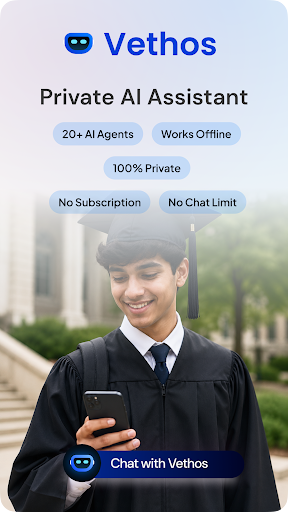
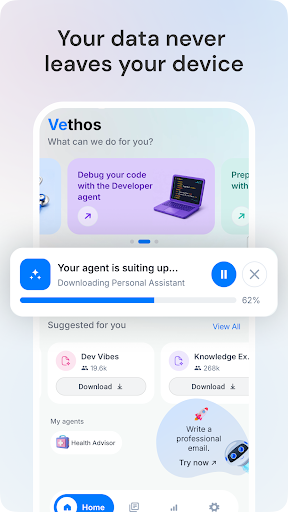
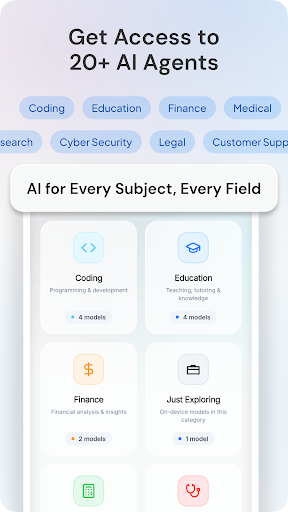
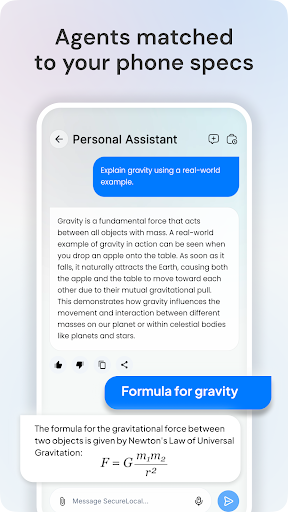
Vethos: Offline AI Chatbot is a private, on-device AI chat app that runs powerful models directly on your phone.
No internet, no accounts, and no data leaving your device. Most AI apps send every message to the cloud. Vethos keeps everything local, so your conversations stay yours. Get fast AI chat for work, study, and everyday tasks.
⭐ KEY FEATURES
- Private offline AI chat that works with zero internet connection
- 20+ specialist AI agents for coding, writing, study, and more
- On-device language models with no cloud tracking
- Smart model picks matched to your phone's hardware
- Real-time dashboard for speed, CPU, and memory usage
Private AI, Always On Your Device
- Vethos runs every model locally, so no chat history is uploaded.
- Your chats are stored only on your device for a truly private experience.
Specialist AI Agents for Every Task
- Choose named agents for your task, whether it's coding, writing, medical guidance, or mathematical problem solving.
- Each assistant is tuned for its domain, so answers stay focused and reliable.
Truly Offline AI Chat
- Airplane mode, weak signal, or no WiFi? Your assistants keep working anywhere.
- After one download, your model runs with no connection needed.
Device-Aware Performance
- Vethos checks your RAM and CPU to suggest models that actually run, avoiding failed downloads.
- A live insights tab shows tokens per second, CPU, and memory in real time.
Fast, Smooth Conversations
- Enjoy responsive AI chat with no mid-task cutoffs, plus rich replies with markdown and math.
- Voice input, copy, and share make this chat assistant effortless to use daily.
Not Your Usual AI App
- Not a cloud app, no server farms, no data leaving your phone.
- Vethos runs models privately, on-device.
Built For Who Needs
- AI chat on a plane, in a tunnel, or off the grid.
- Ownership and offline access over raw cloud power.
Whether you need a private AI assistant for sensitive work or a dependable study companion on the go, Vethos puts a full AI chat experience in your pocket. Download once and chat anywhere, anytime, completely offline.
Tunjukkan Lagi

1. Muat turun pemasang MEmu dan selesaikan persediaan

2. Mulakan MEnu kemudian buka Google Play di desktop

3. Cari Vethos: Offline AI Chatbot di Google Play
Install
4. Muat turun dan Pasang Vethos: Offline AI Chatbot
5. Apabila selesai pemasangan, menekan ikon itu untuk memulakan

6. Gunakan MENu untuk mengalami Vethos: Offline AI Chatbot pada komputer anda
MEmu Play ialah emulator Android terbaik, dengan lebih 100 juta pengguna mengalami pengalaman aplikasi Android yang unggul. Teknologi virtualisasi MEmu membolehkan anda menjalankan beribu-ribu aplikasi Android dengan lancar pada komputer anda, walaupun yang paling mencabar.
Skrin lebih besar dengan grafik yang lebih baik; Tempoh yang panjang, tanpa had bateri atau data mudah alih.
Sokongan Keymapping penuh untuk kawalan tepat papan kekunci dan tetikus atau gamepad.
Pelbagai akaun permainan atau tugas pada satu PC sekaligus dengan pengurus pelbagai contoh.
Use Vethos: Offline AI Chatbot on PC by following steps: