VirtuSIM - SMS Virtual Number
Dikemas kini
Versi Semasa
3.2.4
Ditawarkan Oleh

Berhentilah bimbang dengan bayaran berlebihan semasa menggunakan VirtuSIM - SMS Virtual Number di telefon bimbit anda, bebaskan diri anda dari layar kecil dan nikmati penggunaan aplikasi pada paparan yang jauh lebih besar. Mulai sekarang, dapatkan pengalaman skrin penuh aplikasi anda dengan papan kekunci dan tetikus. MEmu Play semua ciri mengejutkan yang anda harapkan: pemasangan cepat dan penyediaan mudah, kawalan intuitif, tidak ada batasan bateri, data mudah alih, dan panggilan yang mengganggu. MEmu 9 yang baru adalah pilihan terbaik untuk menggunakan VirtuSIM - SMS Virtual Number di komputer anda. Dikodkan dengan penyerapan kami, pengurus multi-instance menjadikan pembukaan 2 atau lebih akaun pada masa yang sama mungkin. Dan yang paling penting, mesin emulasi eksklusif kami dapat melepaskan potensi penuh PC anda, menjadikan semuanya lancar dan menyeronokkan.
Tunjukkan Lagi
Download VirtuSIM - SMS Virtual Number on PC with MEmu Android Emulator. Enjoy playing on big screen. VirtuSIM - Virtual Numbers for Secure SMS Verification Without Revealing Your Own Number.
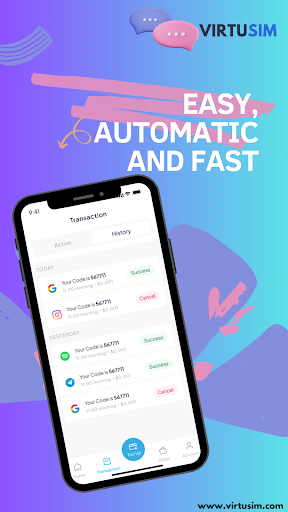
VirtuSIM - Virtual Numbers for Secure SMS Verification Without Revealing Your Own Number
VirtuSIM - A Service for Virtual SMS Verification
Our platform delivers a highly reliable system for SMS verification through virtual numbers, letting you activate services online while safeguarding your personal contact details.
With our application, you gain an effortless and confidential way to verify accounts using a secondary phone number. This virtual number adds an extra layer of privacy, keeping your primary contact secure and free from unwanted messages—ideal for users seeking safe and anonymous online SMS reception.
Features:
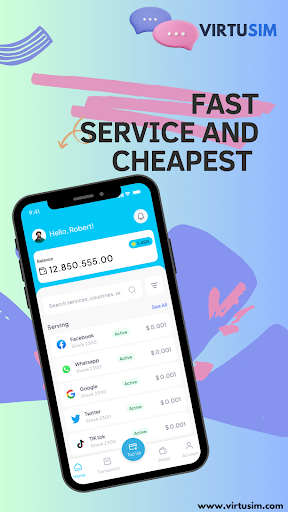
Online SMS Verification: Instantly receive a unique, temporary number for SMS verifications across online services. The process is easy and efficient, enabling quick and safe account activations.
Privacy-Focused & Anonymous: With VirtuSIM, you can rest easy knowing your real number is secure. Our service ensures SMS messages are routed through virtual numbers, keeping your primary number shielded from potential spam or calls.
Broad Service Compatibility: VirtuSIM supports a wide variety of online services. From social media to shopping sites and newsletters, our virtual numbers provide flexibility across many platforms.
Simple SMS Verification: Experience hassle-free online verification through unique virtual numbers. Your codes are received securely, protecting your main contact from exposure.
Secondary Number Protection: Protect your privacy with a second number that bridges the gap between online platforms and your private contact. Receive SMS messages online, safeguarding your personal number from unwanted messages.
Temporary Numbers: Use a temporary number for one-time verifications or account activations to keep your personal contact fully private.
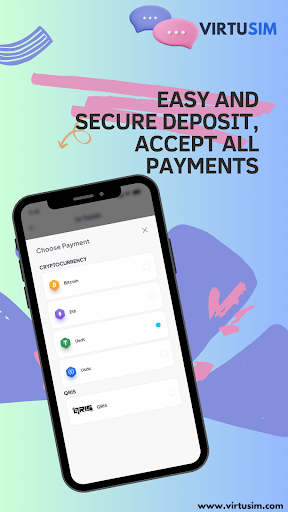
Transparent, Pay-Per-Use Pricing: Our service is designed for fairness; if the SMS code is not received within the specified time, any used credits will be refunded automatically.
Popular Services Supported:
• WhatsApp
• Telegram
• Facebook
• Tinder
• Google
• Instagram
• TikTok
• Uber
• Snapchat
How to Use VirtuSIM:
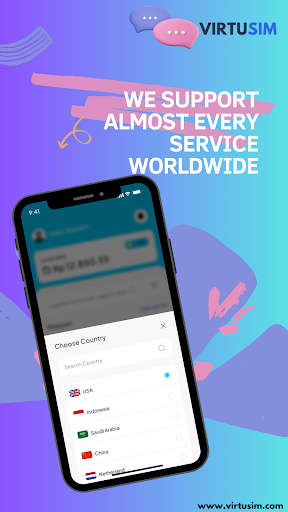
1. Choose the country and the specific service you need from our extensive list.
2. Copy the provided number and enter it into the desired service, site, or app.
3. Once the SMS is sent, it will appear promptly in the VirtuSIM app.
Privacy Policy: https://virtusim.com/pages?id=3
Terms Of Use: https://virtusim.com/pages?id=2
Tunjukkan Lagi

1. Muat turun pemasang MEmu dan selesaikan persediaan

2. Mulakan MEnu kemudian buka Google Play di desktop

3. Cari VirtuSIM - SMS Virtual Number di Google Play
Install
4. Muat turun dan Pasang VirtuSIM - SMS Virtual Number
5. Apabila selesai pemasangan, menekan ikon itu untuk memulakan

6. Gunakan MENu untuk mengalami VirtuSIM - SMS Virtual Number pada komputer anda
MEmu Play ialah emulator Android terbaik, dengan lebih 100 juta pengguna mengalami pengalaman aplikasi Android yang unggul. Teknologi virtualisasi MEmu membolehkan anda menjalankan beribu-ribu aplikasi Android dengan lancar pada komputer anda, walaupun yang paling mencabar.
Skrin lebih besar dengan grafik yang lebih baik; Tempoh yang panjang, tanpa had bateri atau data mudah alih.
Sokongan Keymapping penuh untuk kawalan tepat papan kekunci dan tetikus atau gamepad.
Pelbagai akaun permainan atau tugas pada satu PC sekaligus dengan pengurus pelbagai contoh.
Use VirtuSIM - SMS Virtual Number on PC by following steps: