Whyze PTIS
Dikemas kini
Versi Semasa
4.1.7
Ditawarkan Oleh

Berhentilah bimbang dengan bayaran berlebihan semasa menggunakan Whyze PTIS di telefon bimbit anda, bebaskan diri anda dari layar kecil dan nikmati penggunaan aplikasi pada paparan yang jauh lebih besar. Mulai sekarang, dapatkan pengalaman skrin penuh aplikasi anda dengan papan kekunci dan tetikus. MEmu Play semua ciri mengejutkan yang anda harapkan: pemasangan cepat dan penyediaan mudah, kawalan intuitif, tidak ada batasan bateri, data mudah alih, dan panggilan yang mengganggu. MEmu 9 yang baru adalah pilihan terbaik untuk menggunakan Whyze PTIS di komputer anda. Dikodkan dengan penyerapan kami, pengurus multi-instance menjadikan pembukaan 2 atau lebih akaun pada masa yang sama mungkin. Dan yang paling penting, mesin emulasi eksklusif kami dapat melepaskan potensi penuh PC anda, menjadikan semuanya lancar dan menyeronokkan.
Tunjukkan Lagi
Download Whyze PTIS on PC with MEmu Android Emulator. Enjoy playing on big screen. Whyze PTIS (Personnel Tracking and Identification System) is a time and attendance system for employees to clock in and out on mobile devices.
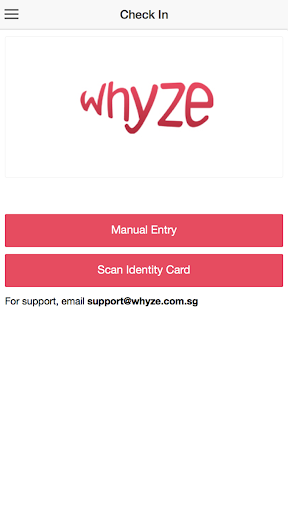
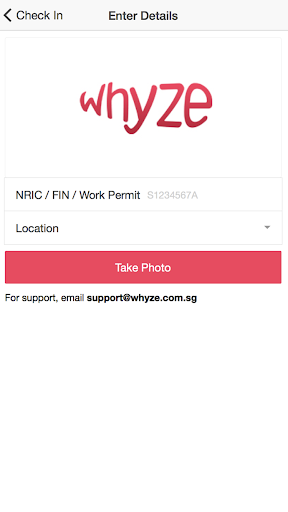
Whyze PTIS (Personnel Tracking and Identification System) is a time and attendance system for employees to clock in and out on mobile devices. HR manager and line manager can monitor the employees’ time and location in near real-time.
Integrates with Whyze webTMS for attendance calculations, shift schedule planning, project costing and payroll.
Whyze PTIS has successfully automated attendance taking in industries such as construction, engineering, retail and security agency.
= How it works? =
1. Open App when employee arrives at job site.
2. Use the phone’s camera to scan employee’s ID card and take a photo.
3. Attendance taken automatically.
= Features =
- Fast and simple to use.
- Automatically record actual location at clocking.
- Allow employees to choose Project Code or allow App to automatically detect Project Code.
- Provide almost real-time information on employees’ attendance at the job site.
- Allow managers to quickly deploy someone to the job site if the initial employee did not turn up due to medical reasons or accident.
- Utilize Whyze webTMS to calculate actual working hours, overtime, lateness and any attendance incentives based on the employees’ shift.
- Support project costing by employees’ working hours.
- Off-line mode available for job sites with no telecom network.
= Getting Started =
For first time registration, please contact Whyze Solutions to register your mobile device before using.
Email: enquiry@whyze.com.sg
Phone (Singapore): +65 6830 0161
= About Whyze Solutions =
Whyze Solutions Pte Ltd is a HR & Payroll Solution provider based in Singapore. Combining our expertise in local HR administration and enterprise IT system implementation, our services include:
- Integrated HR management system (network based or cloud based)
- Biometric devices with HR scheduling system
- Payroll software
- Outsource service for payroll, employees’ income tax and claim submission of government paid leave
Look us up: www.whyze.com.sg / www.whyzeHR.com.sg
Tunjukkan Lagi

1. Muat turun pemasang MEmu dan selesaikan persediaan

2. Mulakan MEnu kemudian buka Google Play di desktop

3. Cari Whyze PTIS di Google Play
Install
4. Muat turun dan Pasang Whyze PTIS
5. Apabila selesai pemasangan, menekan ikon itu untuk memulakan

6. Gunakan MENu untuk mengalami Whyze PTIS pada komputer anda
MEmu Play ialah emulator Android terbaik, dengan lebih 100 juta pengguna mengalami pengalaman aplikasi Android yang unggul. Teknologi virtualisasi MEmu membolehkan anda menjalankan beribu-ribu aplikasi Android dengan lancar pada komputer anda, walaupun yang paling mencabar.
Skrin lebih besar dengan grafik yang lebih baik; Tempoh yang panjang, tanpa had bateri atau data mudah alih.
Sokongan Keymapping penuh untuk kawalan tepat papan kekunci dan tetikus atau gamepad.
Pelbagai akaun permainan atau tugas pada satu PC sekaligus dengan pengurus pelbagai contoh.
Use Whyze PTIS on PC by following steps: