Badge(r)s
Bijgewerkt
Huidige Versie
Aangeboden door

Met al je passie voor het spelen van Badge(r)s, zouden je handen niet beperkt moeten zijn tot een klein scherm van je telefoon. Speel als een professional en krijg volledige controle over je spel met toetsenbord en muis. MEmu biedt je alles wat je verwacht. Download en speel Badge(r)s op PC. Speel zo lang als je wilt, geen beperkingen meer van batterij, mobiele data en storende oproepen. De gloednieuwe MEmu 9 is de beste keuze om Badge(r)s op PC te spelen. Voorbereid met onze expertise, maakt het uitmuntende vooraf ingestelde keymapping systeem van Badge(r)s een echt PC-spel. MEmu multi-instance manager maakt het spelen van 2 of meer accounts op hetzelfde apparaat mogelijk. En het belangrijkste, onze exclusieve emulatie-engine kan het volledige potentieel van je PC benutten, waardoor alles soepel verloopt.
Meer tonen
Download Badge(r)s op je pc met de MEmu Android-emulator. Geniet van spelen op een groot scherm. This is a location based game (aka GPS game, geolocation game) about collecting Items, Quadrants and Regions.
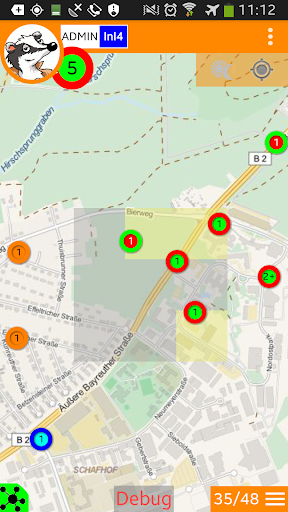
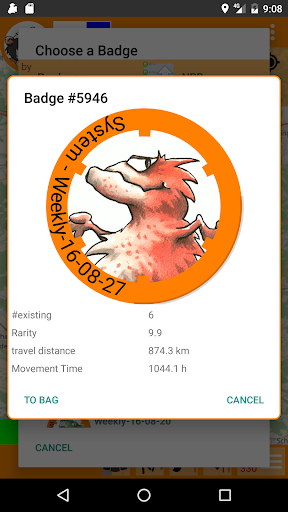
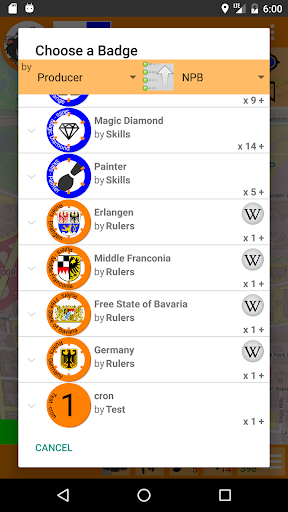
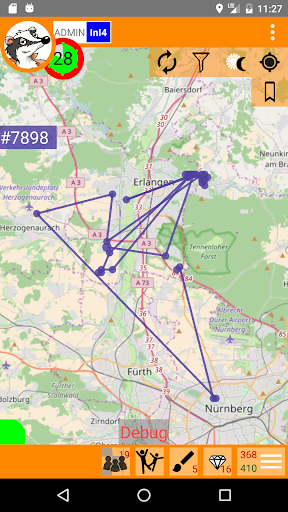
This is a location based game (aka GPS game, geolocation game) about collecting Items, Quadrants and Regions. Throughout the game every player acts as both a creator and collector of a series of virtual items.
Badges are the virtual items they come in different colours and levels, some with artwork. Each Badge is either on the map, i.e. at a certain geolocation at certain GPS coordinates, or in a players collection.
NOTE 1: This is "double testing". We test and performance of our app and servers, but we also test the game. Rules might evolve over time, features might be added or occasionally removed. We appreciate any feedback or suggestions!
NOTE 2: We have implemented a passcode mechanism: You need a code to fully activate the app. We currently send the code to your GMail account after first app login. You can also request them via in game GUEST chat. Thank you for your understanding!
NOTE 3: While you do not need to meet other players, the game is still about interaction. Since we are still only a few players, you'll need testers patience or friends you talk into joining the test, to make this happen.
Unlike other GPS games Badge(r)s is meant to be casual play. Play as often as you want. No need to grind. For example play whenever when you wait, be it at a bus stop, in a traffic jam or waiting for your dentist. But you can also play it in movement, play it while you walk, hike or bike, just pass by and act without stopping.
Put your daily new badges in favourite places in town, find other players places by locating their badges. Collect as many different badges and regions as you can.
Badge(r)s features a skill system in the form of "special badges" allowing to specialize in roles.
Be sure to visit our site http://www.badge-r-s.de and Wiki http://www.badge-r-s.de/wiki
"Planned" Features (We have no real schedule, but quite some ideas, some of the more prominent ones):
- Creating party badges as in game items to share between players.
- Even more statistics, we can do many, many, many statistics.
- BadgeMatch a duel ladder for teams of badges.
- Other ideas might kick in and be done first though.
Meer tonen

1. Download de MEmu-installatie en voltooi de setup

2. Start MEmu en open vervolgens Google Play op het bureaublad

3. Zoek Badge(r)s in Google Play
Install
4. Download en installeer Badge(r)s
5. Klik op het icoon om te starten na het voltooien van de installatie

6. Geniet van het spelen van Badge(r)s op PC met MEmu
MEmu Play is de beste Android Emulator en 100 miljoen mensen genieten al van de superieure Android-game-ervaring. De virtualisatietechnologie van MEmu stelt je in staat om duizenden Android-spellen soepel op je PC te spelen, zelfs de meest grafisch intensieve.
Groter scherm met betere graphics; Lange duur, zonder beperking van batterij of mobiele data.
Volledige Keymapping-ondersteuning voor nauwkeurige besturing van toetsenbord en muis of gamepad.
Meerdere game-accounts of taken op één PC tegelijk met Multi-Instance manager.
Speel Badge(r)s op PC door de volgende stappen te volgen: