Cyber Music Rush
Bijgewerkt
Huidige Versie
0.4.5
Aangeboden door

Met al je passie voor het spelen van Cyber Music Rush, zouden je handen niet beperkt moeten zijn tot een klein scherm van je telefoon. Speel als een professional en krijg volledige controle over je spel met toetsenbord en muis. MEmu biedt je alles wat je verwacht. Download en speel Cyber Music Rush op PC. Speel zo lang als je wilt, geen beperkingen meer van batterij, mobiele data en storende oproepen. De gloednieuwe MEmu 9 is de beste keuze om Cyber Music Rush op PC te spelen. Voorbereid met onze expertise, maakt het uitmuntende vooraf ingestelde keymapping systeem van Cyber Music Rush een echt PC-spel. MEmu multi-instance manager maakt het spelen van 2 of meer accounts op hetzelfde apparaat mogelijk. En het belangrijkste, onze exclusieve emulatie-engine kan het volledige potentieel van je PC benutten, waardoor alles soepel verloopt.
Meer tonen
Download Cyber Music Rush on PC with MEmu Android Emulator. Enjoy playing on big screen. Let's give a warm round of applause for Durple the Purple Dragon, straight from Incredible Sprunki!
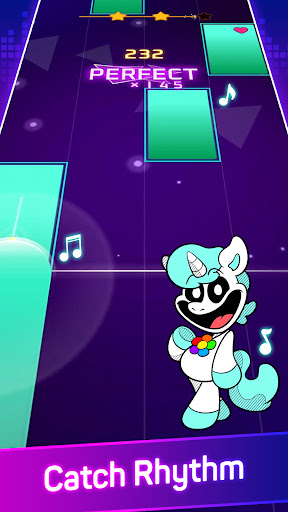
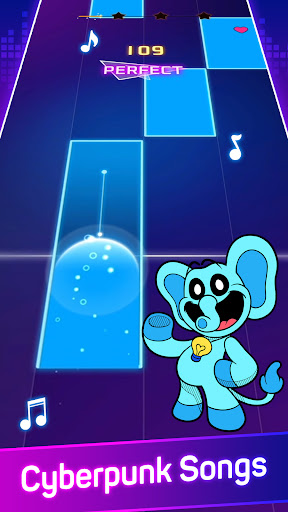
Let's give a warm round of applause for Durple the Purple Dragon, straight from Incredible Sprunki! He loves collecting and playing trumpets with the Sprunki Group. Want to hear the latest remix from him and his Sprunki friends? Take a listen:
Hello! Would you like to have some fun? With us, right now! Come on, come sing along with us, in this fun time!MUSIC GAME WITH PIANO TAPPING, RHYTHM, BEATS & REAL MUSIC
Are you looking for a new music game with tap gameplay and real music?
Wanna play a music game with cool drumbeats, guitar strings and other music instruments more than piano?
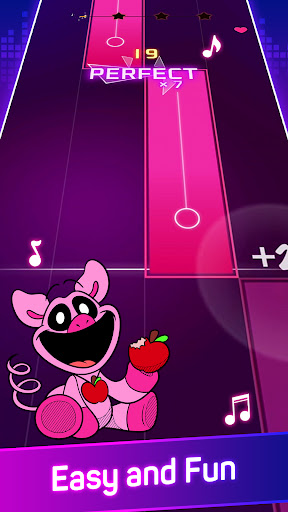
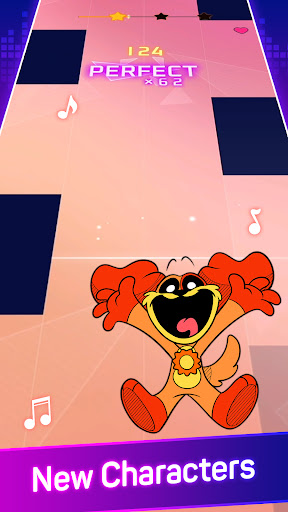
Meet Cyber Music Rush which is a free piano game that combines hyper-casual gaming with music. Feel positive vibes when you tap through the music tiles of the piano game and uplift your mood with some funky tunes. Complete all levels with all 3 stars by tapping the tiles of the piano music game at the right moment.FEEL THE MUSIC NOTES WHILE TAPPING
In this piano player game, you need to tap on the right music tiles without touching anything wrong. If you misplace your taps, you will lose one of the 3 lives you have for all levels. Show that you can follow the piano melody and pass all levels in one of the best piano games with real songs.
UNIQUE MELODIES AND POPULAR SONGS
The beautiful piano game features mesmerizing EDM-inspired graphics and upbeat music. In this fun piano game for kids and adults, there are many famous reworks included. But unlike most piano games where there is a combo of piano and EDM, here there are also realistic drums and other instruments.
UNLOCK NEW SONGS
Collect stars with quick tapping after you successfully complete levels in the instrument rhythm game. Use them to unlock new packs of interesting songs that will play in the rhythm of the EDM game.
TAP PIANO GAME FEATURES:
- simple tap gameplay
- piano, drums, instrument game
- tap in the best spot at the right moment for extra points
- collect stars to unlock new song packs
- play the piano game online or offline (fun game for your travel, commute time, or anywhere where internet/mobile data is not available)
Now don’t miss one of the best EDM music games of 2022!
Download Edm Music & Piano Game for FREE
------------------------
REACH OUT
- If some of the songs, labels, or images in our melody game are a subject of a dispute, don’t hesitate to contact us
Meer tonen

1. Download de MEmu-installatie en voltooi de setup

2. Start MEmu en open vervolgens Google Play op het bureaublad

3. Zoek Cyber Music Rush in Google Play
Install
4. Download en installeer Cyber Music Rush
5. Klik op het icoon om te starten na het voltooien van de installatie

6. Geniet van het spelen van Cyber Music Rush op PC met MEmu
MEmu Play is de beste Android Emulator en 100 miljoen mensen genieten al van de superieure Android-game-ervaring. De virtualisatietechnologie van MEmu stelt je in staat om duizenden Android-spellen soepel op je PC te spelen, zelfs de meest grafisch intensieve.
Groter scherm met betere graphics; Lange duur, zonder beperking van batterij of mobiele data.
Volledige Keymapping-ondersteuning voor nauwkeurige besturing van toetsenbord en muis of gamepad.
Meerdere game-accounts of taken op één PC tegelijk met Multi-Instance manager.
Speel Cyber Music Rush op PC door de volgende stappen te volgen: