Piano Pink Music: Rhythm Game
Bijgewerkt
Huidige Versie
0.5.69
Aangeboden door

Met al je passie voor het spelen van Piano Pink Music: Rhythm Game, zouden je handen niet beperkt moeten zijn tot een klein scherm van je telefoon. Speel als een professional en krijg volledige controle over je spel met toetsenbord en muis. MEmu biedt je alles wat je verwacht. Download en speel Piano Pink Music: Rhythm Game op PC. Speel zo lang als je wilt, geen beperkingen meer van batterij, mobiele data en storende oproepen. De gloednieuwe MEmu 9 is de beste keuze om Piano Pink Music: Rhythm Game op PC te spelen. Voorbereid met onze expertise, maakt het uitmuntende vooraf ingestelde keymapping systeem van Piano Pink Music: Rhythm Game een echt PC-spel. MEmu multi-instance manager maakt het spelen van 2 of meer accounts op hetzelfde apparaat mogelijk. En het belangrijkste, onze exclusieve emulatie-engine kan het volledige potentieel van je PC benutten, waardoor alles soepel verloopt.
Meer tonen
Download Piano Pink Music: Rhythm Game op je pc met de MEmu Android-emulator. Geniet van spelen op een groot scherm. TAP TAP PIANO MUSIC GAME .
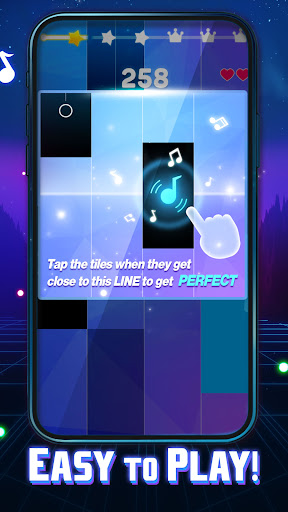
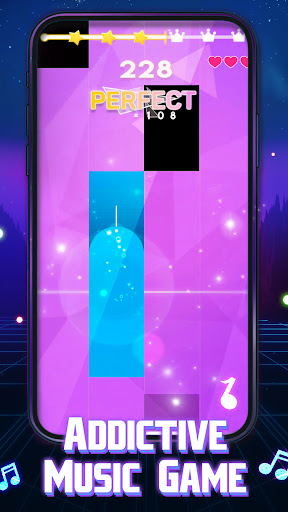
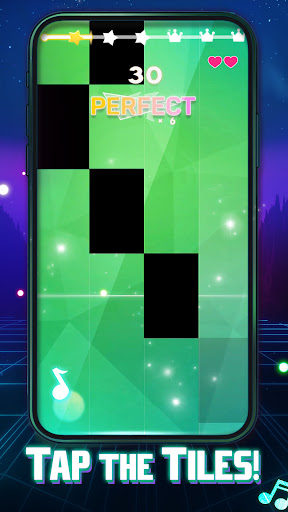

TAP TAP PIANO MUSIC GAME
Are you looking for a new piano music game? Want to play piano tiles offline and for the gameplay to be vibrant, fun, and full of challenges?
Try our Piano Pink Music, a new ultra-fun tap piano tiles game that's packed with melody and rhythm!
Immerse yourself in the magic world of music with this captivating tiles hop and tap game.
TAP PIANO TILES GAME FULL OF MELODY AND RHYTHM:
Get ready to tap your way to musical greatness in this enchanting game. With a seamless blend of melody and rhythm, you'll find yourself lost in the music with each tap.
LARGE LIBRARY OF SONGS:
Piano Pink Music boasts a vast library of songs to choose from, catering to a wide range of musical tastes. Whether you're into pop, EDM, hip hop, or classical, you'll discover the perfect tune to play.
CLASSIC TAP PIANO GAMEPLAY WITH POP AND EDM SONGS:
Experience the joy of classic tap piano gameplay with a modern twist. Enjoy popular pop and EDM songs that will keep your fingers dancing across the piano tiles.
ALSO FEATURES CLASSICAL PIANO SONGS:
For classical music enthusiasts, Piano Pink Music has you covered. Explore a selection of timeless classical piano pieces and test your skills with the beautifully composed melodies.
EXQUISITE GAME SCENES:
The dance tap music game doesn't just sound amazing; it looks stunning too. Dive into exquisite game scenes that complement the music, creating a truly immersive experience.
Meer tonen

1. Download de MEmu-installatie en voltooi de setup

2. Start MEmu en open vervolgens Google Play op het bureaublad

3. Zoek Piano Pink Music: Rhythm Game in Google Play
Install
4. Download en installeer Piano Pink Music: Rhythm Game
5. Klik op het icoon om te starten na het voltooien van de installatie

6. Geniet van het spelen van Piano Pink Music: Rhythm Game op PC met MEmu
MEmu Play is de beste Android Emulator en 100 miljoen mensen genieten al van de superieure Android-game-ervaring. De virtualisatietechnologie van MEmu stelt je in staat om duizenden Android-spellen soepel op je PC te spelen, zelfs de meest grafisch intensieve.
Groter scherm met betere graphics; Lange duur, zonder beperking van batterij of mobiele data.
Volledige Keymapping-ondersteuning voor nauwkeurige besturing van toetsenbord en muis of gamepad.
Meerdere game-accounts of taken op één PC tegelijk met Multi-Instance manager.
Speel Piano Pink Music: Rhythm Game op PC door de volgende stappen te volgen: