RISK: Global Domination
Bijgewerkt
Huidige Versie
3.17.0
Aangeboden door

Met al je passie voor het spelen van RISK: Global Domination, zouden je handen niet beperkt moeten zijn tot een klein scherm van je telefoon. Speel als een professional en krijg volledige controle over je spel met toetsenbord en muis. MEmu biedt je alles wat je verwacht. Download en speel RISK: Global Domination op PC. Speel zo lang als je wilt, geen beperkingen meer van batterij, mobiele data en storende oproepen. De gloednieuwe MEmu 9 is de beste keuze om RISK: Global Domination op PC te spelen. Voorbereid met onze expertise, maakt het uitmuntende vooraf ingestelde keymapping systeem van RISK: Global Domination een echt PC-spel. MEmu multi-instance manager maakt het spelen van 2 of meer accounts op hetzelfde apparaat mogelijk. En het belangrijkste, onze exclusieve emulatie-engine kan het volledige potentieel van je PC benutten, waardoor alles soepel verloopt.
Meer tonen
Download RISK: Global Domination on PC with MEmu Android Emulator. Enjoy playing on big screen. Battle opponents in strategic warfare in the official digital version of the classic Hasbro board game loved by millions.
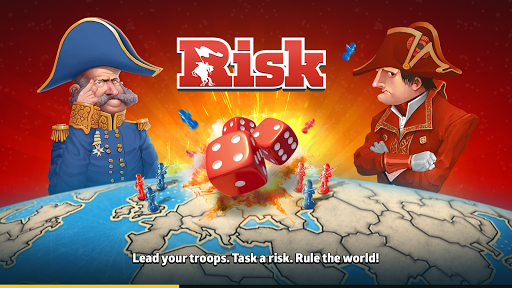
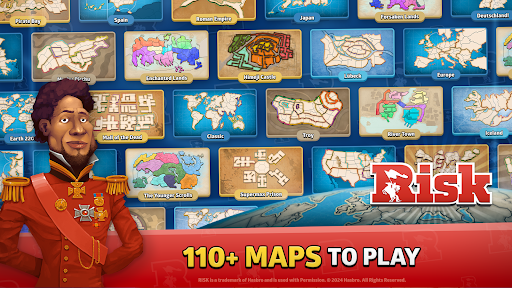
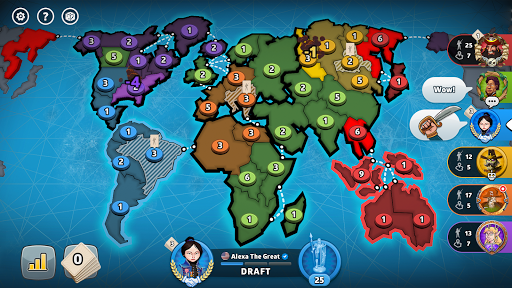
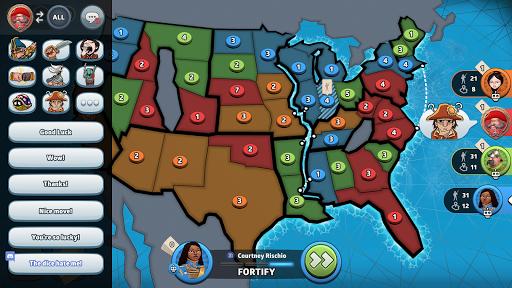
Battle opponents in strategic warfare in the official digital version of the classic Hasbro board game loved by millions. Fight against the Axis Powers in WWI, survive war games against undead zombies and battle on fantasy, futuristic and sci-fi maps. Download RISK Global Domination for free now!
- Build an army to clash against your foes!
- Use diplomacy to gain allies and fight to the death for blood and honor!
- Command your troops on the battlefield!
- Engage in glorious combat and all-out war!
- Protect your allies & conquer your enemies!
- Use strategy to lead your army to victory!
- Play with friends!
Features:
- BATTLE IN REAL-TIME
- CLASSIC & CUSTOM RULES
- SOLO & MULTIPLAYER GAMES
- PLAY 60+ MAPS
- COMPETE AGAINST MILLIONS OF PLAYERS
- CLIMB THE RANKS TO GRANDMASTER
RISK is a trademark of Hasbro. © 2022 Hasbro. All Rights Reserved
Meer tonen

1. Download de MEmu-installatie en voltooi de setup

2. Start MEmu en open vervolgens Google Play op het bureaublad

3. Zoek RISK: Global Domination in Google Play
Install
4. Download en installeer RISK: Global Domination
5. Klik op het icoon om te starten na het voltooien van de installatie

6. Geniet van het spelen van RISK: Global Domination op PC met MEmu
MEmu Play is de beste Android Emulator en 100 miljoen mensen genieten al van de superieure Android-game-ervaring. De virtualisatietechnologie van MEmu stelt je in staat om duizenden Android-spellen soepel op je PC te spelen, zelfs de meest grafisch intensieve.
Groter scherm met betere graphics; Lange duur, zonder beperking van batterij of mobiele data.
Volledige Keymapping-ondersteuning voor nauwkeurige besturing van toetsenbord en muis of gamepad.
Meerdere game-accounts of taken op één PC tegelijk met Multi-Instance manager.
Speel RISK: Global Domination op PC door de volgende stappen te volgen: