Thousand Dice
Bijgewerkt
Huidige Versie
1.2.8
Aangeboden door

Met al je passie voor het spelen van Thousand Dice, zouden je handen niet beperkt moeten zijn tot een klein scherm van je telefoon. Speel als een professional en krijg volledige controle over je spel met toetsenbord en muis. MEmu biedt je alles wat je verwacht. Download en speel Thousand Dice op PC. Speel zo lang als je wilt, geen beperkingen meer van batterij, mobiele data en storende oproepen. De gloednieuwe MEmu 9 is de beste keuze om Thousand Dice op PC te spelen. Voorbereid met onze expertise, maakt het uitmuntende vooraf ingestelde keymapping systeem van Thousand Dice een echt PC-spel. MEmu multi-instance manager maakt het spelen van 2 of meer accounts op hetzelfde apparaat mogelijk. En het belangrijkste, onze exclusieve emulatie-engine kan het volledige potentieel van je PC benutten, waardoor alles soepel verloopt.
Meer tonen
Download Thousand Dice on PC with MEmu Android Emulator. Enjoy playing on big screen. Thousand is the best game of such type.
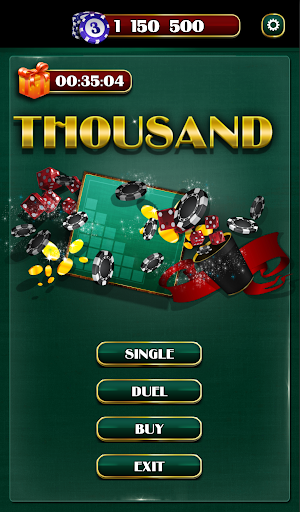
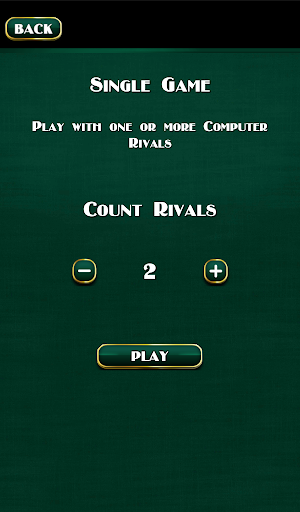
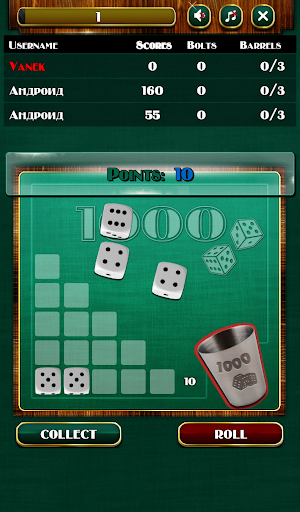
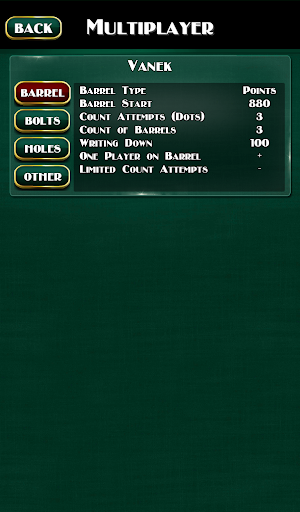
Thousand is the best game of such type.
This application enables you to play at any convenient time.
You can play individually without a risk of loosing your chips, practicing and gaining experience, developing new strategies of the game.
The program also enables playing with friends and strangers. Multiplayer will give an opportunity to feel the excitement of a real fight with real people.
The game can participate up to 6 players. They take turns, one after another. The move is passed or forced, or the player chooses.
Each turn begins with the roll 5 dice at once. After the bones drop, result analyzed for the presence of score's combinations. Points bring dice in denominations of 1 and 5, and 3 or more dices of the same value.
Cubes are always assembled at the points of maximum combination.
One – is 10. Five – 5.
Three ones – 100. 4 ones – 200. 5 – 1000.
Two: 3 – 20, 4 – 40, 5 -200.
Three: 3 - 30, 4 - 60, 5 – 300
Four: 3 – 40, 4 – 80, 5 – 400.
Five: 3 – 50, 4 – 100, 5 – 500.
Six: 3 – 60, 4 – 120, 5 – 600.
Straights: 1,2,3,4,5, - 125, and 2,3,4,5,6 – 150.
If the roll is brought to the player at least 5 points, then all the blocks that have brought points remove and the remaining player can throw dice again. New drop, performed with fewer dices, and therefore is less chance to get success combination. At the same time, new points for the combinations are added to the previously dialed.
If all five blocks was removed, the player may again drop all five dices.
If at the roll droped "zero" combination, then the player gets 0 points, all points scored in the current move is completely "burn out" and move automatically to the next player.
To keep the points player must press the COLLECT. This sometimes is not allowed, because if the player has not yet opened the game, "sitting in the hole," or on the barrel, then player has a limitation on the minimum amount of points that he has to collect.
Game features:
• Simple registration: create a nickname or enter your name.
• At Facebook registration you can play on several devices, using your account. Data of your chips are synchronized on all devices you entered using profile. (Bonus is 10 000 chips).
• Online game with friends and strangers.
• Multiplatform: possibility to play with friends who has iOS.
• Purchase of different dice and cups for a game. Be unique, play with non-standard dice and cups. Earn chips and choose the type of dice or cup which you like the most.
• Daily bonus: play every day and get chips for a game.
Meer tonen

1. Download de MEmu-installatie en voltooi de setup

2. Start MEmu en open vervolgens Google Play op het bureaublad

3. Zoek Thousand Dice in Google Play
Install
4. Download en installeer Thousand Dice
5. Klik op het icoon om te starten na het voltooien van de installatie

6. Geniet van het spelen van Thousand Dice op PC met MEmu
MEmu Play is de beste Android Emulator en 100 miljoen mensen genieten al van de superieure Android-game-ervaring. De virtualisatietechnologie van MEmu stelt je in staat om duizenden Android-spellen soepel op je PC te spelen, zelfs de meest grafisch intensieve.
Groter scherm met betere graphics; Lange duur, zonder beperking van batterij of mobiele data.
Volledige Keymapping-ondersteuning voor nauwkeurige besturing van toetsenbord en muis of gamepad.
Meerdere game-accounts of taken op één PC tegelijk met Multi-Instance manager.
Speel Thousand Dice op PC door de volgende stappen te volgen: