Tuber Life Simulator 2
Bijgewerkt
Huidige Versie
1.3.8
Aangeboden door

Met al je passie voor het spelen van Tuber Life Simulator 2, zouden je handen niet beperkt moeten zijn tot een klein scherm van je telefoon. Speel als een professional en krijg volledige controle over je spel met toetsenbord en muis. MEmu biedt je alles wat je verwacht. Download en speel Tuber Life Simulator 2 op PC. Speel zo lang als je wilt, geen beperkingen meer van batterij, mobiele data en storende oproepen. De gloednieuwe MEmu 9 is de beste keuze om Tuber Life Simulator 2 op PC te spelen. Voorbereid met onze expertise, maakt het uitmuntende vooraf ingestelde keymapping systeem van Tuber Life Simulator 2 een echt PC-spel. MEmu multi-instance manager maakt het spelen van 2 of meer accounts op hetzelfde apparaat mogelijk. En het belangrijkste, onze exclusieve emulatie-engine kan het volledige potentieel van je PC benutten, waardoor alles soepel verloopt.
Meer tonen
Download Tuber Life Simulator 2 op je pc met de MEmu Android-emulator. Geniet van spelen op een groot scherm. Would you like to learn what it's like to be a Tuber or a Streamer?

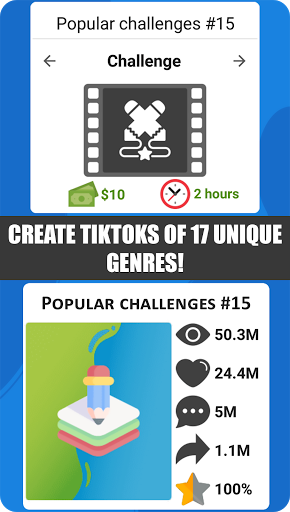
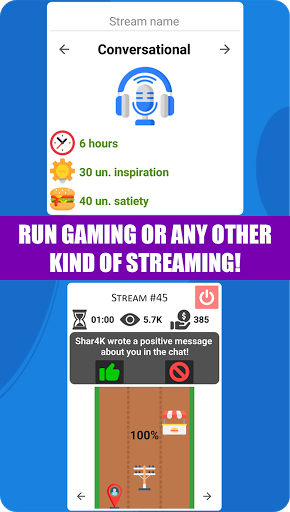
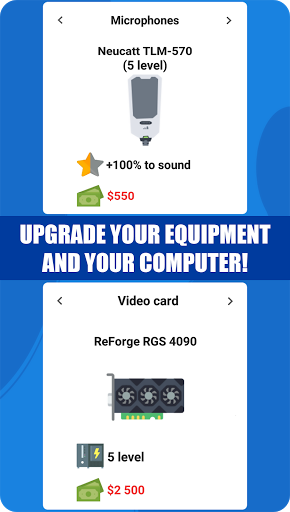
Would you like to learn what it's like to be a Tuber or a Streamer? Or would you like to become a Tik-Toker? In this game, you can be anyone you want! Apart from creating videos, streams, and tik-toks, you can also hire employees, improve skills and equipment, fulfill advertising contracts, run a business, buy real estate and means of transportation, have relationships, families, children, or pets. But first things first:
- The game features 28 different genres, ranging from vlogs, reactions, letsplays, and challenges, to popular science, interviews, shows, and mystery! Each genre has several sub-genre options for you to choose from: for instance, you can choose the "Let's play" genre and put your favorite game in the sub-genre, thus creating a video on the playthrough of any game! Or you could choose the "popular science" genre and pick a space theme. Open your imagination and start creating!
- If you want to create tik-toks, you get to choose from 17 genres and their unique sub-genres that can also be changed: from challenges to lifehacks! Create different tik-toks, get into trends and become a popular Tik-Toker!
- If you don't like creating videos, you can try broadcasting live in a variety of genres, ranging from letsplays to music streams! Collect views, followers, and paid subscriptions to become the most famous streamer!
- You can't do without equipment and a team for all the above-mentioned things! Hire employees: screenwriters, makeup artists, cameramen, etc.! Working alongside them, you boost your video recording skills! For tik-toks, buy new smartphones, lighting, and other equipment, raising the overall quality! And for the streams, you will need a good computer and equipment: buy spare parts for your PC, starting from the processor and ending with a keyboard, buy a variety of microphones, headphones, and more!
- When you become a popular Tuber, Tik-Tocker, or Streamer, you will certainly need to establish your own business that can be improved! You will be given many options: for instance, you can sell all kinds of merchandise to your fans or start up a huge corporation!
- The game also offers a life simulation: you can have a wife or husband, children, and pets. They will all grow, live and interact with you. The game presents many types of real estate and means of transportation that you can buy and improve!
- It also has a non-linear plot with moral choices that lead to one of six endings with 19 variations of the story. Those who prefer the classic simulator can deactivate this mode.
All of this and so much more can be found in the "Tuber Life Simulator 2"! :)
Meer tonen

1. Download de MEmu-installatie en voltooi de setup

2. Start MEmu en open vervolgens Google Play op het bureaublad

3. Zoek Tuber Life Simulator 2 in Google Play
Install
4. Download en installeer Tuber Life Simulator 2
5. Klik op het icoon om te starten na het voltooien van de installatie

6. Geniet van het spelen van Tuber Life Simulator 2 op PC met MEmu
MEmu Play is de beste Android Emulator en 100 miljoen mensen genieten al van de superieure Android-game-ervaring. De virtualisatietechnologie van MEmu stelt je in staat om duizenden Android-spellen soepel op je PC te spelen, zelfs de meest grafisch intensieve.
Groter scherm met betere graphics; Lange duur, zonder beperking van batterij of mobiele data.
Volledige Keymapping-ondersteuning voor nauwkeurige besturing van toetsenbord en muis of gamepad.
Meerdere game-accounts of taken op één PC tegelijk met Multi-Instance manager.
Speel Tuber Life Simulator 2 op PC door de volgende stappen te volgen: