VEIN
Bijgewerkt
Huidige Versie
Aangeboden door

Met al je passie voor het spelen van VEIN, zouden je handen niet beperkt moeten zijn tot een klein scherm van je telefoon. Speel als een professional en krijg volledige controle over je spel met toetsenbord en muis. MEmu biedt je alles wat je verwacht. Download en speel VEIN op PC. Speel zo lang als je wilt, geen beperkingen meer van batterij, mobiele data en storende oproepen. De gloednieuwe MEmu 9 is de beste keuze om VEIN op PC te spelen. Voorbereid met onze expertise, maakt het uitmuntende vooraf ingestelde keymapping systeem van VEIN een echt PC-spel. MEmu multi-instance manager maakt het spelen van 2 of meer accounts op hetzelfde apparaat mogelijk. En het belangrijkste, onze exclusieve emulatie-engine kan het volledige potentieel van je PC benutten, waardoor alles soepel verloopt.
Meer tonen
Download VEIN on PC with MEmu Android Emulator. Enjoy playing on big screen. VEIN is an upcoming post-apocalyptic survival multiplayer sandbox game that challenges players to endure and adapt in a world ravaged by catastrophe.
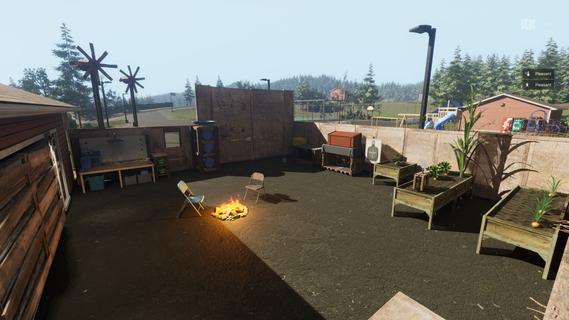
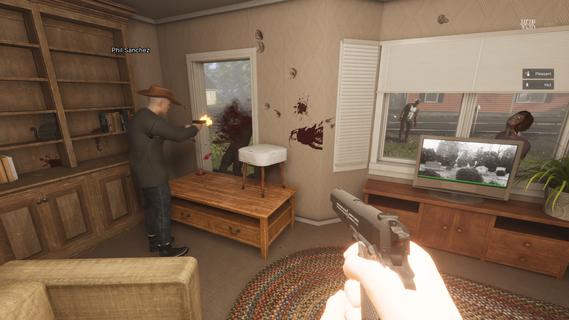
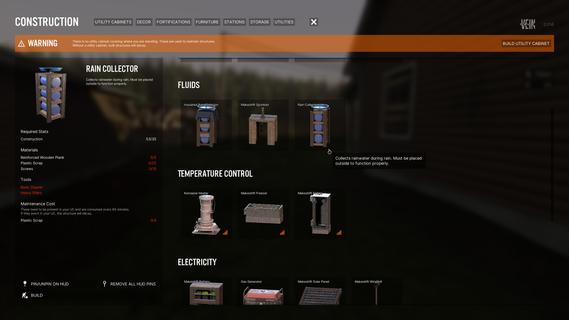
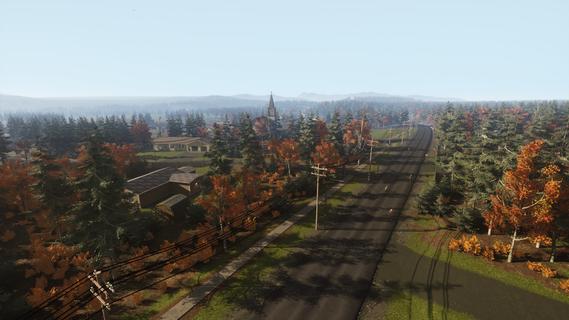
VEIN is an upcoming post-apocalyptic survival multiplayer sandbox game that challenges players to endure and adapt in a world ravaged by catastrophe. Designed for both solo play and cooperative multiplayer, VEIN drops survivors into a relentlessly hostile environment where law and society have collapsed, and every day is a fight for existence. Setting and AtmosphereThe game takes place in a bleak, near-future Earth where most of humanity has been wiped out. With civilization in ruins, survivors must navigate a world teeming with dangers—hostile zombies roam the landscape, abandoned buildings harbor untold dangers, and the faint hope of rebuilding society hangs over every choice. The environment is dynamic, with time and seasons affecting gameplay, while random long-term events change conditions and obstacles unpredictably. Core Gameplay FeaturesSurvival and ExplorationSupply Gathering: Players must scavenge for essentials—food, water, medical supplies, and tools—to survive. Foraging, looting, and bartering with other survivors are integral aspects of day-to-day gameplay. Exploration: The open world is filled with abandoned urban and rural locations, each hiding unique rewards and risks. Exploring dilapidated buildings yields valuable resources, crafting blueprints, and glimpses into the world’s lost history. Combat and ThreatsZombie Horde: The undead are not the only danger—bandits, raiders, and other rival survivors may confront you in unpredictable encounters. Strategic combat, stealth, and planning are required to outsmart intelligent AI threats. Intelligent AI: Enemies and zombies can see, hear, and react to player movements authentically, ensuring unpredictable and tense confrontations. Building, Fortification, and CustomizationHome Defense: Players can fortify bases and construct safehouses, protecting themselves from nightly dangers and human invaders. Barricading, trap placement, and regular maintenance are critical for long-term survival. Character Customization: From appearance to skillsets, each survivor can be tailored to reflect your playstyle and preferences, enhancing immersion and replayability. Resource Management and CraftingLong-Term Survivalism: Once supplies dwindle, players must hunt, fish, trap, farm, and gather in the wild. Sustainable living—tilling land, growing crops, and collecting water—becomes the path to enduring the apocalypse. Interactive World: Nearly every object in VEIN's environment can be manipulated. You can open drawers, fix electrical panels, or even use ordinary items as improvised tools or weapons. Vehicles and MobilityVehicle System: Cars and trucks are valuable for faster travel, but require fuel, maintenance, and repair. Upgrading and customizing vehicles allows players to venture farther and haul more supplies. Multiplayer and Social DynamicsWhether alone or with friends, VEIN allows players to experience the struggle of post-apocalyptic survival together. Team up to share supplies, build defenses, and coordinate rescue operations—or compete for dwindling resources in a ruthless world where trust is a rare commodity. Cooperation often becomes vital as threats escalate and rebuilding attempts must be defended against both undead and human adversaries. Progression and World EvolutionThe world of VEIN evolves over time: Seasonal Changes: Weather and temperature affect survivor health and resource availability. Persistent Challenges: Random events—ranging from disease outbreaks to zombie migrations—demand players adapt and revise their strategies. ConclusionVEIN promises a compelling blend of survival realism, player-driven storytelling, and dynamic worldbuilding. Its deep mechanics, intelligent AI, and richly interactive world set the stage for adventure, tension, and hard-earned victories—whether your journey is a lone struggle or a collaborative quest to restore hope amid chaos. VEIN stands out as an ambitious sandbox where survival is only the beginning of your story.
Meer tonen

1. Download de MEmu-installatie en voltooi de setup

2. Start MEmu en open vervolgens Google Play op het bureaublad

3. Zoek VEIN in Google Play
Install
4. Download en installeer VEIN
5. Klik op het icoon om te starten na het voltooien van de installatie

6. Geniet van het spelen van VEIN op PC met MEmu
MEmu Play is de beste Android Emulator en 100 miljoen mensen genieten al van de superieure Android-game-ervaring. De virtualisatietechnologie van MEmu stelt je in staat om duizenden Android-spellen soepel op je PC te spelen, zelfs de meest grafisch intensieve.
Groter scherm met betere graphics; Lange duur, zonder beperking van batterij of mobiele data.
Volledige Keymapping-ondersteuning voor nauwkeurige besturing van toetsenbord en muis of gamepad.
Meerdere game-accounts of taken op één PC tegelijk met Multi-Instance manager.
Speel VEIN op PC door de volgende stappen te volgen: