Alexa Echo Setup - All in one
Bijgewerkt
Huidige Versie
1.4
Aangeboden door

Maak je geen zorgen meer over extra kosten bij het gebruik van Alexa Echo Setup - All in one op je mobiele telefoon, bevrijd jezelf van het kleine scherm en geniet van het gebruik van de app op een veel groter display. Vanaf nu, krijg een volledige schermervaring van je app met toetsenbord en muis. MEmu biedt je alle verrassende functies die je verwachtte: snelle installatie en eenvoudige configuratie, intuïtieve besturing, geen beperkingen meer van batterij, mobiele data en storende oproepen. De gloednieuwe MEmu 9 is de beste keuze voor het gebruik van Alexa Echo Setup - All in one op je computer. MEmu multi-instance manager maakt het mogelijk om tegelijkertijd 2 of meer accounts te openen. En het belangrijkste, onze exclusieve emulatiemotor kan het volledige potentieel van je PC benutten, waardoor alles soepel en plezierig wordt.
Meer tonen
Geniet van een fantastische ervaring met Alexa Echo Setup - All in one op je pc met MEmu Play. Het is een krachtige gratis Android-emulator die je duizenden Android-apps biedt voor de desktopversie. Geniet van contact met vrienden en verbeter je werk met hogere efficiëntie! Alexa Echo App now on your Android or iOS phone to setup Alexa-enabled devices like Echo, Echo Plus, Echo Dot, Echo Spot, Echo Sub, Echo Show, Echo Input, and Tap.
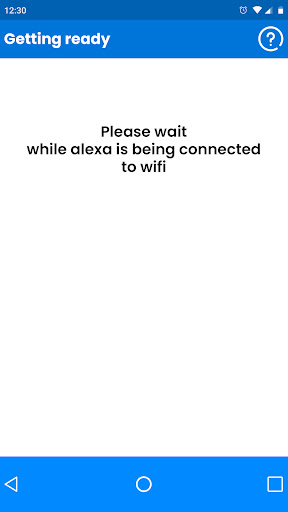
Alexa Echo App now on your Android or iOS phone to setup Alexa-enabled devices like Echo, Echo Plus, Echo Dot, Echo Spot, Echo Sub, Echo Show, Echo Input, and Tap. This is not an official amazon Alexa app. This app is created for the purpose to guide how to setup alexa enabled devices like echo, echo dot etc.
For smooth and easy Alexa setup- you may refer the steps given in guide & enjoy listening to music, news updates, creating shopping lists, and much more, later.
How to Setup Alexa App and Echo Device? - Know Your Steps!
Get started with the steps for setup:
Step 1: Plug-in Alexa Device
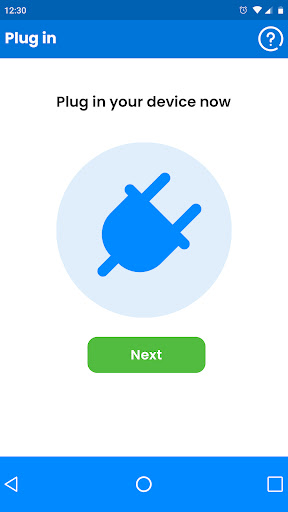
Plug-in one end of USB cable in Echo power port and another end in power adapter.
Insert your power adapter in electric socket and switch on the plug.
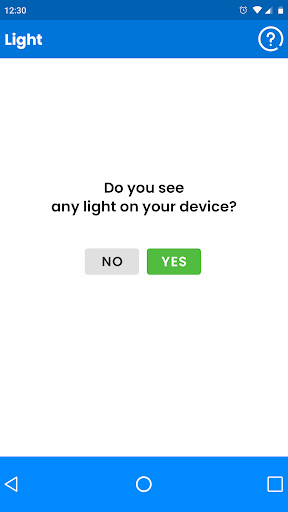
Once Echo device receives power, check for the blue light ring on device top.
The light ring will change automatically to orange implying, the device has entered setup mode.
Step 2: Download Alexa App
Android users may refer Google Play store while iOS users can access App Store to download Alexa App.
Open the store i.e., compatible with your phone.
Type and Download Alexa App on your mobile device.
Follow on-screen instructions to complete Alexa App installation on your mobile.
You’ll see ‘Alexa App Install complete’ message after the process finishes successfully.
Step 3: Alexa App Setup
Touch Alexa App icon on your mobile to launch the program.
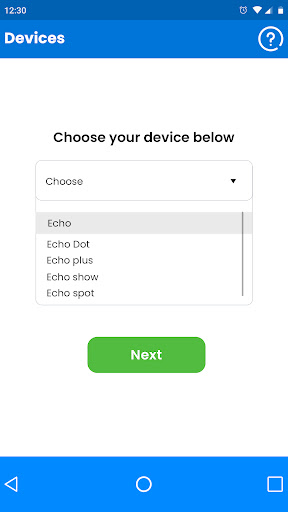
Tap on ‘Choose Your Device’ drop-down box and make your choice from the list (i.e., Echo, Echo Dot, Echo Plus, Echo Spot, Echo Show, Echo Sub, Echo Input, or Tap).
Note: You can setup one device at a time. For more than one Echo device setup, repeat the process from Step 3.
After you select the device from the given options, choose your location and language.
For instance, if you purchased your Echo Device from U.S. Amazon Account- your setting will be U.S. (English).
Meer tonen

1. Download de MEmu-installatie en voltooi de setup

2. Start MEmu en open vervolgens Google Play op het bureaublad

3. Zoek Alexa Echo Setup - All in one in Google Play
Install
4. Download en installeer Alexa Echo Setup - All in one
5. Klik op het icoon om te starten na het voltooien van de installatie

6. Ervaar Alexa Echo Setup - All in one op pc met MEmu
MEmu Play is de beste Android-emulator, met meer dan 100 miljoen gebruikers die genieten van de superieure Android-app-ervaring. Dankzij de virtualisatietechnologie van MEmu kun je duizenden Android-apps soepel op je computer draaien, zelfs de meest veeleisende.
Groter scherm met betere graphics; Lange duur, zonder beperking van batterij of mobiele data.
Volledige Keymapping-ondersteuning voor nauwkeurige besturing van toetsenbord en muis of gamepad.
Meerdere game-accounts of taken op één PC tegelijk met Multi-Instance manager.
Gebruik Alexa Echo Setup - All in one op PC door de volgende stappen te volgen: