Anon Friends: Anonymous Chat
Bijgewerkt
Huidige Versie
1.5.0
Aangeboden door

Maak je geen zorgen meer over extra kosten bij het gebruik van Anon Friends: Anonymous Chat op je mobiele telefoon, bevrijd jezelf van het kleine scherm en geniet van het gebruik van de app op een veel groter display. Vanaf nu, krijg een volledige schermervaring van je app met toetsenbord en muis. MEmu biedt je alle verrassende functies die je verwachtte: snelle installatie en eenvoudige configuratie, intuïtieve besturing, geen beperkingen meer van batterij, mobiele data en storende oproepen. De gloednieuwe MEmu 9 is de beste keuze voor het gebruik van Anon Friends: Anonymous Chat op je computer. MEmu multi-instance manager maakt het mogelijk om tegelijkertijd 2 of meer accounts te openen. En het belangrijkste, onze exclusieve emulatiemotor kan het volledige potentieel van je PC benutten, waardoor alles soepel en plezierig wordt.
Meer tonen
Geniet van een fantastische ervaring met Anon Friends: Anonymous Chat op je pc met MEmu Play. Het is een krachtige gratis Android-emulator die je duizenden Android-apps biedt voor de desktopversie. Geniet van contact met vrienden en verbeter je werk met hogere efficiëntie! Most chat apps treat people like content: you get matched, you talk for two minutes, someone taps Next, and the conversation is gone forever.
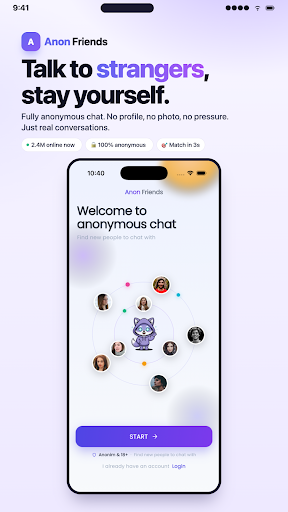
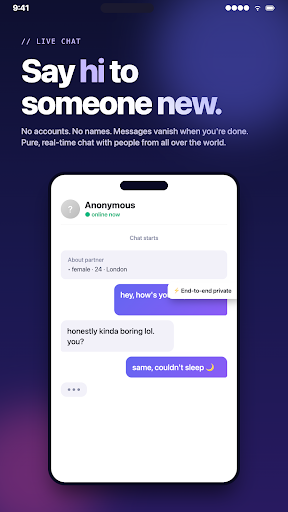
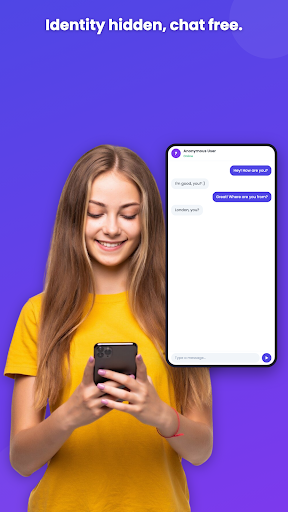
Most chat apps treat people like content: you get matched, you talk for two minutes, someone taps Next, and the conversation is gone forever. Anon Friends is the anonymous chat app built to do the opposite — talk to strangers by text, no camera and no pressure, and when a conversation is worth keeping, one tap turns a stranger into a friend.
HOW IT WORKS
1. Sign in anonymously or with Google — no phone number required
2. Pick a nickname and an avatar; your real identity stays out of the chat
3. Tap Shuffle to start a random chat with someone new
4. Talk 1 on 1 in real time — pure anonymous text chat, no video, no voice
5. Hit it off? Send a friend request. When you both accept, the chat is saved and you can keep talking whenever you like
That last step is the whole point. This isn't a skip-or-be-skipped stranger chat where every match is disposable. Anon Friends is an anonymous chat with strangers that is actually designed to help you make new friends — people who stick around.
PLAY WOULD YOU RATHER — THE BUILT-IN ICEBREAKER
Staring at an empty chat box, wondering how to open? Start a round of Would You Rather right inside the conversation. A growing set of icebreaker questions — funny, weird, and surprisingly revealing — gives you both something to react to from the very first message. Pick your answers, compare, debate, laugh. It's the easiest way to play Would You Rather online with strangers, and it works in six languages: English, Turkish, Spanish, Portuguese, Brazilian Portuguese, and Russian.
YOUR IDENTITY STAYS YOURS
Anon Friends is anonymous by default. Other users see your nickname and avatar — never your name, phone number, email, or location. You decide what to share, when, and with whom. Chat anonymously for as long as you want; nothing about going from stranger chat to friendship requires giving up your privacy. See the privacy policy on this page for full details of how data is handled.
WHAT YOU GET
One-tap Shuffle matching — instant random text chat with someone new
Real-time 1 on 1 messaging with typing indicators and reactions
Would You Rather icebreaker games built into every chat, in 6 languages
Add Friend — turn a great random chat into a lasting friendship
Text only, no video — talk to strangers without a camera, perfect for introverts
Block, report, and content moderation tools in every conversation
Free to match, chat, play, and add friends — no ads
Optional Premium: priority matching, unlimited friend requests, and Safe Match filtering
A CHAT WITH RULES, FOR ADULTS
Anon Friends is for users 18 and older. Anonymity is not a free pass: every chat has one-tap block and report, and content moderation acts on what gets reported. This is an app to meet new people and make friends online — not a dating app, not a hookup app — and the community standards reflect that.
READY TO MEET SOMEONE NEW?
Your next genuinely good conversation is one tap away. Download Anon Friends, start an anonymous chat, break the ice with a round of Would You Rather, and see who you meet. The next random chat could be the start of a real friendship.
Meer tonen

1. Download de MEmu-installatie en voltooi de setup

2. Start MEmu en open vervolgens Google Play op het bureaublad

3. Zoek Anon Friends: Anonymous Chat in Google Play
Install
4. Download en installeer Anon Friends: Anonymous Chat
5. Klik op het icoon om te starten na het voltooien van de installatie

6. Ervaar Anon Friends: Anonymous Chat op pc met MEmu
MEmu Play is de beste Android-emulator, met meer dan 100 miljoen gebruikers die genieten van de superieure Android-app-ervaring. Dankzij de virtualisatietechnologie van MEmu kun je duizenden Android-apps soepel op je computer draaien, zelfs de meest veeleisende.
Groter scherm met betere graphics; Lange duur, zonder beperking van batterij of mobiele data.
Volledige Keymapping-ondersteuning voor nauwkeurige besturing van toetsenbord en muis of gamepad.
Meerdere game-accounts of taken op één PC tegelijk met Multi-Instance manager.
Gebruik Anon Friends: Anonymous Chat op PC door de volgende stappen te volgen: