CarsGuide – Buy Cars Online
Bijgewerkt
Huidige Versie
3.1.4
Aangeboden door

Maak je geen zorgen meer over extra kosten bij het gebruik van CarsGuide – Buy Cars Online op je mobiele telefoon, bevrijd jezelf van het kleine scherm en geniet van het gebruik van de app op een veel groter display. Vanaf nu, krijg een volledige schermervaring van je app met toetsenbord en muis. MEmu biedt je alle verrassende functies die je verwachtte: snelle installatie en eenvoudige configuratie, intuïtieve besturing, geen beperkingen meer van batterij, mobiele data en storende oproepen. De gloednieuwe MEmu 9 is de beste keuze voor het gebruik van CarsGuide – Buy Cars Online op je computer. MEmu multi-instance manager maakt het mogelijk om tegelijkertijd 2 of meer accounts te openen. En het belangrijkste, onze exclusieve emulatiemotor kan het volledige potentieel van je PC benutten, waardoor alles soepel en plezierig wordt.
Meer tonen
Download CarsGuide – Buy Cars Online on PC with MEmu Android Emulator. Enjoy playing on big screen. Find your next car.
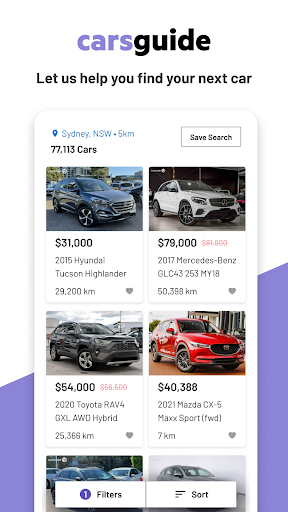
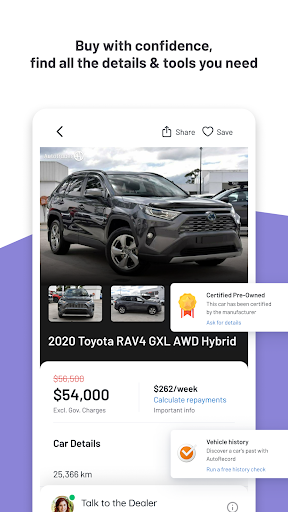
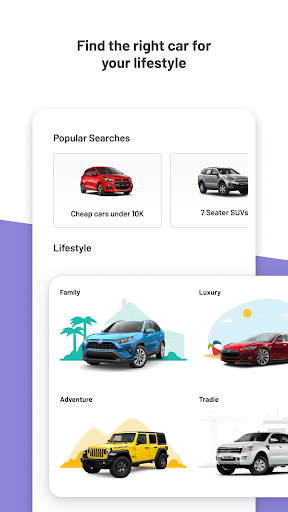
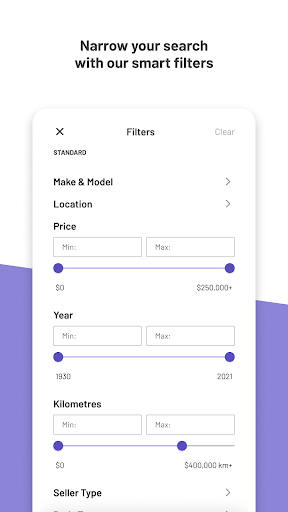
Find your next car
CarsGuide is the free, easy and safe way to find new and used cars near you.
Search for cars near you
Buying a car is hard enough without having to fight your way across town. CarsGuide helps you find new and used cars for sale in your area. Search our car classifieds by make or model or just browse through thousands of listings. Once you’ve found the right car, we can connect you directly with the dealer.
Save your favourite searches
Search smarter not harder. The CarsGuide app makes it easy to retrieve makes and models from previous searches. Use our save feature to shortlist your cars selected.
Customise your search
CarsGuide puts the “custom” into “customer”. Our filters allow you to search by price, make, model, budget, kilometres, age, fuel type, body type, colour and more.
Locate dealers near you
Finding a car dealer near you is easy with the CarsGuide Android app. Our partnerships with over 2,000 independent and franchise dealers means you can connect whenever you choose in whatever way you please - via phone, email, live chat and SMS.
Thousands of new cars added every week
Ford to Fiat. Holden to Honda. Porsche to Peugeot. Mazda to Mini. Mercedes to Mitsubishi. Subaru to Suzuki. Land Rover to Lamborghini. Volkswagen to Volvo. Toyota to Skoda. Nissan to… never mind. All from the palm of your hand.
Please note: This app features Nielsen's proprietary measurement software which will allow you to contribute to market research or audience ratings services. Please see www.nielsen.com/digitalprivacy for more information.
Meer tonen

1. Download de MEmu-installatie en voltooi de setup

2. Start MEmu en open vervolgens Google Play op het bureaublad

3. Zoek CarsGuide – Buy Cars Online in Google Play
Install
4. Download en installeer CarsGuide – Buy Cars Online
5. Klik op het icoon om te starten na het voltooien van de installatie

6. Ervaar CarsGuide – Buy Cars Online op pc met MEmu
MEmu Play is de beste Android-emulator, met meer dan 100 miljoen gebruikers die genieten van de superieure Android-app-ervaring. Dankzij de virtualisatietechnologie van MEmu kun je duizenden Android-apps soepel op je computer draaien, zelfs de meest veeleisende.
Groter scherm met betere graphics; Lange duur, zonder beperking van batterij of mobiele data.
Volledige Keymapping-ondersteuning voor nauwkeurige besturing van toetsenbord en muis of gamepad.
Meerdere game-accounts of taken op één PC tegelijk met Multi-Instance manager.
Gebruik CarsGuide – Buy Cars Online op PC door de volgende stappen te volgen: