Bindass Voice Chat
Bijgewerkt
Huidige Versie
1.0.24
Aangeboden door

Maak je geen zorgen meer over extra kosten bij het gebruik van Bindass Voice Chat op je mobiele telefoon, bevrijd jezelf van het kleine scherm en geniet van het gebruik van de app op een veel groter display. Vanaf nu, krijg een volledige schermervaring van je app met toetsenbord en muis. MEmu biedt je alle verrassende functies die je verwachtte: snelle installatie en eenvoudige configuratie, intuïtieve besturing, geen beperkingen meer van batterij, mobiele data en storende oproepen. De gloednieuwe MEmu 9 is de beste keuze voor het gebruik van Bindass Voice Chat op je computer. MEmu multi-instance manager maakt het mogelijk om tegelijkertijd 2 of meer accounts te openen. En het belangrijkste, onze exclusieve emulatiemotor kan het volledige potentieel van je PC benutten, waardoor alles soepel en plezierig wordt.
Meer tonen
Geniet van een fantastische ervaring met Bindass Voice Chat op je pc met MEmu Play. Het is een krachtige gratis Android-emulator die je duizenden Android-apps biedt voor de desktopversie. Geniet van contact met vrienden en verbeter je werk met hogere efficiëntie! Bindass Voice Chat is an all-in-one social entertainment platform that brings people together through live streaming, voice chat rooms, video interactions, and engaging community activities.
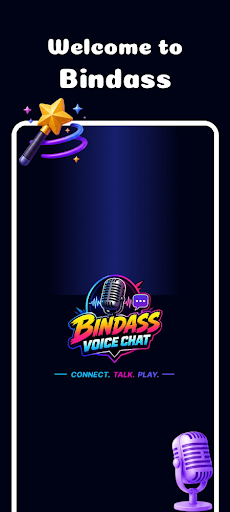
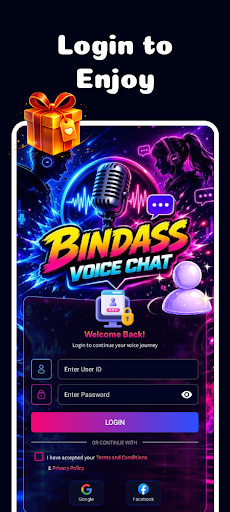
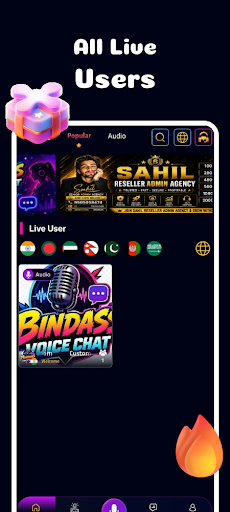
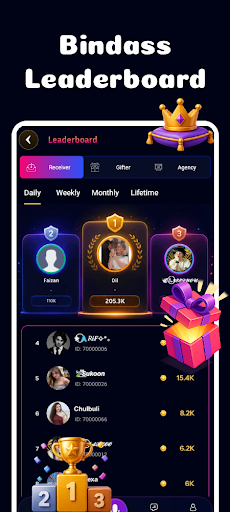
Bindass Voice Chat is an all-in-one social entertainment platform that brings people together through live streaming, voice chat rooms, video interactions, and engaging community activities. Users can connect with friends and new people worldwide through high-quality audio and video experiences.
Key Features:
Voice Chat Parties – Join or create interactive voice rooms and enjoy conversations with people from different regions.
Live Video Streaming – Watch talented hosts and creators broadcast live and interact in real time.
Video Chat & Social Interaction – Connect with users through video calls and engaging social features.
Leaderboards & Rankings – Compete with other users and hosts through daily, weekly, and monthly rankings.
Beautiful Virtual Gifts – Send animated gifts to your favorite hosts and friends to show support and appreciation.
PK Battles – Exciting live competitions between hosts where audiences can participate and support their favorite streamer.
Community Building – Make new friends, join groups, and build meaningful connections.
Real-Time Messaging – Chat instantly with friends and followers.
Bindass Voice Chat is designed to provide a fun, interactive, and engaging social experience where users can communicate, entertain, compete, and build communities through voice and video technology.
Meer tonen

1. Download de MEmu-installatie en voltooi de setup

2. Start MEmu en open vervolgens Google Play op het bureaublad

3. Zoek Bindass Voice Chat in Google Play
Install
4. Download en installeer Bindass Voice Chat
5. Klik op het icoon om te starten na het voltooien van de installatie

6. Ervaar Bindass Voice Chat op pc met MEmu
MEmu Play is de beste Android-emulator, met meer dan 100 miljoen gebruikers die genieten van de superieure Android-app-ervaring. Dankzij de virtualisatietechnologie van MEmu kun je duizenden Android-apps soepel op je computer draaien, zelfs de meest veeleisende.
Groter scherm met betere graphics; Lange duur, zonder beperking van batterij of mobiele data.
Volledige Keymapping-ondersteuning voor nauwkeurige besturing van toetsenbord en muis of gamepad.
Meerdere game-accounts of taken op één PC tegelijk met Multi-Instance manager.
Gebruik Bindass Voice Chat op PC door de volgende stappen te volgen: