
biubiu VPN
Bijgewerkt
Huidige Versie
2
Aangeboden door

Maak je geen zorgen meer over extra kosten bij het gebruik van biubiu VPN op je mobiele telefoon, bevrijd jezelf van het kleine scherm en geniet van het gebruik van de app op een veel groter display. Vanaf nu, krijg een volledige schermervaring van je app met toetsenbord en muis. MEmu biedt je alle verrassende functies die je verwachtte: snelle installatie en eenvoudige configuratie, intuïtieve besturing, geen beperkingen meer van batterij, mobiele data en storende oproepen. De gloednieuwe MEmu 9 is de beste keuze voor het gebruik van biubiu VPN op je computer. MEmu multi-instance manager maakt het mogelijk om tegelijkertijd 2 of meer accounts te openen. En het belangrijkste, onze exclusieve emulatiemotor kan het volledige potentieel van je PC benutten, waardoor alles soepel en plezierig wordt.
Meer tonen
Geniet van een fantastische ervaring met biubiu VPN op je pc met MEmu Play. Het is een krachtige gratis Android-emulator die je duizenden Android-apps biedt voor de desktopversie. Geniet van contact met vrienden en verbeter je werk met hogere efficiëntie! BiuBiu VPN Secure connect as a hare to unblock sites, WiFi hotspot secure and protect privacy.
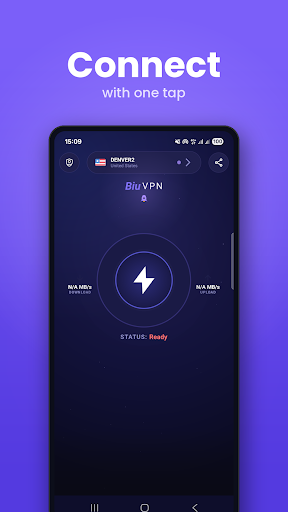
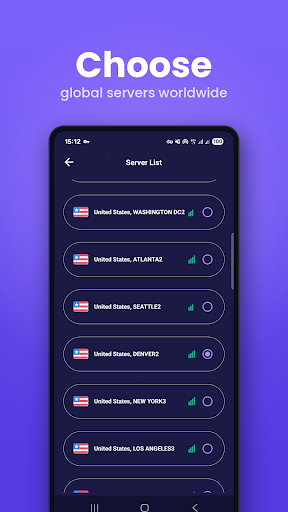
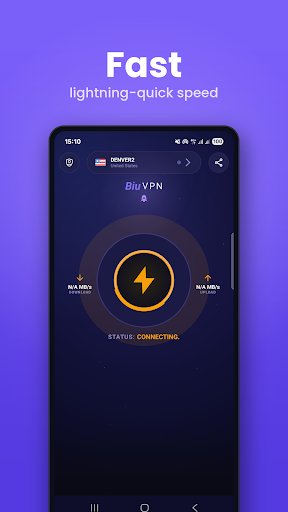
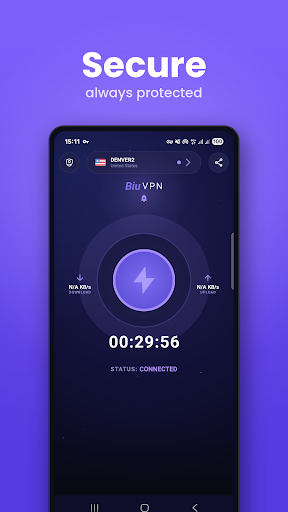
BiuBiu VPN Secure connect as a hare to unblock sites, WiFi hotspot secure and protect privacy.
Fastest - Connect successfully as a hare with high VPN speed.
Easiest - One tap to connect to Secure VPN proxy server.
Most Stable - Have lots of Secure VPN cloud proxy server to provide better net and VPN service.
USA VPN Secure Proxy Server & Service
Bypass the firewalls as school VPN proxy for school wifi hotspot and school computer.
Protect your network traffic under WiFi hotspot Browse anonymously and securely without being tracked. Enjoy private browsing and better net.
Works with WiFi, LTE, 3G, and all mobile data carriers.
Encrypts data using OpenVPN protocols (UDP / TCP).
download this light android VPN APK
Foreground Service Permission Notice
Our app uses Foreground Services to ensure key features function seamlessly in the background. This permission allows the app to:
Provide uninterrupted [describe feature, e.g., VPN connection, file upload, etc.] that is essential to the core functionality of the app.
Ensure the feature is initiated and perceivable by the user.
Allow the service to run only for as long as necessary, and it can be stopped by the user at any time.
This permission is required for the app’s functionality and is clearly visible to the user. We respect user privacy, and this service will not affect your experience negatively.
Our app is built with Android’s official VpnService and runs as a foreground service to ensure a stable and encrypted VPN tunnel between your device and our servers.
Meer tonen

1. Download de MEmu-installatie en voltooi de setup

2. Start MEmu en open vervolgens Google Play op het bureaublad

3. Zoek biubiu VPN in Google Play
Install
4. Download en installeer biubiu VPN
5. Klik op het icoon om te starten na het voltooien van de installatie

6. Ervaar biubiu VPN op pc met MEmu
MEmu Play is de beste Android-emulator, met meer dan 100 miljoen gebruikers die genieten van de superieure Android-app-ervaring. Dankzij de virtualisatietechnologie van MEmu kun je duizenden Android-apps soepel op je computer draaien, zelfs de meest veeleisende.
Groter scherm met betere graphics; Lange duur, zonder beperking van batterij of mobiele data.
Volledige Keymapping-ondersteuning voor nauwkeurige besturing van toetsenbord en muis of gamepad.
Meerdere game-accounts of taken op één PC tegelijk met Multi-Instance manager.
Gebruik biubiu VPN op PC door de volgende stappen te volgen: