Endoscope Camera: USB & WiFi
Bijgewerkt
Huidige Versie
1.4.3
Aangeboden door

Maak je geen zorgen meer over extra kosten bij het gebruik van Endoscope Camera: USB & WiFi op je mobiele telefoon, bevrijd jezelf van het kleine scherm en geniet van het gebruik van de app op een veel groter display. Vanaf nu, krijg een volledige schermervaring van je app met toetsenbord en muis. MEmu biedt je alle verrassende functies die je verwachtte: snelle installatie en eenvoudige configuratie, intuïtieve besturing, geen beperkingen meer van batterij, mobiele data en storende oproepen. De gloednieuwe MEmu 9 is de beste keuze voor het gebruik van Endoscope Camera: USB & WiFi op je computer. MEmu multi-instance manager maakt het mogelijk om tegelijkertijd 2 of meer accounts te openen. En het belangrijkste, onze exclusieve emulatiemotor kan het volledige potentieel van je PC benutten, waardoor alles soepel en plezierig wordt.
Meer tonen
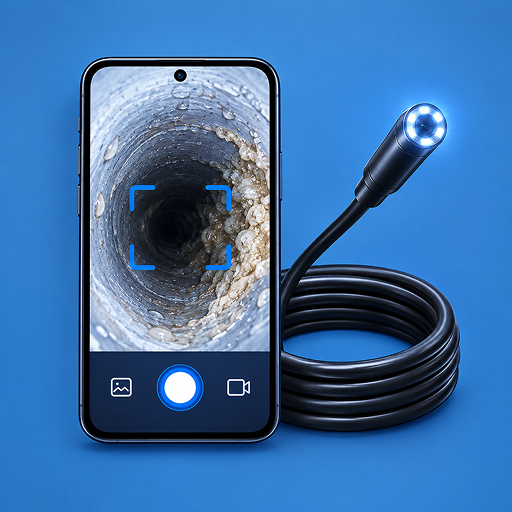
Geniet van een fantastische ervaring met Endoscope Camera: USB & WiFi op je pc met MEmu Play. Het is een krachtige gratis Android-emulator die je duizenden Android-apps biedt voor de desktopversie. Geniet van contact met vrienden en verbeter je werk met hogere efficiëntie! Connect a compatible endoscope camera to your Android phone and inspect hard-to-reach spaces in real time.
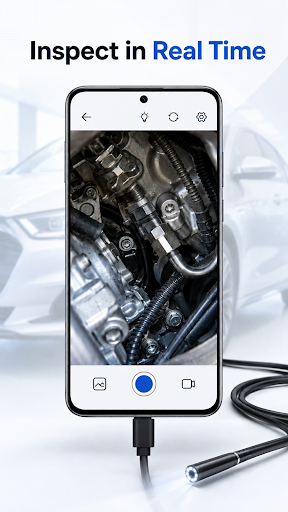
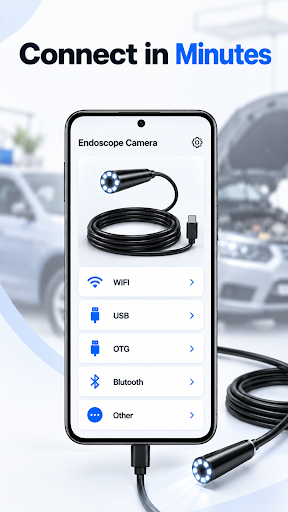
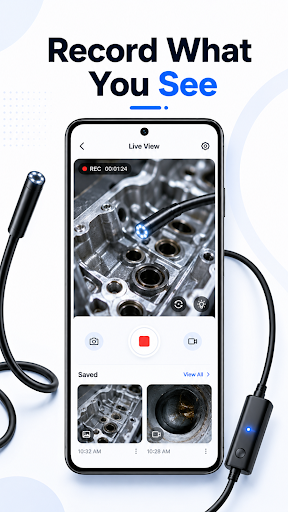
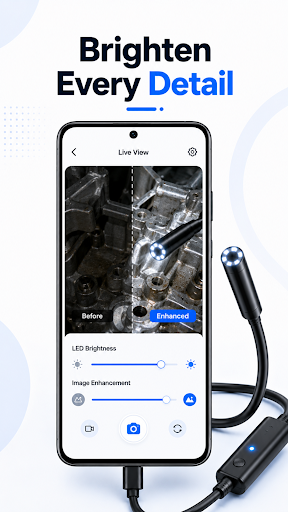
Connect a compatible endoscope camera to your Android phone and inspect hard-to-reach spaces in real time. Endoscope Camera supports WiFi MJPEG cameras and compatible UVC USB cameras through USB OTG, with live viewing, zoom, image controls, photo capture, and video recording.
WI-FI ENDOSCOPE CAMERA VIEWER
Connect your phone to your camera’s WiFi network. The app checks three common camera addresses and displays the available MJPEG live stream.
• View a live WiFi inspection camera feed
• Use 1× to 3× digital zoom
• Adjust brightness, contrast, and saturation
• Try common WiFi endoscope LED controls
• Capture photos and record inspection videos
USB ENDOSCOPE AND OTG CAMERA SUPPORT
Connect a compatible UVC endoscope, borescope, USB camera, or inspection camera with a USB OTG adapter. The app detects the connected device, requests permission, and opens a live camera preview.
When supported by your camera hardware, you can control:
• Zoom
• Autofocus
• Brightness
• Contrast
• Saturation
PHOTO AND VIDEO CAPTURE
Document an inspection without leaving the live viewer.
• Capture JPEG photos
• Record H.264 MP4 videos
• Follow recording time with the on-screen timer
• Find photos in Pictures/EndoscopeCamera
• Find videos in Movies/EndoscopeCamera
• Access captured media from your Android system gallery
BUILT-IN MEDIA LIBRARY
Review only the photos and videos created with this endoscope camera app. Browse separate photo and video sections in a simple three-column grid, then open any item in your device’s image or video viewer.
RECENT CONNECTIONS
Keep a local record of successful camera connections, including the connection type and date. The app stores up to 100 recent entries and lets you clear the list at any time.
USE YOUR INSPECTION CAMERA FOR
• Pipes and drains
• Car engines and tight mechanical spaces
• Walls, vents, and home maintenance
• Electronics and equipment checks
• DIY repair and visual inspection tasks
COMPATIBILITY INFORMATION
An external endoscope camera or borescope is required and is not included.
USB viewing requires an Android device with USB OTG support and a compatible UVC camera. WiFi viewing requires an MJPEG camera using one of the supported addresses. Compatibility varies by Android device, camera model, and chipset. LED commands and hardware image controls are available only when supported by the connected camera.
This app is intended for general inspection use only. It is not a medical device and must not be used for diagnosis or medical procedures.
Meer tonen

1. Download de MEmu-installatie en voltooi de setup

2. Start MEmu en open vervolgens Google Play op het bureaublad

3. Zoek Endoscope Camera: USB & WiFi in Google Play
Install
4. Download en installeer Endoscope Camera: USB & WiFi
5. Klik op het icoon om te starten na het voltooien van de installatie

6. Ervaar Endoscope Camera: USB & WiFi op pc met MEmu
MEmu Play is de beste Android-emulator, met meer dan 100 miljoen gebruikers die genieten van de superieure Android-app-ervaring. Dankzij de virtualisatietechnologie van MEmu kun je duizenden Android-apps soepel op je computer draaien, zelfs de meest veeleisende.
Groter scherm met betere graphics; Lange duur, zonder beperking van batterij of mobiele data.
Volledige Keymapping-ondersteuning voor nauwkeurige besturing van toetsenbord en muis of gamepad.
Meerdere game-accounts of taken op één PC tegelijk met Multi-Instance manager.
Gebruik Endoscope Camera: USB & WiFi op PC door de volgende stappen te volgen: