Galaxy Watch7 Plugin
Bijgewerkt
Huidige Versie
2.2.15.24082751
Aangeboden door

Maak je geen zorgen meer over extra kosten bij het gebruik van Galaxy Watch7 Plugin op je mobiele telefoon, bevrijd jezelf van het kleine scherm en geniet van het gebruik van de app op een veel groter display. Vanaf nu, krijg een volledige schermervaring van je app met toetsenbord en muis. MEmu biedt je alle verrassende functies die je verwachtte: snelle installatie en eenvoudige configuratie, intuïtieve besturing, geen beperkingen meer van batterij, mobiele data en storende oproepen. De gloednieuwe MEmu 9 is de beste keuze voor het gebruik van Galaxy Watch7 Plugin op je computer. MEmu multi-instance manager maakt het mogelijk om tegelijkertijd 2 of meer accounts te openen. En het belangrijkste, onze exclusieve emulatiemotor kan het volledige potentieel van je PC benutten, waardoor alles soepel en plezierig wordt.
Meer tonen
Download Galaxy Watch7 Plugin on PC with MEmu Android Emulator. Enjoy playing on big screen. This application is software for syncing the Galaxy Watch7 and does not operate on its own.
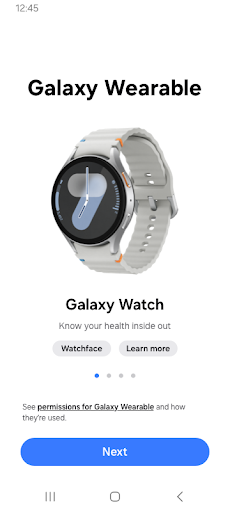
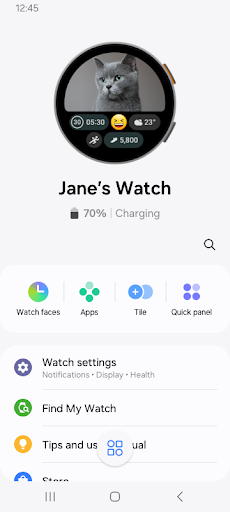
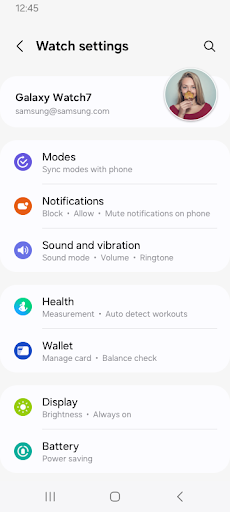
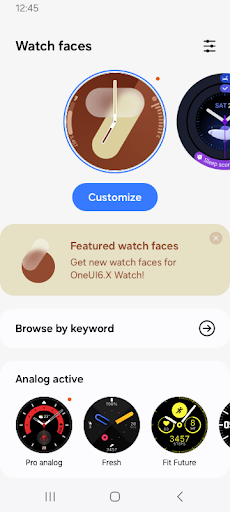
This application is software for syncing the Galaxy Watch7 and does not operate on its own.
The Galaxy Wearable application must be installed first for it to operate normally.
※ Access Permission Information
The following access permissions are required to provide you with this service. Basic features of the service can be used even if optional access permissions are not granted.
[Required Access Permissions]
- Location: To search for nearby connectable devices to connect to the Gear via Bluetooth
- Storage: To send/receive saved files with the Gear
- Phone: To verify the unique identification information of devices for app updates and for installing plug-in apps
- Contacts: To provide services that require account syncing by using the registered Samsung account information
- Calendar: To provide the sync feature for the Watch and schedule
- Call logs: To provide the sync feature for the Watch and call logs
- SMS: To provide the sync feature for the Watch and SMS
[Optional Access Permissions]
- Camera: To scan QR codes when activating the Watch (models that support eSIM only)
Meer tonen

1. Download de MEmu-installatie en voltooi de setup

2. Start MEmu en open vervolgens Google Play op het bureaublad

3. Zoek Galaxy Watch7 Plugin in Google Play
Install
4. Download en installeer Galaxy Watch7 Plugin
5. Klik op het icoon om te starten na het voltooien van de installatie

6. Ervaar Galaxy Watch7 Plugin op pc met MEmu
MEmu Play is de beste Android-emulator, met meer dan 100 miljoen gebruikers die genieten van de superieure Android-app-ervaring. Dankzij de virtualisatietechnologie van MEmu kun je duizenden Android-apps soepel op je computer draaien, zelfs de meest veeleisende.
Groter scherm met betere graphics; Lange duur, zonder beperking van batterij of mobiele data.
Volledige Keymapping-ondersteuning voor nauwkeurige besturing van toetsenbord en muis of gamepad.
Meerdere game-accounts of taken op één PC tegelijk met Multi-Instance manager.
Gebruik Galaxy Watch7 Plugin op PC door de volgende stappen te volgen: