HAPPYMODD App
Bijgewerkt
Huidige Versie
3.1
Aangeboden door

Maak je geen zorgen meer over extra kosten bij het gebruik van HAPPYMODD App op je mobiele telefoon, bevrijd jezelf van het kleine scherm en geniet van het gebruik van de app op een veel groter display. Vanaf nu, krijg een volledige schermervaring van je app met toetsenbord en muis. MEmu biedt je alle verrassende functies die je verwachtte: snelle installatie en eenvoudige configuratie, intuïtieve besturing, geen beperkingen meer van batterij, mobiele data en storende oproepen. De gloednieuwe MEmu 9 is de beste keuze voor het gebruik van HAPPYMODD App op je computer. MEmu multi-instance manager maakt het mogelijk om tegelijkertijd 2 of meer accounts te openen. En het belangrijkste, onze exclusieve emulatiemotor kan het volledige potentieel van je PC benutten, waardoor alles soepel en plezierig wordt.
Meer tonen
Geniet van een fantastische ervaring met HAPPYMODD App op je pc met MEmu Play. Het is een krachtige gratis Android-emulator die je duizenden Android-apps biedt voor de desktopversie. Geniet van contact met vrienden en verbeter je werk met hogere efficiëntie! Welcome to HappyModd — your all-in-one entertainment hub offering more than 300 fun, exciting, and family-friendly games in one single app!
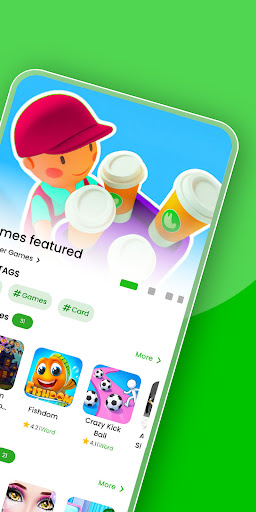
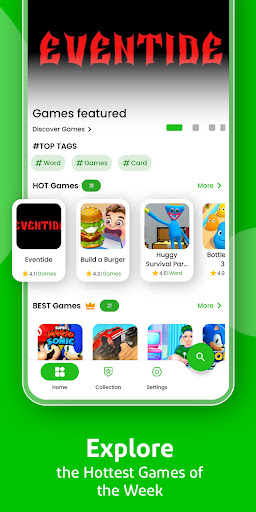
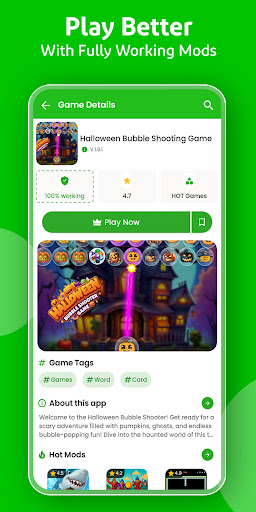
Welcome to HappyModd — your all-in-one entertainment hub offering more than 300 fun, exciting, and family-friendly games in one single app!
Whether you enjoy action, adventure, puzzles, strategy, sports, or arcade classics — HappyModd brings you a world of fun, with something for every player and every mood.
With HappyModd, you don’t need to install dozens of small apps.
Just open, tap, and play instantly — anytime, anywhere.
Explore 300+ Games Inside HappyModd
• Action (40 games)
Fast-paced challenges, battles, and thrilling missions.
• Adventure (63 games)
Explore unique worlds and exciting journeys.
• Arcade (40 games)
Simple, classic, and addictive fun for all ages.
• Featured (22 games)
Top picks curated specially for our users.
• Puzzle & Logic (38 games)
Train your brain with smart and challenging games.
• Sports & Racing (48 games)
Run, drive, jump, and score your way to victory.
• Strategy (62 games)
Think smart. Plan ahead. Win with skill.
⭐ Why HappyModd is Different
Huge Variety: 300+ games across multiple categories.
Extra Fun: Enjoy mini-challenges and quiz modes.
Safe & Legal: All games are original.
No hacks, no mods, no altered apps.
Family-Friendly: Perfect for kids, teens, and casual players.
One App = Unlimited Fun: Enjoy everything without installing multiple apps.
Important Note
HappyModd is an entertainment app only.
All included games follow standard safety and compliance guidelines.
Privacy Policy
At HappyModd, your privacy matters.
We do NOT collect unnecessary personal data.
Basic usage data may be collected to improve app performance.
Full details are available inside the app’s Privacy Policy section.
Terms & Conditions
By using HappyModd, you agree to the following:
The app is meant for entertainment only.
Users must be at least 13 years old, or use the app under parental guidance.
No games involve gambling or real-money rewards.
Users should not misuse, copy, or distribute app content illegally.
Features and policies may be updated at any time.
Full Terms & Conditions are available inside the app.
Support
Email: support@happymodd.uk
Privacy Policy:
https://happymodd.my/privacy.html
Terms & Conditions:
https://happymodd.my/terms_google.html
⭐ Download HappyModd today
Enjoy one of the largest collections of fun, safe, and family-friendly games — all inside one powerful app!
Legal Disclaimer: This application is exclusively owned and operated by HAPPY MODD LTD (UK). We explicitly clarify that this app has no affiliation, association, or partnership with any other applications or entities bearing similar names in other jurisdictions. Any perceived similarity is purely coincidental and does not constitute a factual or legal connection. We operate as a fully independent entity holding all necessary intellectual property and trademark rights for our brand.
Meer tonen

1. Download de MEmu-installatie en voltooi de setup

2. Start MEmu en open vervolgens Google Play op het bureaublad

3. Zoek HAPPYMODD App in Google Play
Install
4. Download en installeer HAPPYMODD App
5. Klik op het icoon om te starten na het voltooien van de installatie

6. Ervaar HAPPYMODD App op pc met MEmu
MEmu Play is de beste Android-emulator, met meer dan 100 miljoen gebruikers die genieten van de superieure Android-app-ervaring. Dankzij de virtualisatietechnologie van MEmu kun je duizenden Android-apps soepel op je computer draaien, zelfs de meest veeleisende.
Groter scherm met betere graphics; Lange duur, zonder beperking van batterij of mobiele data.
Volledige Keymapping-ondersteuning voor nauwkeurige besturing van toetsenbord en muis of gamepad.
Meerdere game-accounts of taken op één PC tegelijk met Multi-Instance manager.
Gebruik HAPPYMODD App op PC door de volgende stappen te volgen: