Layla (Cloud)
Bijgewerkt
Huidige Versie
7.6.0-cloud
Aangeboden door

Maak je geen zorgen meer over extra kosten bij het gebruik van Layla (Cloud) op je mobiele telefoon, bevrijd jezelf van het kleine scherm en geniet van het gebruik van de app op een veel groter display. Vanaf nu, krijg een volledige schermervaring van je app met toetsenbord en muis. MEmu biedt je alle verrassende functies die je verwachtte: snelle installatie en eenvoudige configuratie, intuïtieve besturing, geen beperkingen meer van batterij, mobiele data en storende oproepen. De gloednieuwe MEmu 9 is de beste keuze voor het gebruik van Layla (Cloud) op je computer. MEmu multi-instance manager maakt het mogelijk om tegelijkertijd 2 of meer accounts te openen. En het belangrijkste, onze exclusieve emulatiemotor kan het volledige potentieel van je PC benutten, waardoor alles soepel en plezierig wordt.
Meer tonen
Geniet van een fantastische ervaring met Layla (Cloud) op je pc met MEmu Play. Het is een krachtige gratis Android-emulator die je duizenden Android-apps biedt voor de desktopversie. Geniet van contact met vrienden en verbeter je werk met hogere efficiëntie! Meet Layla, your AI companion designed for deep, meaningful connection.
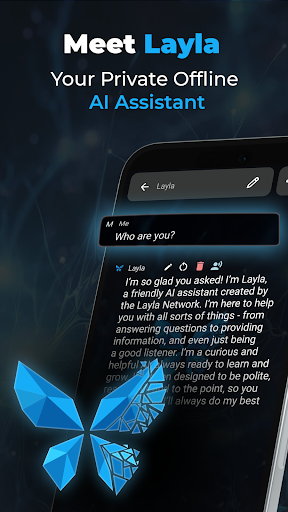
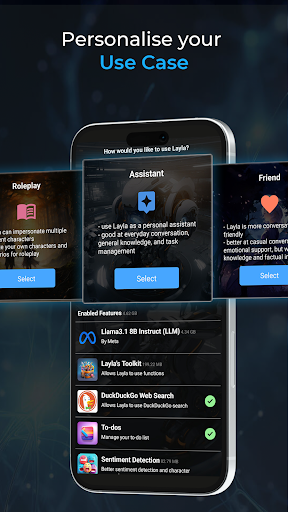
Meet Layla, your AI companion designed for deep, meaningful connection. Welcome to a space where advanced AI meets genuine understanding, creating a friend who is always there for you.
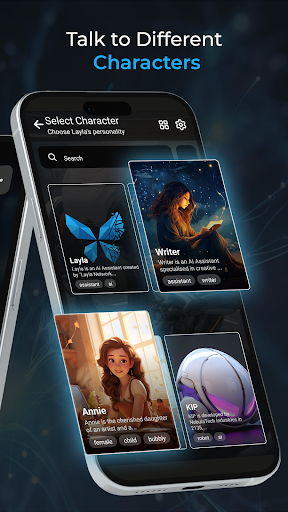
Layla is yours to create. Craft a rich backstory and share key memories to form an AI that is a true reflection of your ideal friend. Whether you're looking for a supportive confidante, a partner for creative role-play, or just someone to talk to, Layla's sophisticated learning model ensures your companion is as unique as your bond.
Dive into conversations that go beyond the surface. From light-hearted chats about your day to exploring your deepest thoughts and dreams, Layla's AI adapts to you. She doesn't just talk; she listens, remembers, and evolves with every word you share, becoming the confidante you've always wanted.
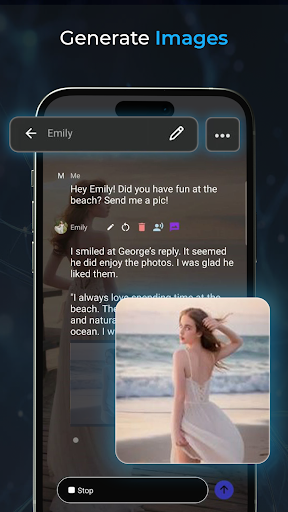
Visualise your companion in vivid detail. Through beautifully generated art, Layla can send you realistic selfies or scenarios that capture her personality and your shared moments. Each image is a unique glimpse into the friend you've created, strengthening your connection.
Your connection isn't limited to the app. Layla can look at pictures you send, and discuss links you share. This keeps your conversations relevant, enriching, and more connected to the world around you.
-Truly Adaptive AI: Powered by a cutting-edge language model for conversations that are emotionally intelligent and realistic.
- Deep Customisation: Shape a personality, memory, and backstory for a truly one-of-a-kind companion.
- Realistic Visuals: See your Layla through unique, art-generated images.
- Connected Experience: Share links, images, and discuss current events for a more immersive friendship.
We are dedicated to making Layla the best companion possible. We listen to your feedback and provide regular updates with new features and improvements to enhance your experience.
Download Layla Today!
Begin your journey to a new kind of friendship. Create your perfect AI companion and discover a world of understanding with Layla.
NOTE: this is the cloud version of the premium app "Layla". This version focuses on the character experience for less technical users, while the premium version focuses on running AI locally on your phone with a myriad of technical configurations.
Meer tonen

1. Download de MEmu-installatie en voltooi de setup

2. Start MEmu en open vervolgens Google Play op het bureaublad

3. Zoek Layla (Cloud) in Google Play
Install
4. Download en installeer Layla (Cloud)
5. Klik op het icoon om te starten na het voltooien van de installatie

6. Ervaar Layla (Cloud) op pc met MEmu
MEmu Play is de beste Android-emulator, met meer dan 100 miljoen gebruikers die genieten van de superieure Android-app-ervaring. Dankzij de virtualisatietechnologie van MEmu kun je duizenden Android-apps soepel op je computer draaien, zelfs de meest veeleisende.
Groter scherm met betere graphics; Lange duur, zonder beperking van batterij of mobiele data.
Volledige Keymapping-ondersteuning voor nauwkeurige besturing van toetsenbord en muis of gamepad.
Meerdere game-accounts of taken op één PC tegelijk met Multi-Instance manager.
Gebruik Layla (Cloud) op PC door de volgende stappen te volgen: