
LFX Tool Custom- Pro GFX Tool
Bijgewerkt
Huidige Versie
1725520730
Aangeboden door

Maak je geen zorgen meer over extra kosten bij het gebruik van LFX Tool Custom- Pro GFX Tool op je mobiele telefoon, bevrijd jezelf van het kleine scherm en geniet van het gebruik van de app op een veel groter display. Vanaf nu, krijg een volledige schermervaring van je app met toetsenbord en muis. MEmu biedt je alle verrassende functies die je verwachtte: snelle installatie en eenvoudige configuratie, intuïtieve besturing, geen beperkingen meer van batterij, mobiele data en storende oproepen. De gloednieuwe MEmu 9 is de beste keuze voor het gebruik van LFX Tool Custom- Pro GFX Tool op je computer. MEmu multi-instance manager maakt het mogelijk om tegelijkertijd 2 of meer accounts te openen. En het belangrijkste, onze exclusieve emulatiemotor kan het volledige potentieel van je PC benutten, waardoor alles soepel en plezierig wordt.
Meer tonen
Download LFX Tool Custom- Pro GFX Tool on PC with MEmu Android Emulator. Enjoy playing on big screen. Tired of trying GFX Tool on android 11?
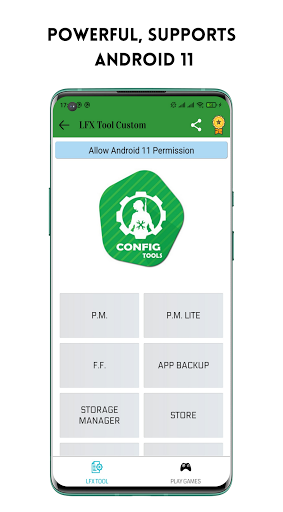
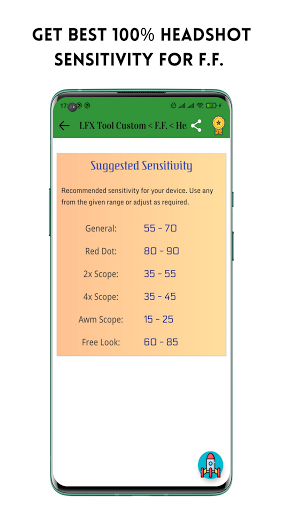
Tired of trying GFX Tool on android 11? Then LFX Tool Custom is here for you......
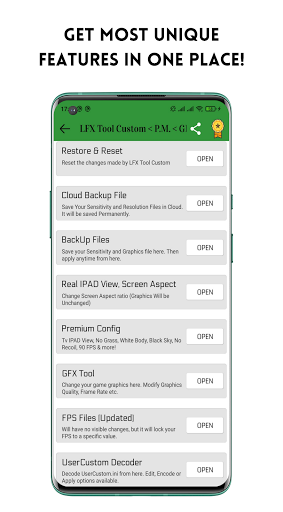
LFX Tool Custom is a powerful graphics tool for mobile gaming on Android devices. It is designed to help gamers enhance their gaming experience by customizing game graphics, unlocking various features, and improving game performance.
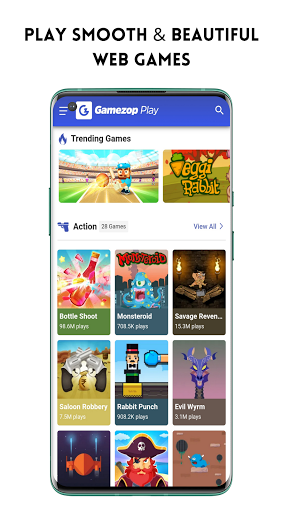
Play web games inside LFX Tool Custom without installing! All the games are completely free and very interactive. Play your most preferred game from a huge collection of 250+ games!
LFX Tool Custom allows users to play TicTacToe inside the app and supports web games that can be played without installing them. The app also provides a cloud backup feature that allows users to save their control layout and sensitivity in the cloud and apply them anytime they need them.
How to Use App:
App is very simple & easy to use. Complete in app guide is provided with the app and you can easily use it. Complete app is totally free to use, coin system has been removed on version 2.0.4
About android 11 support:
LFX Tool Custom requires a special permission from devices running on android 11 and higher. You can see a button asking for permission, just follow the instructions and allow it. You've to grant the permission each time you launch the app.
Disclaimer:
LFX Tool Custom is completely free to use, safe & risk free of ban. All features are available without any special access & there are ads placed by Developer. However, you need to connect your google account with LFX Tool Custom to access Cloud Backup Feature. LFX Tool Custom pro version will give extra access to some features & limited ads free experience.
Follow Us:
Contact Us direct at: lfxtool.service@gmail.com
Meer tonen

1. Download de MEmu-installatie en voltooi de setup

2. Start MEmu en open vervolgens Google Play op het bureaublad

3. Zoek LFX Tool Custom- Pro GFX Tool in Google Play
Install
4. Download en installeer LFX Tool Custom- Pro GFX Tool
5. Klik op het icoon om te starten na het voltooien van de installatie

6. Ervaar LFX Tool Custom- Pro GFX Tool op pc met MEmu
MEmu Play is de beste Android-emulator, met meer dan 100 miljoen gebruikers die genieten van de superieure Android-app-ervaring. Dankzij de virtualisatietechnologie van MEmu kun je duizenden Android-apps soepel op je computer draaien, zelfs de meest veeleisende.
Groter scherm met betere graphics; Lange duur, zonder beperking van batterij of mobiele data.
Volledige Keymapping-ondersteuning voor nauwkeurige besturing van toetsenbord en muis of gamepad.
Meerdere game-accounts of taken op één PC tegelijk met Multi-Instance manager.
Gebruik LFX Tool Custom- Pro GFX Tool op PC door de volgende stappen te volgen: