
Mute Camera Plus
Bijgewerkt
Huidige Versie
1.4.7
Aangeboden door

Maak je geen zorgen meer over extra kosten bij het gebruik van Mute Camera Plus op je mobiele telefoon, bevrijd jezelf van het kleine scherm en geniet van het gebruik van de app op een veel groter display. Vanaf nu, krijg een volledige schermervaring van je app met toetsenbord en muis. MEmu biedt je alle verrassende functies die je verwachtte: snelle installatie en eenvoudige configuratie, intuïtieve besturing, geen beperkingen meer van batterij, mobiele data en storende oproepen. De gloednieuwe MEmu 9 is de beste keuze voor het gebruik van Mute Camera Plus op je computer. MEmu multi-instance manager maakt het mogelijk om tegelijkertijd 2 of meer accounts te openen. En het belangrijkste, onze exclusieve emulatiemotor kan het volledige potentieel van je PC benutten, waardoor alles soepel en plezierig wordt.
Meer tonen
Download Mute Camera Plus on PC with MEmu Android Emulator. Enjoy playing on big screen. Completely mute apps that want to mute such as camera and video app.
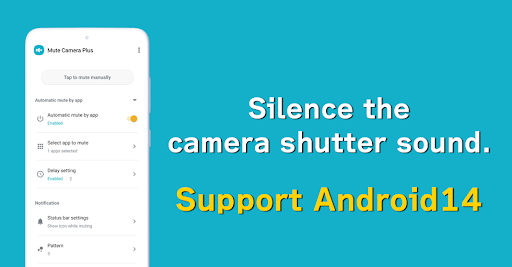
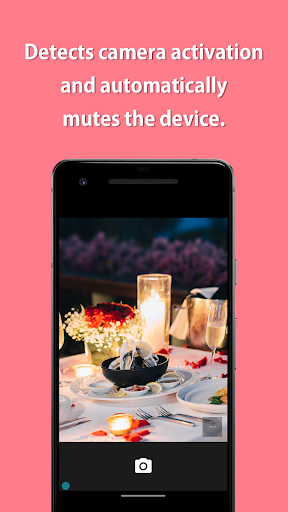
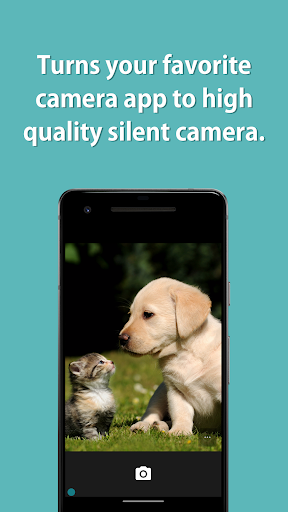
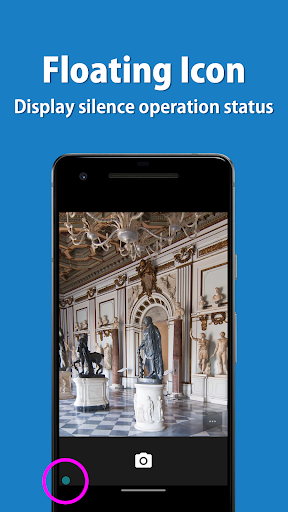
Completely mute apps that want to mute such as camera and video app.
This app turns the standard camera app into a high-quality silent camera.
When detecting that an app want to mute, such as a camera app, is launched, all the sounds of the device are automatically muted, and when the app is closed, mute is automatically canceled.
=-=-=-=-=-=-=-=-=-=-=-=-=-=-=-=
Recommended for people who:
- Want to mute sound of my favorite camera
- Do not like silent cameras because photo quality are bad
- Want to mute automatically
=-=-=-=-=-=-=-=-=-=-=-=-=-=-=-=
Muting instructions and notes:
This app mutes your camera's shutter sound by deactivating all the sounds in your device.
Depending on your device's specifications, this may be the only way to mute the camera shutter sound in Japan and some other countries.
If you turn the mute on manually, all the sounds in your device will be muted until you turn it off manually.
If you uninstall this app with the mute still manually turned on, you will need to reinstall it to turn the mute off, so make sure to turn the mute off before uninstalling.
If you are using an automatic muting function, this app's muting function will automatically turn on only while you are using the camera app and will turn off after you close the camera app, so you do not need to worry about turning it off.
If the camera shutter sound is not silenced, please try restarting the device.
Please note that the silencing process may fail if sound is made between the time the camera application is launched and the Mute ON indicator appears.
Some devices have specifications that cannot be muted.
If the camera cannot be silenced even after restarting, it is likely that the device has specifications that cannot be silenced.
【Features】
► Per app mute settings
When detecting that an app want to mute, such as a camera app, is launched, all the sounds of the device are automatically muted, and when the app is closed, mute is automatically canceled.
► Mute manually
You can also turn mute on / off manually from the app, the widget, the status bar or the quick panel.
► Floating icon
The floating icon makes it easy to understand the mute operation status.
This app uses accessibility service.
This is used to detect when an app is launched or closed and allows you to mute sound for each app.
This information is not stored or shared.
Meer tonen

1. Download de MEmu-installatie en voltooi de setup

2. Start MEmu en open vervolgens Google Play op het bureaublad

3. Zoek Mute Camera Plus in Google Play
Install
4. Download en installeer Mute Camera Plus
5. Klik op het icoon om te starten na het voltooien van de installatie

6. Ervaar Mute Camera Plus op pc met MEmu
MEmu Play is de beste Android-emulator, met meer dan 100 miljoen gebruikers die genieten van de superieure Android-app-ervaring. Dankzij de virtualisatietechnologie van MEmu kun je duizenden Android-apps soepel op je computer draaien, zelfs de meest veeleisende.
Groter scherm met betere graphics; Lange duur, zonder beperking van batterij of mobiele data.
Volledige Keymapping-ondersteuning voor nauwkeurige besturing van toetsenbord en muis of gamepad.
Meerdere game-accounts of taken op één PC tegelijk met Multi-Instance manager.
Gebruik Mute Camera Plus op PC door de volgende stappen te volgen: