
Mysterium VPN
Bijgewerkt
Huidige Versie
1.8.1
Aangeboden door

Maak je geen zorgen meer over extra kosten bij het gebruik van Mysterium VPN op je mobiele telefoon, bevrijd jezelf van het kleine scherm en geniet van het gebruik van de app op een veel groter display. Vanaf nu, krijg een volledige schermervaring van je app met toetsenbord en muis. MEmu biedt je alle verrassende functies die je verwachtte: snelle installatie en eenvoudige configuratie, intuïtieve besturing, geen beperkingen meer van batterij, mobiele data en storende oproepen. De gloednieuwe MEmu 9 is de beste keuze voor het gebruik van Mysterium VPN op je computer. MEmu multi-instance manager maakt het mogelijk om tegelijkertijd 2 of meer accounts te openen. En het belangrijkste, onze exclusieve emulatiemotor kan het volledige potentieel van je PC benutten, waardoor alles soepel en plezierig wordt.
Meer tonen
Download Mysterium VPN on PC with MEmu Android Emulator. Enjoy playing on big screen. Meet Mysterium, the best VPN for Android.
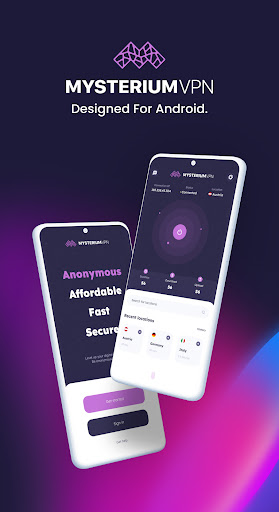
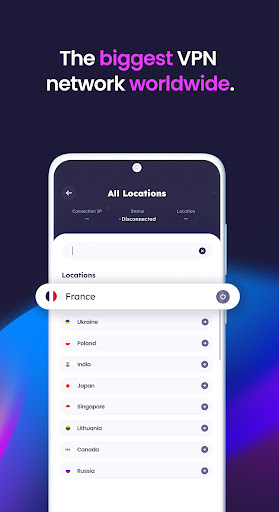
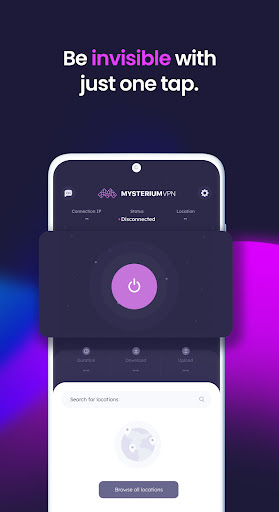
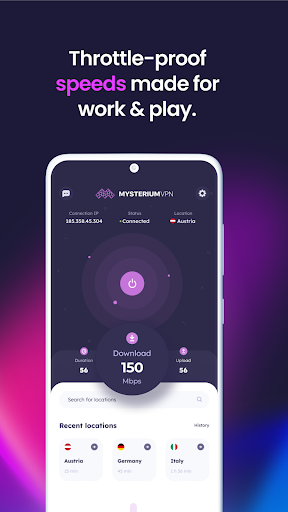
Meet Mysterium, the best VPN for Android. Powered by the world's biggest residential IP network, spread across 135 countries for seamless VPN location-changer experience.
Superior IP Address Changer: Tap into our huge global network of residential IPs to perform fast network unlock for secure shopping, browsing, and gaming. Genuine residential connections mean a stable, seamless, and turbo-fast VPN location changer experience. VPN US or UK VPN – our location count covers over 100 countries.
Super Speedy Connections: Especially optimized for Android devices, Mysterium VPN is a TURBO VPN with a faster internet connection than datacenter VPNs.
Rock-Solid Network Security & WiFi Privacy: Enhance network security with our cutting-edge encryption technologies and advanced network security protocols. Mysterium is a secure VPN that keeps your activities unseen online and encrypted so that you can browse with peace of mind, even without a security browser. Become unseen online by ISPs and other third parties and supercharge your private internet access further than just two-factor authentication.
One-Tap Magic: Our easy-to-use interface lets you connect to a residential IP with just a single tap. Pick from a long list of countries, or let Mysterium act as a VPN location changer and IP hider automatically. Whichever way you go, VPN USA or UK VPN, our most secure VPN will provide you with top-notch privacy and anonymize your surfing. Make your IP vanish without hassle.
Unlimited Freedom: Say no to data usage limits or bandwidth throttling. MysteriumVPN acts as an IP address changer and lets you surf and download to your heart's content.
The best VPN for Android: Mysterium is tailor-made for all Android devices. Secure all your connections and be unseen online with a single subscription. No need to Google “change IP Android” anymore!
Download for more devices: One subscription for them all – whether it’s a phone guardian you're looking for or an IP address changer for MacBook Pro – we’ve got you covered. Use our fastest VPN anywhere you wish, with 6 simultaneous connections. It is a perfect solution for both a digital nomad and a casual user to hide IP address easily.
Friendly 24/7 Support: Got questions? We're here for you anytime. Our dedicated support team is always ready to help, ensuring a smooth and hassle-free VPN experience.
Flexible Subscription Packages: Find a plan that suits your needs with our monthly, 6-month, and yearly pricing options. Enjoy the freedom to choose the best subscription and potentially faster internet for you and your budget.
Meer tonen

1. Download de MEmu-installatie en voltooi de setup

2. Start MEmu en open vervolgens Google Play op het bureaublad

3. Zoek Mysterium VPN in Google Play
Install
4. Download en installeer Mysterium VPN
5. Klik op het icoon om te starten na het voltooien van de installatie

6. Ervaar Mysterium VPN op pc met MEmu
MEmu Play is de beste Android-emulator, met meer dan 100 miljoen gebruikers die genieten van de superieure Android-app-ervaring. Dankzij de virtualisatietechnologie van MEmu kun je duizenden Android-apps soepel op je computer draaien, zelfs de meest veeleisende.
Groter scherm met betere graphics; Lange duur, zonder beperking van batterij of mobiele data.
Volledige Keymapping-ondersteuning voor nauwkeurige besturing van toetsenbord en muis of gamepad.
Meerdere game-accounts of taken op één PC tegelijk met Multi-Instance manager.
Gebruik Mysterium VPN op PC door de volgende stappen te volgen: