
HITSTER
Bijgewerkt
Huidige Versie
3.3.1
Aangeboden door

Maak je geen zorgen meer over extra kosten bij het gebruik van HITSTER op je mobiele telefoon, bevrijd jezelf van het kleine scherm en geniet van het gebruik van de app op een veel groter display. Vanaf nu, krijg een volledige schermervaring van je app met toetsenbord en muis. MEmu biedt je alle verrassende functies die je verwachtte: snelle installatie en eenvoudige configuratie, intuïtieve besturing, geen beperkingen meer van batterij, mobiele data en storende oproepen. De gloednieuwe MEmu 9 is de beste keuze voor het gebruik van HITSTER op je computer. MEmu multi-instance manager maakt het mogelijk om tegelijkertijd 2 of meer accounts te openen. En het belangrijkste, onze exclusieve emulatiemotor kan het volledige potentieel van je PC benutten, waardoor alles soepel en plezierig wordt.
Meer tonen
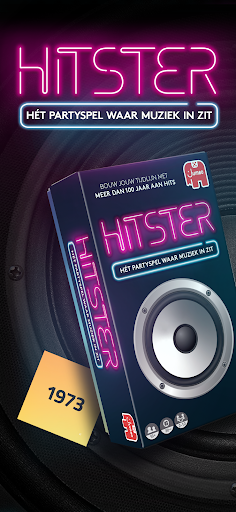
Download HITSTER on PC with MEmu Android Emulator. Enjoy playing on big screen. YOU NEED THE HITSTER CARD GAME TO USE THIS APP.
YOU NEED THE HITSTER CARD GAME TO USE THIS APP.
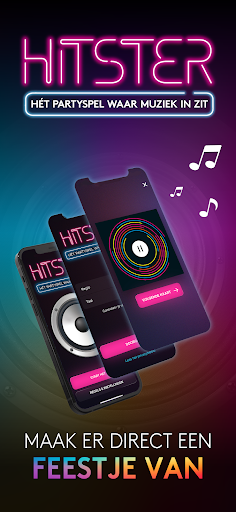
Create an instant party with HITSTER, the music card game of the century!
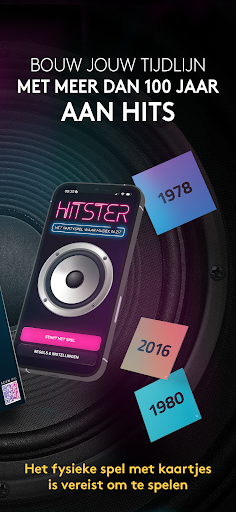
Listen to over 100 years of amazing hits, take turns arranging them in chronological order on your music timeline and create your trip down memory lane. The first player to collect 10 hits is the winner.
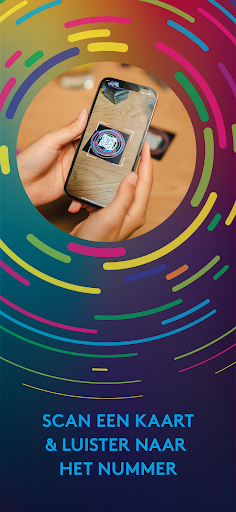
With more than 300 of the greatest hits from the last 100 years, HITSTER is the perfect game for an evening with lots of laughing, singing, dancing and sharing memories. Simply open the box, scan a song card with this HITSTER app and let the music do the rest to create an instant party. So what are you waiting for? Invite your friends to have fun together and see who is crowned the HITSTER.
Game characteristics:
- Everybody is invited for the HITSTER party! Super easy rules and no game set-up gets the party started in no-time. Simply scan a card with the free Hitster app and the music starts playing automatically in Spotify, isn't that cool?
- HITSTER is the music game in which you don’t have to be a music expert. Simply guess if a song was released before or after other songs in your music timeline. The futher you are in building your timeline the more challenging it becomes. Your chances of winning increases if you can also name the artists and song titles.
- Are you craving to show of your music knowledge? Play HITSTER with the Pro rules or even Expert rules in which you have to know the exact year, artist and song title.
- Fancy a less competitive trip down memory lane? Then HITSTER can also be played as one team or by yourself.
GET THE PARTY STARTED!
HITSTER requires a mobile phone with an internet connection. For the best experience, use the free HITSTER app and Spotify. Visit www.hitstergame.com for device compatibility.
Meer tonen

1. Download de MEmu-installatie en voltooi de setup

2. Start MEmu en open vervolgens Google Play op het bureaublad

3. Zoek HITSTER in Google Play
Install
4. Download en installeer HITSTER
5. Klik op het icoon om te starten na het voltooien van de installatie

6. Ervaar HITSTER op pc met MEmu
MEmu Play is de beste Android-emulator, met meer dan 100 miljoen gebruikers die genieten van de superieure Android-app-ervaring. Dankzij de virtualisatietechnologie van MEmu kun je duizenden Android-apps soepel op je computer draaien, zelfs de meest veeleisende.
Groter scherm met betere graphics; Lange duur, zonder beperking van batterij of mobiele data.
Volledige Keymapping-ondersteuning voor nauwkeurige besturing van toetsenbord en muis of gamepad.
Meerdere game-accounts of taken op één PC tegelijk met Multi-Instance manager.
Gebruik HITSTER op PC door de volgende stappen te volgen: