Rumble
Bijgewerkt
Huidige Versie
1786723772
Aangeboden door

Maak je geen zorgen meer over extra kosten bij het gebruik van Rumble op je mobiele telefoon, bevrijd jezelf van het kleine scherm en geniet van het gebruik van de app op een veel groter display. Vanaf nu, krijg een volledige schermervaring van je app met toetsenbord en muis. MEmu biedt je alle verrassende functies die je verwachtte: snelle installatie en eenvoudige configuratie, intuïtieve besturing, geen beperkingen meer van batterij, mobiele data en storende oproepen. De gloednieuwe MEmu 9 is de beste keuze voor het gebruik van Rumble op je computer. MEmu multi-instance manager maakt het mogelijk om tegelijkertijd 2 of meer accounts te openen. En het belangrijkste, onze exclusieve emulatiemotor kan het volledige potentieel van je PC benutten, waardoor alles soepel en plezierig wordt.
Meer tonen
Download Rumble on PC with MEmu Android Emulator. Enjoy playing on big screen. Welkom bij Rumble: De toekomst van video en livestreaming .
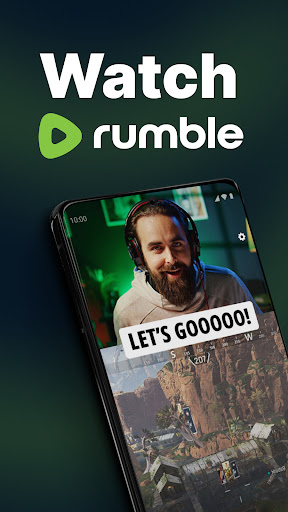
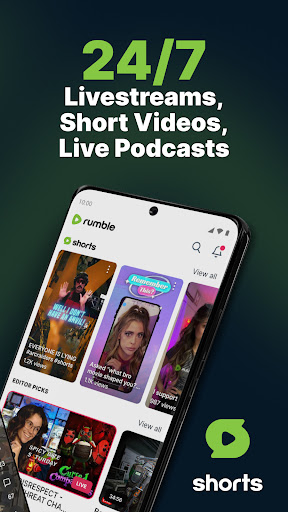
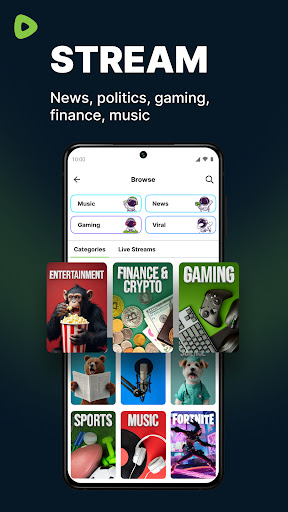
Welkom bij Rumble: De toekomst van video en livestreaming
Op zoek naar een echt alternatief voor YouTube? Rumble is een video-app die draait om vrije meningsuiting. Je kunt er shows bekijken, makers volgen, Shorts ontdekken en nieuwe stemmen vinden. Geniet van video's, livestreams en open gesprekken op een platform dat onafhankelijke makers ondersteunt.
WAT ONZE GEBRUIKERS ZEGGEN OVER RUMBLE
⭐ "Rumble is het YouTube-alternatief dat ik gebruik om video's en echte meningen te bekijken."
⭐ "Ik kijk hier elke dag naar korte clips, video's en liveshows."
⭐ "Dit platform geeft makers meer vrijheid dan YouTube."
⭐ "Geweldige streaming-app voor shows, Shorts en nieuwe stemmen."
⭐ "Ik ontdek constant nieuwe kanalen en kijk video's."
⭐ "Rumble is mijn favoriete YouTube-alternatief, met meer ruimte voor vrije meningsuiting dan YouTube."
Sluit je aan bij miljoenen gebruikers die Rumble gebruiken om video's te bekijken, livestreams te volgen, streamingcontent te ontdekken en te genieten van een open platform dat is gebouwd rondom vrije meningsuiting.
WAAROM RUMBLE HET JUISTE VIDEOPLATFORM VOOR JOU IS
Of je nu geïnteresseerd bent in nieuws, politiek, podcasts, games, sport of cultuur, Rumble brengt video, streaming, Shorts en originele content samen op één platform. Bekijk livestreams, stem af op een stream van je favoriete creator en ontdek een YouTube-alternatief dat creators centraal stelt op een open platform.
• Ongefilterd en ongecensureerd: deel content vrijelijk in een open ruimte
• Naadloos streamen: bekijk live video en doe mee aan elke show
• Ontdek trending topics: ontdek Shorts, kanalen en meer
Miljoenen mensen gebruiken dit YouTube-alternatief om livestreams te bekijken, nieuwe content te ontdekken, stemmen te steunen die ze vertrouwen en te genieten van gratis streaming op een open platform.
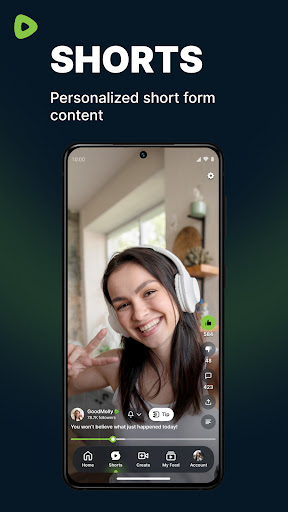
RUMBLE SHORTS: VRIJE MENINGSUITING BIJ ELKE SWIPE
Rumble Shorts brengt korte video's naar een soepele scrollervaring. Blader door Shorts, ontdek korte video's, stream content en ontdek makers sneller in een streamingfeed die is ontworpen voor ontdekking op een platform dat makers centraal stelt.
• Bekijk Shorts in een doorlopende feed
• Ontdek makers via Shorts en video's
• Ontdek trending Shorts en bekijk content
EXCLUSIEF OP RUMBLE: THE LINEUP
Rumble is de thuisbasis van The Lineup, een dagelijks programma met toonaangevende stemmen over nieuws, politiek en cultuur:
• 9.00 uur ET – Dear America met Graham Allen
• 10.00 uur ET – The Dan Bongino Show
• 11.00 uur ET – Steven Crowder
• 12.00 uur ET – Timcast
• 13.00 uur ET – DeVory Darkins
• 14.00 uur ET – The Quartering
• 15.00 uur ET – Viva Frei + Russell Brand (ma/wo/vr)
• 16.00 uur ET – Redacted
• 17.00 uur ET – The Crucible + Kim Iversen
• 18.00 uur ET – Hayley met BonginoReport en Nick Di Paolo
• 19.00 uur ET – Glenn Greenwald
• 20.00 uur ET – TimcastIRL
Plus: Dr Disrespect brengt gamingstreams naar Rumble
DE DAN BONGINO SHOW
Exclusief voor Rumble: De Dan Bongino Show levert elke werkdag scherp commentaar.
• De Dan Bongino Show wordt uitgezonden van maandag tot en met vrijdag om 10:00 uur ET.
• Kijk naar Bongino en praat live mee.
RUMBLE WALLET
Rumble Wallet biedt gebruikers een directe manier om creators te steunen. Geef een tip voor video's, kijk en financier elke stream en steun creators tijdens streamingevenementen.
• Gebruik Rumble Wallet om creators direct te steunen
• Met de wallet kun je tippen met cryptocurrency
• Steun vindt in realtime plaats tijdens shows
FUNCTIES DIE CREATORS STERKER MAKEN
Rumble is ontwikkeld met creators in gedachten.
• Verdien geld met je werk vanaf dag één
• Sterke inkomstenmogelijkheden op een gratis videoplatform en alternatief voor YouTube
OVERZICHT VAN DE FUNCTIES
Livestreamen & chatten
Rumble Shorts
Kanaal aanmaken
Videohosting
Vloeiend streamen
Monetisatietools
Open platform
Download Rumble vandaag nog, bekijk elke livestream, ontdek Shorts, stream originele live video's en vind een gratis YouTube-alternatief voor streaming op een open platform.
Gratis kijken. Gratis creëren. Gratis spreken.
Meer tonen

1. Download de MEmu-installatie en voltooi de setup

2. Start MEmu en open vervolgens Google Play op het bureaublad

3. Zoek Rumble in Google Play
Install
4. Download en installeer Rumble
5. Klik op het icoon om te starten na het voltooien van de installatie

6. Ervaar Rumble op pc met MEmu
MEmu Play is de beste Android-emulator, met meer dan 100 miljoen gebruikers die genieten van de superieure Android-app-ervaring. Dankzij de virtualisatietechnologie van MEmu kun je duizenden Android-apps soepel op je computer draaien, zelfs de meest veeleisende.
Groter scherm met betere graphics; Lange duur, zonder beperking van batterij of mobiele data.
Volledige Keymapping-ondersteuning voor nauwkeurige besturing van toetsenbord en muis of gamepad.
Meerdere game-accounts of taken op één PC tegelijk met Multi-Instance manager.
Gebruik Rumble op PC door de volgende stappen te volgen: