
Snico- Live Stream, Social App
Bijgewerkt
Huidige Versie
1.0.53
Aangeboden door

Maak je geen zorgen meer over extra kosten bij het gebruik van Snico- Live Stream, Social App op je mobiele telefoon, bevrijd jezelf van het kleine scherm en geniet van het gebruik van de app op een veel groter display. Vanaf nu, krijg een volledige schermervaring van je app met toetsenbord en muis. MEmu biedt je alle verrassende functies die je verwachtte: snelle installatie en eenvoudige configuratie, intuïtieve besturing, geen beperkingen meer van batterij, mobiele data en storende oproepen. De gloednieuwe MEmu 9 is de beste keuze voor het gebruik van Snico- Live Stream, Social App op je computer. MEmu multi-instance manager maakt het mogelijk om tegelijkertijd 2 of meer accounts te openen. En het belangrijkste, onze exclusieve emulatiemotor kan het volledige potentieel van je PC benutten, waardoor alles soepel en plezierig wordt.
Meer tonen
Geniet van een fantastische ervaring met Snico- Live Stream, Social App op je pc met MEmu Play. Het is een krachtige gratis Android-emulator die je duizenden Android-apps biedt voor de desktopversie. Geniet van contact met vrienden en verbeter je werk met hogere efficiëntie! Snico is an all-new social media and live streaming platform to help you grow and meet people from all over the world.
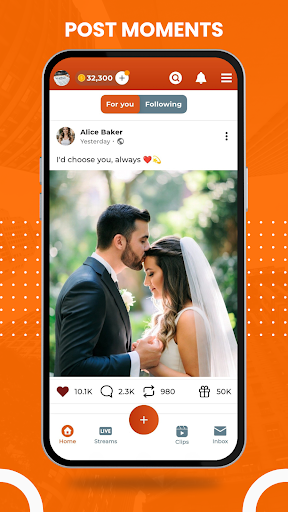
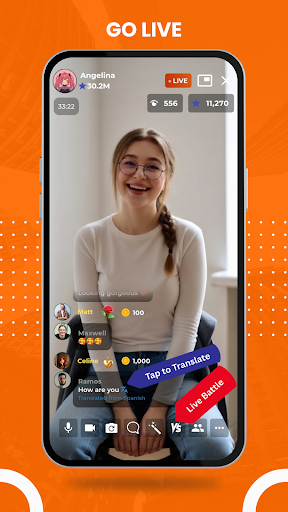
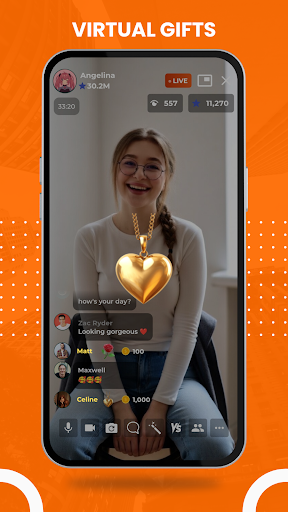
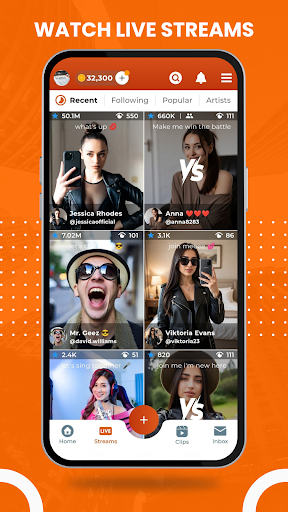
Snico is an all-new social media and live streaming platform to help you grow and meet people from all over the world.
You can:
Post your favorite moments in the form of text, photos or clips and share your thoughts with your friends. Engage with their posts through likes, comments and reposts.
Go live and become one of the top streamers with your unique content, engage with your friends and earn money through virtual gifts.
Watch live streams or join audio rooms from all over the world and meet new people.
Chat with your friends or the people you like with built in chat features like video calls, audio calls, live streams, sharing pictures, videos and much more.
Join now and become a part of this growing community. This will help us in building this platform and make it even better with upcoming updates.
We're continuously working on improving and bringing more exciting features for our users so your feedback will be highly appreciated and help us improve further.
If you're facing any issues or got any queries, please contact us at support@snico.live
Meer tonen

1. Download de MEmu-installatie en voltooi de setup

2. Start MEmu en open vervolgens Google Play op het bureaublad

3. Zoek Snico- Live Stream, Social App in Google Play
Install
4. Download en installeer Snico- Live Stream, Social App
5. Klik op het icoon om te starten na het voltooien van de installatie

6. Ervaar Snico- Live Stream, Social App op pc met MEmu
MEmu Play is de beste Android-emulator, met meer dan 100 miljoen gebruikers die genieten van de superieure Android-app-ervaring. Dankzij de virtualisatietechnologie van MEmu kun je duizenden Android-apps soepel op je computer draaien, zelfs de meest veeleisende.
Groter scherm met betere graphics; Lange duur, zonder beperking van batterij of mobiele data.
Volledige Keymapping-ondersteuning voor nauwkeurige besturing van toetsenbord en muis of gamepad.
Meerdere game-accounts of taken op één PC tegelijk met Multi-Instance manager.
Gebruik Snico- Live Stream, Social App op PC door de volgende stappen te volgen: