Step Counter & Pedometer & Map
Bijgewerkt
Huidige Versie
5.0.7
Aangeboden door

Maak je geen zorgen meer over extra kosten bij het gebruik van Step Counter & Pedometer & Map op je mobiele telefoon, bevrijd jezelf van het kleine scherm en geniet van het gebruik van de app op een veel groter display. Vanaf nu, krijg een volledige schermervaring van je app met toetsenbord en muis. MEmu biedt je alle verrassende functies die je verwachtte: snelle installatie en eenvoudige configuratie, intuïtieve besturing, geen beperkingen meer van batterij, mobiele data en storende oproepen. De gloednieuwe MEmu 9 is de beste keuze voor het gebruik van Step Counter & Pedometer & Map op je computer. MEmu multi-instance manager maakt het mogelijk om tegelijkertijd 2 of meer accounts te openen. En het belangrijkste, onze exclusieve emulatiemotor kan het volledige potentieel van je PC benutten, waardoor alles soepel en plezierig wordt.
Meer tonen
Download Step Counter & Pedometer & Map on PC with MEmu Android Emulator. Enjoy playing on big screen. Looking for a cycling, walking, running app that can help you track your activities, record steps and improve your fitness goals?
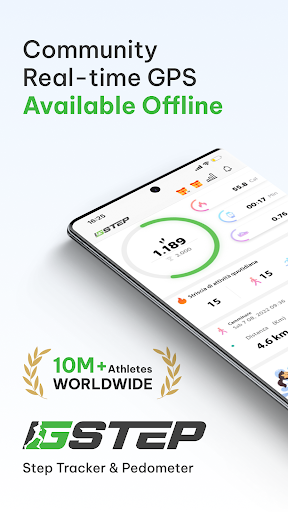
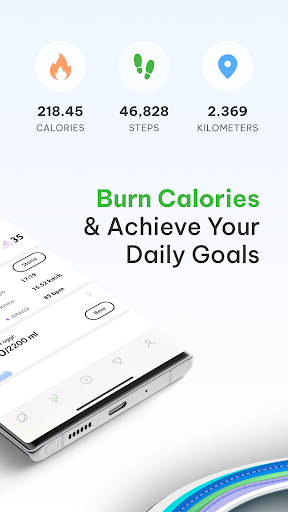
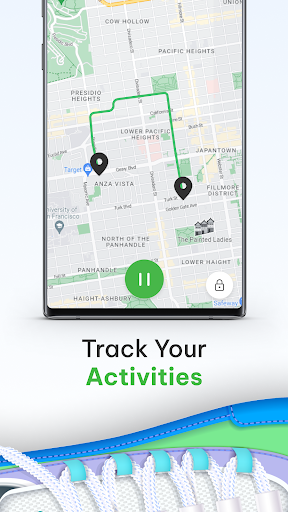
Looking for a cycling, walking, running app that can help you track your activities, record steps and improve your fitness goals? GStep: Step Counter, Map Tracker is a comprehensive pedometer with built-in sensor designed for people who want to track steps, count calories, monitor health, weight loss.
With GStep: Step Counter & Steps Tracker, you can easily track your steps by simply pressing the “Start” button. The app can record & track your steps automatically, even if your phone is locked and in your pocket, handbag, or armband.
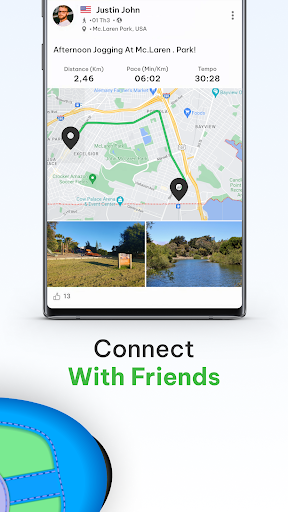
✔️ Community & Leaderboard: this step, walking app features a Running Community & Leaderboard where you can connect with other cycling, walking, running enthusiasts and you can share your activities (includes: step, km / miles, time, etc ..) with many users around the world.
✔️ Activities Distance Tracker: this step counter & pedometer offers three simple exercise options to help you improve your health with Real-time GPS pedometer: Walking, Running, Cycling. You can set your daily goals.
✔️ Step Tracker & Calorie Counter: The daily steps counter system with built-in sensor motivates you to stay active by monitoring your walking & running activities, burned calories with calorie tracker with calendar. It's a great way to maintain an active lifestyle and stay on track with your steps.
✔️ Health Tracker: this step counter, walking app also features a health tracker with a calorie counter to improve BMI and to help you improve fitness goals also maintain a healthy weight or loss weight.
✔️ Real-time Map Tracker: To accurately track your workout routes and analyze your performance, this app allows GPS in real-time with a built-in sensor to track your distance, time, and speed while cycling, running, walking.
✔️ Workout Achievements: This feature rewards your hard work with medals for achieving your training goals. You can earn medals for daily challenge, weekly , and monthly achievements, as well as special achievements for completing challenges.
✔️ Workout Analysis: This app allows you to analyze your running, walking, cycling exercises for weight loss and including your count steps, pace, distance, duration & view your progress over time in the report graph.
✔️ Water Reminder: Reminding you to drink water everyday on time, helping you stay hydrated and healthy.
✔️ Data Synchronization: This feature syncs your data across all your devices, so you can access your workout information from anywhere.
✔️ Google Fit: Looking for a more efficient way to sync running, walking, cycling, steps data with Google Fit and smart watch ⌚️? Try our pedometer app! Our streamlined syncing process makes it easy to seamlessly integrate your progress across this app
Meer tonen

1. Download de MEmu-installatie en voltooi de setup

2. Start MEmu en open vervolgens Google Play op het bureaublad

3. Zoek Step Counter & Pedometer & Map in Google Play
Install
4. Download en installeer Step Counter & Pedometer & Map
5. Klik op het icoon om te starten na het voltooien van de installatie

6. Ervaar Step Counter & Pedometer & Map op pc met MEmu
MEmu Play is de beste Android-emulator, met meer dan 100 miljoen gebruikers die genieten van de superieure Android-app-ervaring. Dankzij de virtualisatietechnologie van MEmu kun je duizenden Android-apps soepel op je computer draaien, zelfs de meest veeleisende.
Groter scherm met betere graphics; Lange duur, zonder beperking van batterij of mobiele data.
Volledige Keymapping-ondersteuning voor nauwkeurige besturing van toetsenbord en muis of gamepad.
Meerdere game-accounts of taken op één PC tegelijk met Multi-Instance manager.
Gebruik Step Counter & Pedometer & Map op PC door de volgende stappen te volgen: