
Surveyz - Do Surveys & Earn!
Bijgewerkt
Huidige Versie
2.3.1
Aangeboden door

Maak je geen zorgen meer over extra kosten bij het gebruik van Surveyz - Do Surveys & Earn! op je mobiele telefoon, bevrijd jezelf van het kleine scherm en geniet van het gebruik van de app op een veel groter display. Vanaf nu, krijg een volledige schermervaring van je app met toetsenbord en muis. MEmu biedt je alle verrassende functies die je verwachtte: snelle installatie en eenvoudige configuratie, intuïtieve besturing, geen beperkingen meer van batterij, mobiele data en storende oproepen. De gloednieuwe MEmu 9 is de beste keuze voor het gebruik van Surveyz - Do Surveys & Earn! op je computer. MEmu multi-instance manager maakt het mogelijk om tegelijkertijd 2 of meer accounts te openen. En het belangrijkste, onze exclusieve emulatiemotor kan het volledige potentieel van je PC benutten, waardoor alles soepel en plezierig wordt.
Meer tonen
Geniet van een fantastische ervaring met Surveyz - Do Surveys & Earn! op je pc met MEmu Play. Het is een krachtige gratis Android-emulator die je duizenden Android-apps biedt voor de desktopversie. Geniet van contact met vrienden en verbeter je werk met hogere efficiëntie! Surveyz was created to help all Australians earn more pay for their say.

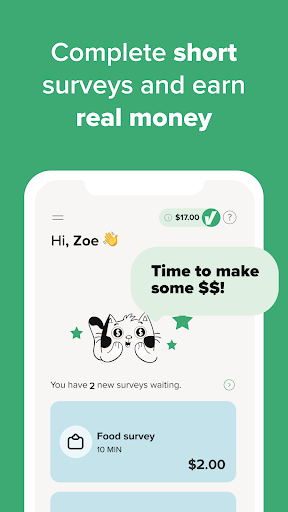

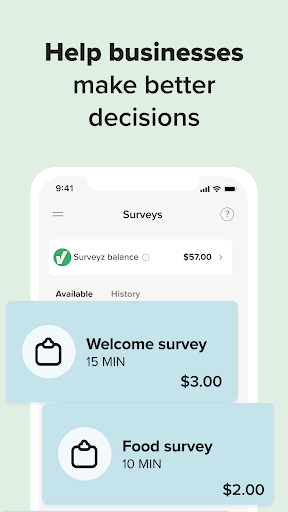
Surveyz was created to help all Australians earn more pay for their say. Join our community of 100,000+ members who are earning extra cash by completing short online surveys. No confusing points or rewards that you need to convert. Just extra money for you!
HOW IT WORKS
By taking part in paid online surveys and sharing your opinion on interesting topics, you'll be helping Australian businesses who want to make better decisions by understanding your feedback. Earn real money, not confusing points.
WE'RE DIFFERENT!
We’ve pioneered a new approach to market research. We encourage you to securely link your bank accounts. This allows us to understand market movements and select groups of members for research based on anonymous spending patterns - e.g. coffee lovers, grocery shoppers, gym junkies, or health fund members.
By linking your accounts you’ll qualify for more surveys, experience less screen outs, and earn double pay for every survey you complete!
SECURITY IS OUR #1 PRIORITY
When you link your accounts, we do not store your bank login details. We partner with accredited Australian financial service providers (Basiq & illion) with connections to +200 Australian institutions to link your accounts. We use the latest encryption technology and partner with cybersecurity experts based in Australia to ensure your account and data is always safe and secure.
PRIVACY COMPLIANT
We are fully compliant with Australian privacy guidelines. No personally identifiable information is ever shared, and we will never sell or market products to you.
SOME OF OUR MOST LOVED FEATURES
Complete short surveys and earn extra cash every week.
Earn double pay when you link your main bank accounts!
Withdraw your earnings to your bank account.
No confusing points systems – we pay you real money for your opinion!
READY TO BOOST YOUR EARNINGS?
Join the community of 100,000+ Australians that are earning more pay for their say!
Meer tonen

1. Download de MEmu-installatie en voltooi de setup

2. Start MEmu en open vervolgens Google Play op het bureaublad

3. Zoek Surveyz - Do Surveys & Earn! in Google Play
Install
4. Download en installeer Surveyz - Do Surveys & Earn!
5. Klik op het icoon om te starten na het voltooien van de installatie

6. Ervaar Surveyz - Do Surveys & Earn! op pc met MEmu
MEmu Play is de beste Android-emulator, met meer dan 100 miljoen gebruikers die genieten van de superieure Android-app-ervaring. Dankzij de virtualisatietechnologie van MEmu kun je duizenden Android-apps soepel op je computer draaien, zelfs de meest veeleisende.
Groter scherm met betere graphics; Lange duur, zonder beperking van batterij of mobiele data.
Volledige Keymapping-ondersteuning voor nauwkeurige besturing van toetsenbord en muis of gamepad.
Meerdere game-accounts of taken op één PC tegelijk met Multi-Instance manager.
Gebruik Surveyz - Do Surveys & Earn! op PC door de volgende stappen te volgen: