ToTok - Free HD Video Calls & Voice Chats
Bijgewerkt
Huidige Versie
1.9.5
Aangeboden door

Maak je geen zorgen meer over extra kosten bij het gebruik van ToTok - Free HD Video Calls & Voice Chats op je mobiele telefoon, bevrijd jezelf van het kleine scherm en geniet van het gebruik van de app op een veel groter display. Vanaf nu, krijg een volledige schermervaring van je app met toetsenbord en muis. MEmu biedt je alle verrassende functies die je verwachtte: snelle installatie en eenvoudige configuratie, intuïtieve besturing, geen beperkingen meer van batterij, mobiele data en storende oproepen. De gloednieuwe MEmu 9 is de beste keuze voor het gebruik van ToTok - Free HD Video Calls & Voice Chats op je computer. MEmu multi-instance manager maakt het mogelijk om tegelijkertijd 2 of meer accounts te openen. En het belangrijkste, onze exclusieve emulatiemotor kan het volledige potentieel van je PC benutten, waardoor alles soepel en plezierig wordt.
Meer tonen
Download ToTok - Free HD Video Calls & Voice Chats on PC with MEmu Android Emulator. Enjoy playing on big screen. ToTok Messenger is a FREE, fast, and secure calling and messaging app.
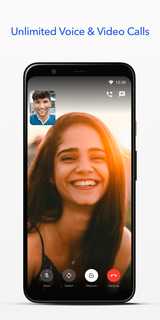
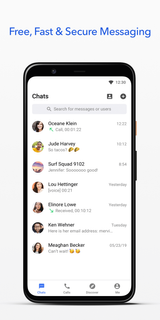
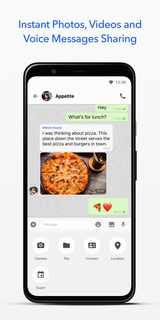
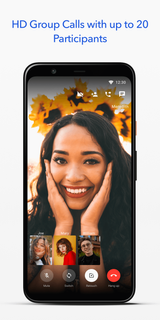
ToTok Messenger is a FREE, fast, and secure calling and messaging app. ToTok provides FREE audio and video calling, enabling you to communicate with your family and friends. All you need is an internet connection (Wi-Fi/4G/3G/EDGE as available).Key FeaturesFREE UNLIMITED VIDEO CALLS ToTok provides FREE unlimited voice and video calls for everyone. You can now call your family and friends around the world with video and voice using ToTok when connected to the internet.NO FEES ToTok uses your internet connection to contact your family or friends, so you do not have to pay for any message or call. ToTok app is free to download, it is ad-free and has no in-app purchases.* Data charges may apply, contact your provider for details.HIGH-QUALITY COMMUNICATIONToTok uses Artificial Intelligence (AI) to improve the quality of your communications. By enhancing voice clarity, reducing echo, and two-way conversations, ToTok gives you the ultimate voice and video calling experience.MULTIMEDIA ToTok comes fully loaded to support text, audio and video files, formats including emojis, photos, voice messages, GIFs, locations and name cards.SUPERGROUPS AND GROUP CHAT Make the most of supergroups with up to 10,000 members! Invite your family and friends to join in. To add more fun, ToTok supports HD group chat and group video calls of up to 20 participants. RETOUCH FILTER FOR VIDEO CALLS Use our built-in, real-time retouch filter to smooth skin and conceal flaws during video calls. You can show your family and friends a more beautiful self in just one tap. OTHER PARTY’S TIMEAvoid disturbing your family and friends living abroad by seeing their local time on the one-on-one chat.SECURE ToTok takes safety and users’ privacy seriously. ToTok uses 256-bit AES encryption, 2048-bit RSA encryption, and other encryption techniques to ensure the security of all ToTok Messenger texts and audio & video chats. -----------------We are driven to keep improving our product and service and would love to hear from you. If you have any feedback, questions, or concerns, please contact us: [email protected]
Meer tonen

1. Download de MEmu-installatie en voltooi de setup

2. Start MEmu en open vervolgens Google Play op het bureaublad

3. Zoek ToTok - Free HD Video Calls & Voice Chats in Google Play
Install
4. Download en installeer ToTok - Free HD Video Calls & Voice Chats
5. Klik op het icoon om te starten na het voltooien van de installatie

6. Ervaar ToTok - Free HD Video Calls & Voice Chats op pc met MEmu
MEmu Play is de beste Android-emulator, met meer dan 100 miljoen gebruikers die genieten van de superieure Android-app-ervaring. Dankzij de virtualisatietechnologie van MEmu kun je duizenden Android-apps soepel op je computer draaien, zelfs de meest veeleisende.
Groter scherm met betere graphics; Lange duur, zonder beperking van batterij of mobiele data.
Volledige Keymapping-ondersteuning voor nauwkeurige besturing van toetsenbord en muis of gamepad.
Meerdere game-accounts of taken op één PC tegelijk met Multi-Instance manager.
Gebruik ToTok - Free HD Video Calls & Voice Chats op PC door de volgende stappen te volgen: