Maak je geen zorgen meer over extra kosten bij het gebruik van TV Garden - Live World TV op je mobiele telefoon, bevrijd jezelf van het kleine scherm en geniet van het gebruik van de app op een veel groter display. Vanaf nu, krijg een volledige schermervaring van je app met toetsenbord en muis. MEmu biedt je alle verrassende functies die je verwachtte: snelle installatie en eenvoudige configuratie, intuïtieve besturing, geen beperkingen meer van batterij, mobiele data en storende oproepen. De gloednieuwe MEmu 9 is de beste keuze voor het gebruik van TV Garden - Live World TV op je computer. MEmu multi-instance manager maakt het mogelijk om tegelijkertijd 2 of meer accounts te openen. En het belangrijkste, onze exclusieve emulatiemotor kan het volledige potentieel van je PC benutten, waardoor alles soepel en plezierig wordt.
Meer tonen
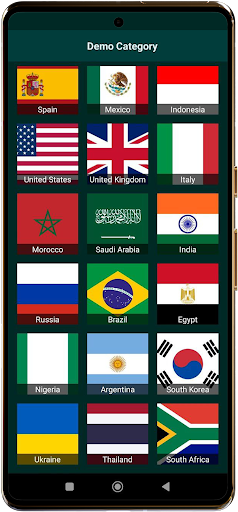
Schermafbeeldingen & Video van TV Garden - Live World TV PC
Geniet van een fantastische ervaring met TV Garden - Live World TV op je pc met MEmu Play. Het is een krachtige gratis Android-emulator die je duizenden Android-apps biedt voor de desktopversie. Geniet van contact met vrienden en verbeter je werk met hogere efficiëntie! TV.
app-info
TV.Garden: Seamless TV viewing with TV Garden, Watch TV Online from anywhere in the world. Whether you're interested in World TV, Global TV, or International TV, our app empowers you to use private TV stream links to access Online TV Channels. TV Garden is designed for those who want to enjoy their favorite Live TV Streams, Live News, Live Sports, and Entertainment Channels without hassle. From Music TV Channels to Documentary Channels, you can discover new TV channels and Watch Global & Local Live TV Online for Free using your own links. Explore TV from around the world, including USA TV live, UK TV online, Indian TV channels, Arabic TV live, European TV channels, and Asian TV live.
What the app does: TV Garden is a versatile video player app that does NOT host or stream TV content directly. Use your own HLS link to play your favorite channel, whether it's International News or Cultural TV. The app serves as an Open-source TV player, allowing you to watch foreign TV channels effortlessly. Discover new TV channels from around the globe by importing your own streaming links. Learn How to watch international TV with TV Garden and enjoy TV channels by country.
Key Features:
• Broad Format Compatibility: Supports DASH, HLS, MP4, and direct streaming links for a wide range of Online TV Channels.
• Smooth Playback: Experience lag-free video streaming for all your Live TV Streams and online content.
• Picture-in-Picture Mode (PIP): Multitask while watching your favorite channels in a small window.
• Customizable Controls: Tailor your viewing experience with adjustable scaling modes and playback settings.
• Stream & Cast: Enjoy seamless casting to any TV with Chromecast support for enhanced viewing.
• Enhanced Audio Quality: Enjoy optimized sound for a truly immersive experience with Music TV Channels and more.
• Favorites List: Save your favorite TV streams and movies for quick and easy access.
• Full-Screen Mode: Dive into full-screen viewing for an immersive TV experience.
How to use:
1⃣ Open TV Garden and add your streaming links into your Favorites section for easy access to your preferred Global TV or Live Sports channels.
2⃣ Tap any saved stream inside Favorites to start playback instantly, ensure your links are legitimate to watch TV from around the world.
3⃣ Always ensure that the URLs you use are legal and respect licensing or broadcasting rights. Remember, TV Garden is a media player only, and you are responsible for the content you add.
Possible Use Cases:
- Enjoy your favorite international sports events by importing your own links to Live Sports streams.
- Stay updated with International News by adding links to news channels from various countries.
- Create a personalized list of Entertainment Channels using your own streaming links.
- Explore cultural programs by watching Cultural TV channels from other countries.
- Use TV Garden during work breaks to watch Live News or Music TV Channels for relaxation.
- Discover new TV channels by exploring different TV channels by country with your own links.
- Turn your device into a portable TV by watching World TV online with your collection of streams.
Disclaimer:
This app is a video player only and does not host or stream any content. Users must import their own legal links to watch TV. TV Garden does not provide a way to watch all football matches for free or access any specific content. Always ensure you have rights to view the content you stream. Example: Use your own stream link for USA TV live or UK TV online. The app focuses on providing a seamless player for your personal streams.
Meer tonen
Hoe te downloaden TV Garden - Live World TV op PC
1. Download de MEmu-installatie en voltooi de setup
2. Start MEmu en open vervolgens Google Play op het bureaublad
3. Zoek TV Garden - Live World TV in Google Play
Install
4. Download en installeer TV Garden - Live World TV
5. Klik op het icoon om te starten na het voltooien van de installatie
6. Ervaar TV Garden - Live World TV op pc met MEmu
Waarom kiezen voor MEmu om TV Garden - Live World TV te ervaren
MEmu Play is de beste Android-emulator, met meer dan 100 miljoen gebruikers die genieten van de superieure Android-app-ervaring. Dankzij de virtualisatietechnologie van MEmu kun je duizenden Android-apps soepel op je computer draaien, zelfs de meest veeleisende.
Groter scherm met betere graphics; Lange duur, zonder beperking van batterij of mobiele data.
Volledige Keymapping-ondersteuning voor nauwkeurige besturing van toetsenbord en muis of gamepad.
Meerdere game-accounts of taken op één PC tegelijk met Multi-Instance manager.