Vergrootglas 2021
Bijgewerkt
Huidige Versie
1.5
Aangeboden door

Maak je geen zorgen meer over extra kosten bij het gebruik van Vergrootglas 2021 op je mobiele telefoon, bevrijd jezelf van het kleine scherm en geniet van het gebruik van de app op een veel groter display. Vanaf nu, krijg een volledige schermervaring van je app met toetsenbord en muis. MEmu biedt je alle verrassende functies die je verwachtte: snelle installatie en eenvoudige configuratie, intuïtieve besturing, geen beperkingen meer van batterij, mobiele data en storende oproepen. De gloednieuwe MEmu 9 is de beste keuze voor het gebruik van Vergrootglas 2021 op je computer. MEmu multi-instance manager maakt het mogelijk om tegelijkertijd 2 of meer accounts te openen. En het belangrijkste, onze exclusieve emulatiemotor kan het volledige potentieel van je PC benutten, waardoor alles soepel en plezierig wordt.
Meer tonen
Geniet van een fantastische ervaring met Vergrootglas 2021 op je pc met MEmu Play. Het is een krachtige gratis Android-emulator die je duizenden Android-apps biedt voor de desktopversie. Geniet van contact met vrienden en verbeter je werk met hogere efficiëntie! The Simplest, Easiest-to-Use Magnifying Glass in the App Store – Flashlight (LED Torch Light), Digital Magnifier, Restaurant Menu Reader, and Prescription Bottle Reader all-in-one.
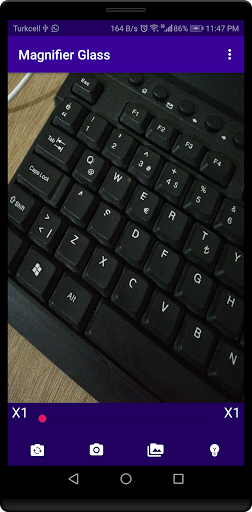
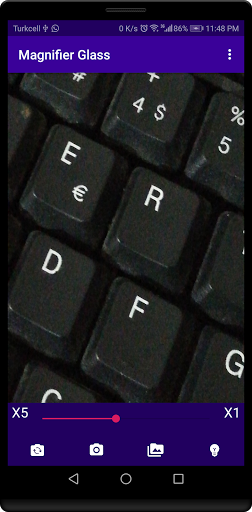
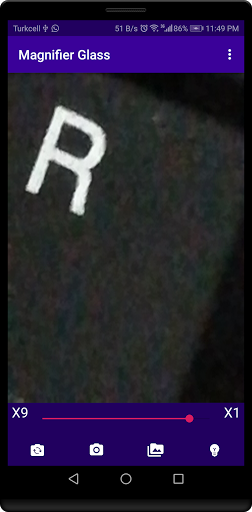
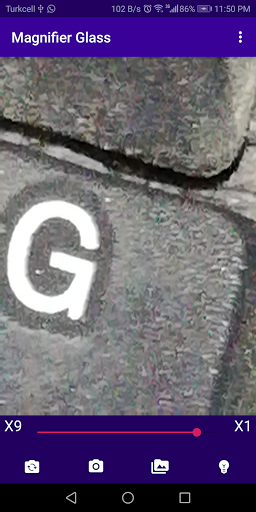
The Simplest, Easiest-to-Use Magnifying Glass in the App Store – Flashlight (LED Torch Light), Digital Magnifier, Restaurant Menu Reader, and Prescription Bottle Reader all-in-one.
Magnifying Glass is a FREE android application. Very Simple tool you can use it easily. The best app that help you magnify small text. With Magnifying Glass, you can read clearly and easily, What's more, you can zoom in or zoom out the camera by sliding the slider . Also this smart magnifier can use phones flashlight whenever you need.
We Worked hard on this App to make it one of the best magnifying apps in the Store, no doubt about it. Try it and see for yourself !!
The app uses your phone's camera to magnify text or whatever comes to mind, be creative use it as you like !
Great for the visually impaired, for soldering small joints and SMD components, and even for curious kids!
will help you in your DIY projects , its a nice tool to have around ,
What you can do with this magnifying glass:
- Read text, business cards or newspapers with no glasses.
- Check the details of your medicine bottle prescription.
- Read menu in a dark light restaurant.
- Replace backyard bulb at night.
- Search for things in your purse.
- Can be used as Microscope (for more fine and tiny images, though, this is not a real microscope).
- For electronic soldering
Features:
- Zoom: from 1x to 10x.
- Save Zoomed Photo
- Flashlight: Use flashlight in dark places or during night.
- Take Photos: Save magnified photos on your phone.
- Browse saved photos and you can share them.
- Use Front Camera if you like .
This all-in-one magnifying glass, flashlight, and camera snapshot app provides everything you need to read clearly.
- By using this magnifying glass with light you can clearly read small texts.
- Magnifying glass for android is a free android application. Simplest tool that anyone can use it without training.
- With magnifier, you can read clearly and easily, never missing anything.
- With magnifying glass with light, you can zoom in or zoom out the camera by the slider. Also smart magnifier can use flashlight whenever you need.
- Magnifying Glass app help you to see such thing in your mobile screen which is not visible on by the naked eye.
- Magnifier app with light is a perfect solution for your everyday reading.
- Magnifying glass for android smart phones make you smarter.
- Magnifier app with light and camera has been tested to work well on almost any Android device.
- This is all-in-one magnifying glass, flashlight, and camera snapshot,the magnifier app provides everything you need to read clearly.
- Magnifier - Magnifying Glass app is the best magnifying glass app of 2021.
Note:
The app requests camera permission to use for magnifying stuff .
The app requests Storage permission if you want to save photos for magnified things
Magnifier - Magnifying Glass app is available in English, русский , عربى , Española , Turkçe , German ,
If you have any question or suggestion about magnifying glass app please send us email to Crydatatech@gmail.com
Meer tonen

1. Download de MEmu-installatie en voltooi de setup

2. Start MEmu en open vervolgens Google Play op het bureaublad

3. Zoek Vergrootglas 2021 in Google Play
Install
4. Download en installeer Vergrootglas 2021
5. Klik op het icoon om te starten na het voltooien van de installatie

6. Ervaar Vergrootglas 2021 op pc met MEmu
MEmu Play is de beste Android-emulator, met meer dan 100 miljoen gebruikers die genieten van de superieure Android-app-ervaring. Dankzij de virtualisatietechnologie van MEmu kun je duizenden Android-apps soepel op je computer draaien, zelfs de meest veeleisende.
Groter scherm met betere graphics; Lange duur, zonder beperking van batterij of mobiele data.
Volledige Keymapping-ondersteuning voor nauwkeurige besturing van toetsenbord en muis of gamepad.
Meerdere game-accounts of taken op één PC tegelijk met Multi-Instance manager.
Gebruik Vergrootglas 2021 op PC door de volgende stappen te volgen: